
undertakerboy - Minecraft Skins & Skin History
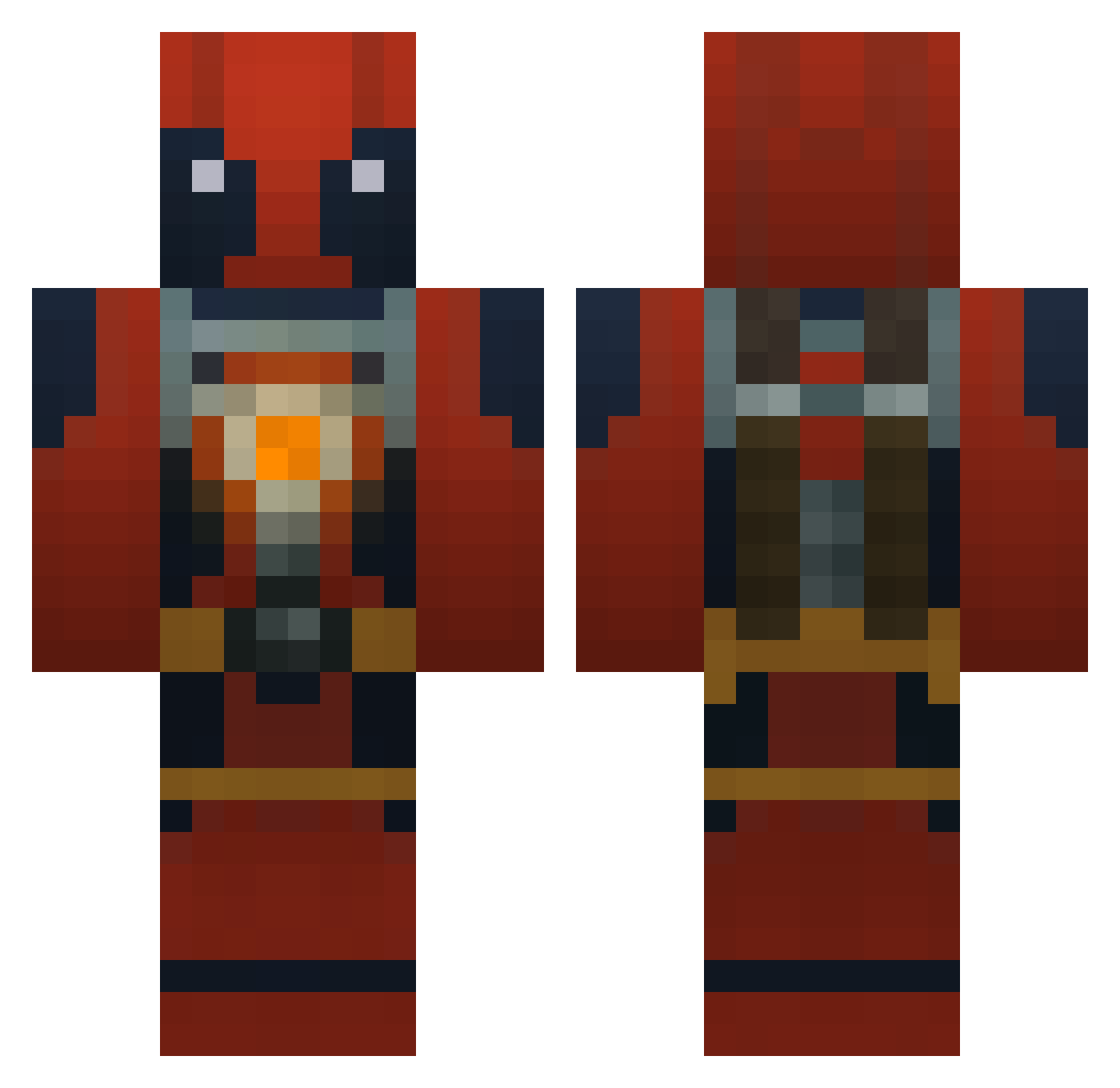
Current Minecraft skin of the player undertakerboy, loaded from the official Mojang API. Rotate the 3D model with your mouse or finger, then download the skin as a PNG file and use it in Minecraft: Bedrock Edition or Java Edition for free. When undertakerboy changes their skin, this page updates automatically and the old skin stays in the history below.
Other players with this skin (1045)
undertakerboy was the 1016th player we have seen with this skin, first spotted on 16.11.2026. The same skin was seen on these players. Open a nickname to see their current skin and skin history.
 ChaosLeben MR_jish jessenoller bowlinbball BlockBuster9930 JuJuHernandez Callco Gill2002 Janna58MVP HoneyCoatedJew Mountainwaffle9 nanaki7 Evanwood Coffein212 TheDealer001 8bitSingularity SirDreamalot swagyDONKEY SilentlyxInsane gnh323 NissanYOLO Birigion Huntah34 Fivekay Balameth Bnadhero chaosgamer6 Dexter_Dragon Sniperzombie51 scubawinters mitch_han T0MMYD33 Deadpool775 Haggisbag spammom BlobTing Sage_Spencer DieVinci Antonio070904 jerofthedead83 PlebJim BronzePvP LoftyDM xgaarocha SubZone94 Enderdragon4747 M1gula5 Brendan4777 Mike_Borowski Marchmann Kettsu SamCam6 MrRummy Rockothebest creeperseeker209 lacrossbilly Niskantaittaja LuisFe87 Spr1m3 Huta_Sollu
More Deadpool Minecraft skins
How to install the undertakerboy skin
- Press the Download button above to save the skin as a PNG file.
- Minecraft: Bedrock Edition (PE): open the Dressing Room from the main menu (or tap your character → Edit Character), go to Classic Skins → Owned, press the + (new skin) button, choose the downloaded PNG and pick the Classic (Steve) model. Works on PC and mobile; consoles cannot import custom skins.
- Minecraft: Java Edition: open the Minecraft Launcher, go to the Skins tab, click New Skin, load the PNG, pick the Classic (Steve) model and press Save & Use. You can also upload it at minecraft.net → Profile → Change Skin.
The skin does not show up after import - what should I do?
Restart Minecraft and open the Dressing Room again - imported skins sometimes appear only after a restart. Also make sure you selected the imported skin and picked the Classic (Steve) model.
Which model should I choose, Classic or Slim?
This skin is designed for the Classic (Steve) model. If you pick the wrong model, the arms of the skin will look stretched or squeezed.
Is the skin of undertakerboy free to download?
Yes. Press Download, save the PNG file and use it in Minecraft: Bedrock Edition or Java Edition - no payment or registration needed. The skin also works on multiplayer servers and Realms.
More skins
Looking for more? Go back to all Minecraft skins and check the top skins of the week, month and all time, or find any player's skin by nickname.