
uelow53worthy815 - Minecraft Skins & Skin History
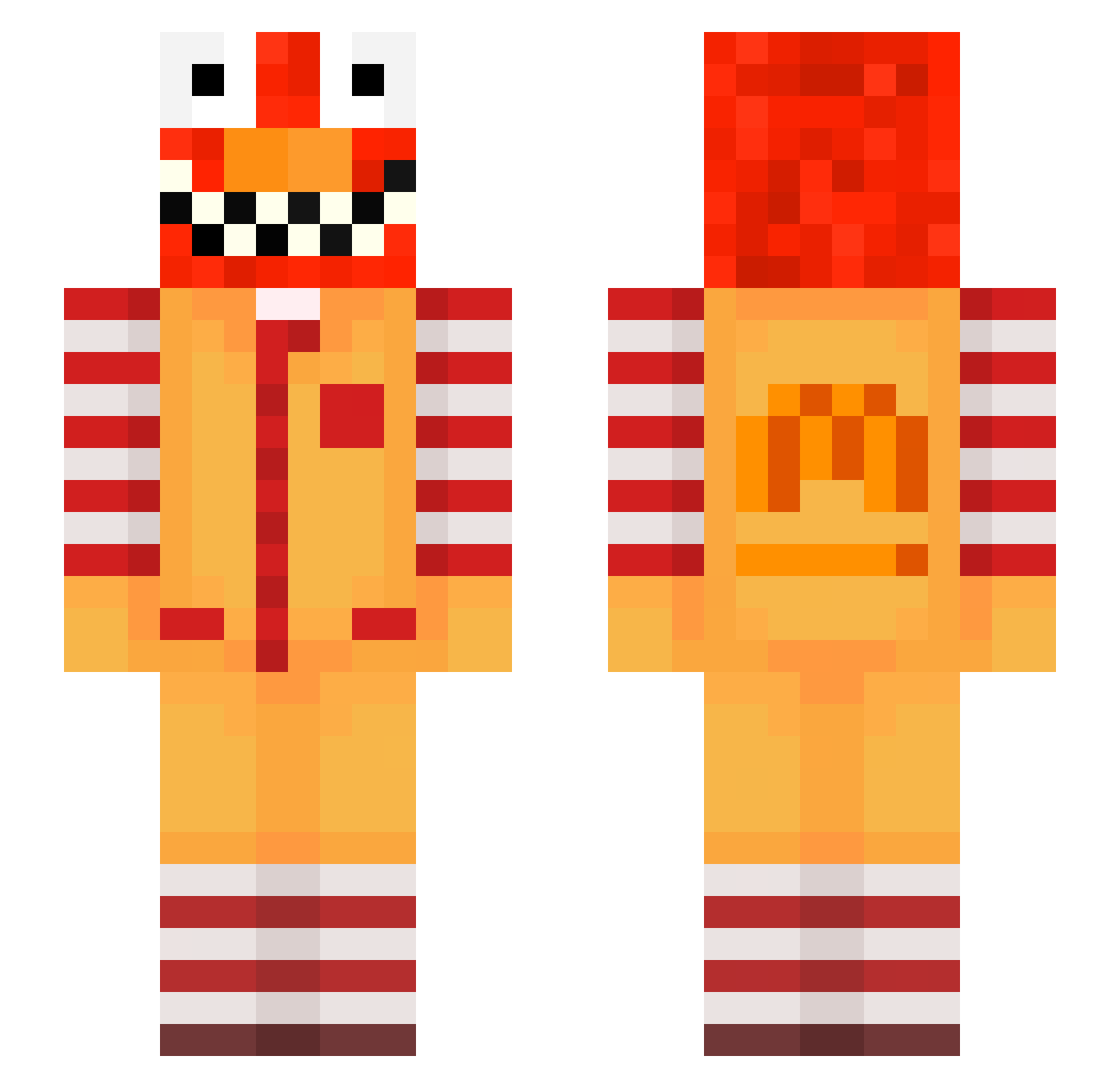
Current Minecraft skin of the player uelow53worthy815, loaded from the official Mojang API. Rotate the 3D model with your mouse or finger, then download the skin as a PNG file and use it in Minecraft: Bedrock Edition or Java Edition for free. When uelow53worthy815 changes their skin, this page updates automatically and the old skin stays in the history below.
Other players with this skin (716)
uelow53worthy815 was the 630th player we have seen with this skin, first spotted on 29.10.2026. The same skin was seen on these players. Open a nickname to see their current skin and skin history.
 wassim03 l2j_msmc_m4x er5_Abdou_owl tzi_NvgKv_10_27 Skycron_zPcia_16 PolyLuvsDihu2c chrissssto lidororealistic7 LinhTHWMJ0123 aks_EyEKk_02_22 Klarkyyy Sv2DUjd4sfcaGSv2 Potageer Sv2_Star_ohk 6qd_msmc_kry az_lk1Nd_10_28 poo_f5Sc4_12_29 kg7_msmc_4bp Daoust_loose424 scravo tzi_xRaRE_10_18 MoshiKlyy_ Grandiosa8 PASIR2wv7pjtz8cf Mourad_every73 chen06informal66 pussi55 ho3llowUarsimon bge_ei6DU_11_07 LinhZuhhH0224 JustParadise ron26familiar694 PASIRm1uxrttevau Chaiu_tw DortHit_zs9xbfb2 oxydrew az_Ta4Z4_10_23 Ama_XhENHv_ranth _4p0llyon Just_aZe HelliStinkt ItsDonMiller Sv2Vale80m Poo_jdrzq_01_10 ynski17closed186 Marzentrim585 DefaultTaxi f7a_msmc_rib risa2composed247 Tange09blank660 dorpiz_qaoKgTq Frashuneven015 bz_4so25_10_29 bym_ByrGM_05_04 Entitilo_vpcNZ Bresleycrafty135 Cepetyz raveALY91PoE erberuncommon285 psychia2tricimm
More Ronald Mcdonald Minecraft skins
See all 140 Ronald Mcdonald skins
How to install the uelow53worthy815 skin
- Press the Download button above to save the skin as a PNG file.
- Minecraft: Bedrock Edition (PE): open the Dressing Room from the main menu (or tap your character → Edit Character), go to Classic Skins → Owned, press the + (new skin) button, choose the downloaded PNG and pick the Slim (Alex) model. Works on PC and mobile; consoles cannot import custom skins.
- Minecraft: Java Edition: open the Minecraft Launcher, go to the Skins tab, click New Skin, load the PNG, pick the Slim (Alex) model and press Save & Use. You can also upload it at minecraft.net → Profile → Change Skin.
The skin does not show up after import - what should I do?
Restart Minecraft and open the Dressing Room again - imported skins sometimes appear only after a restart. Also make sure you selected the imported skin and picked the Slim (Alex) model.
Which model should I choose, Classic or Slim?
This skin is designed for the Slim (Alex) model. If you pick the wrong model, the arms of the skin will look stretched or squeezed.
Is the skin of uelow53worthy815 free to download?
Yes. Press Download, save the PNG file and use it in Minecraft: Bedrock Edition or Java Edition - no payment or registration needed. The skin also works on multiplayer servers and Realms.
More skins
Looking for more? Go back to all Minecraft skins and check the top skins of the week, month and all time, or find any player's skin by nickname.