
tudybos - Minecraft Skins & Skin History
Current Minecraft skin of the player tudybos, loaded from the official Mojang API. Rotate the 3D model with your mouse or finger, then download the skin as a PNG file and use it in Minecraft: Bedrock Edition or Java Edition for free. When tudybos changes their skin, this page updates automatically and the old skin stays in the history below.
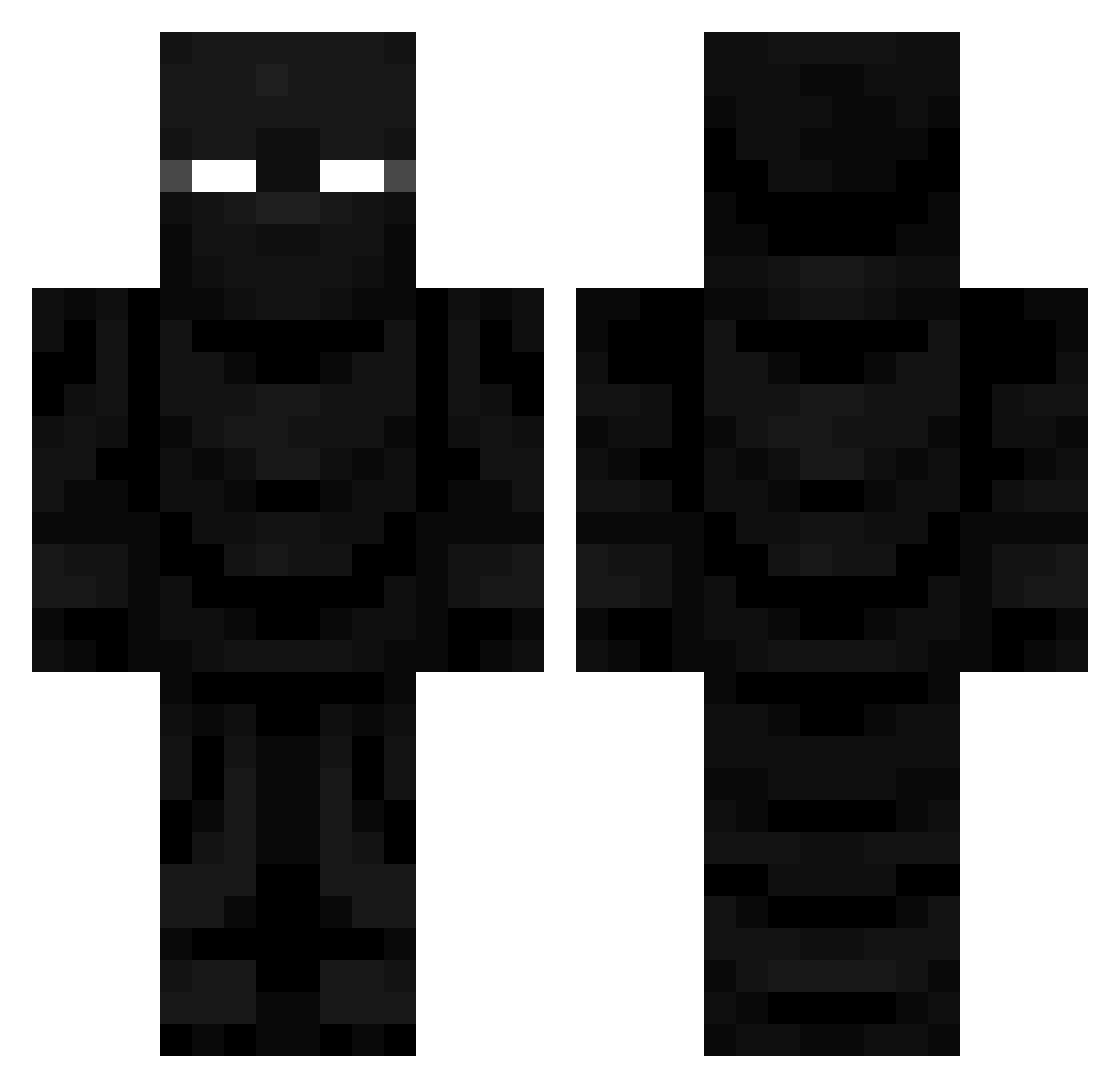
Other players with this skin (728)
tudybos was the 173rd player we have seen with this skin, first spotted on 22.08.2026. The same skin was seen on these players. Open a nickname to see their current skin and skin history.
 LastAsianBender
 ColorfulFerret George7276 ElCarpintero
 zaelem92 RickWare
 JlxnCKD Sky_1012_ burntpeanutz H2O_Flamingo badlmao AudwinPanzer AwfulWanderer drewittal davidmartinez0d
 __Lexicon akaCRYPTO Celaltuzun supremekaido Protowelt CrazyNewYorker1 __Kio DgMixa200
 CThrough Gcurtis29 theportmafia SAVAGEBlGCAT EXP_Ky nosoydiego12345 Robot_Commander Its__Borlax Tarikzaza
 Wat3rb011le JACOB990234 Jameslipp CooperJackson kanzaa SuperUltraSaiyan FatStuff666 Archonover8000 Glblood 9unhyeon NickTxdallas0909 Watermelon_Sage
 Just_JJ_ okasan_to_hessyo Polii_MC
 Cool_Jet9999 Delicious149 JundeeLightning AlexDaLame Xzubir SAPPYSALO jessepeep Sqwilliam303 moonfighterxd The2ndTower Panda_jpeg allanizis1kem Sithlordshokon
More Ninja Minecraft skins
How to install the tudybos skin
- Press the Download button above to save the skin as a PNG file.
- Minecraft: Bedrock Edition (PE): open the Dressing Room from the main menu (or tap your character → Edit Character), go to Classic Skins → Owned, press the + (new skin) button, choose the downloaded PNG and pick the Classic (Steve) model. Works on PC and mobile; consoles cannot import custom skins.
- Minecraft: Java Edition: open the Minecraft Launcher, go to the Skins tab, click New Skin, load the PNG, pick the Classic (Steve) model and press Save & Use. You can also upload it at minecraft.net → Profile → Change Skin.
The skin does not show up after import - what should I do?
Restart Minecraft and open the Dressing Room again - imported skins sometimes appear only after a restart. Also make sure you selected the imported skin and picked the Classic (Steve) model.
Which model should I choose, Classic or Slim?
This skin is designed for the Classic (Steve) model. If you pick the wrong model, the arms of the skin will look stretched or squeezed.
Is the skin of tudybos free to download?
Yes. Press Download, save the PNG file and use it in Minecraft: Bedrock Edition or Java Edition - no payment or registration needed. The skin also works on multiplayer servers and Realms.
More skins
Looking for more? Go back to all Minecraft skins and check the top skins of the week, month and all time, or find any player's skin by nickname.