
tschoehuijs - Minecraft Skins & Skin History
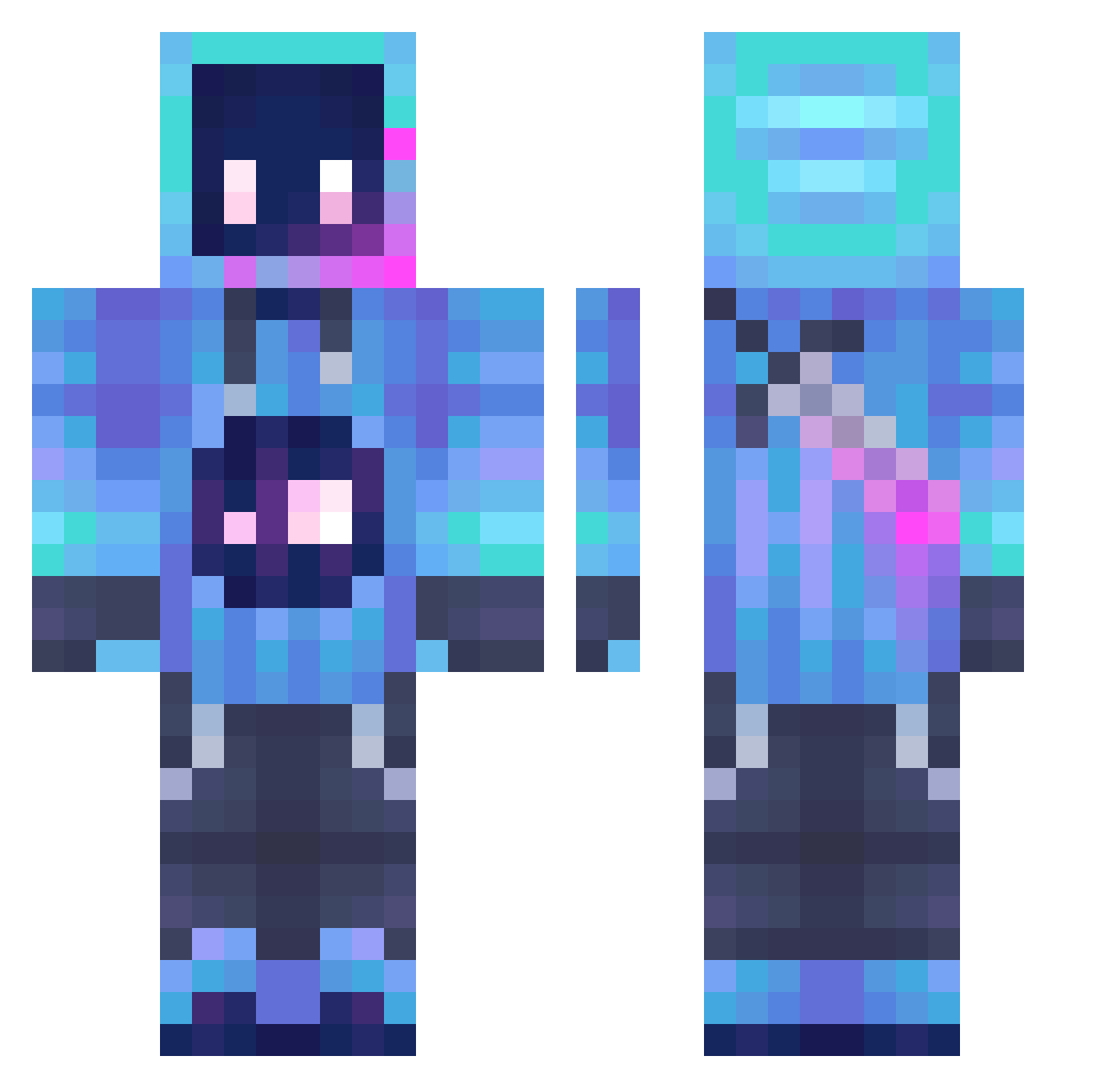
Current Minecraft skin of the player tschoehuijs, loaded from the official Mojang API. Rotate the 3D model with your mouse or finger, then download the skin as a PNG file and use it in Minecraft: Bedrock Edition or Java Edition for free. When tschoehuijs changes their skin, this page updates automatically and the old skin stays in the history below.
Other players with this skin (1297)
tschoehuijs was the 926th player we have seen with this skin, first spotted on 12.10.2026. The same skin was seen on these players. Open a nickname to see their current skin and skin history.
 DoongDoong_2 daiyinlin Sebastian1309 TK_TC Assassion17 Dojima01 __quasar__ SamotnyTypcio Hunterkiller_69 tjwright etymmm Kratos_T_T Datpotato12 Kuroblast Fundiments Nyno_Pr skyofpaper Jeli_Arts Irax1006 Andrex03 FrankNtank71 Joe_jo58 LeoLord289 HammerOnMC Goosegohonk6657 Vorcee MazeJamm FlyingPanda1818 TornadoSmash123 Baxter111 Solaris_26 Jaile990 RIN_TAROU itsgotagun NIKULGAMER TheA1Nick DUBZZZ08 GodSlayerGx loser401 Rainydayz000 MasterOFTechYT Riko02 Yuishiki0 Kearvek9 Robofun2 Brandon17MC DALEKUNGAUNG XODOMADE HYDRACELL99 Neko_Cai spark1037 X_saga_X IamSoJaiHongxdd TDS_SoloGamingYT Kalibosn Zanwuming MrMidah uzi_o osvaldovarpal _TheFatCreature
More Sword Minecraft skins
How to install the tschoehuijs skin
- Press the Download button above to save the skin as a PNG file.
- Minecraft: Bedrock Edition (PE): open the Dressing Room from the main menu (or tap your character → Edit Character), go to Classic Skins → Owned, press the + (new skin) button, choose the downloaded PNG and pick the Classic (Steve) model. Works on PC and mobile; consoles cannot import custom skins.
- Minecraft: Java Edition: open the Minecraft Launcher, go to the Skins tab, click New Skin, load the PNG, pick the Classic (Steve) model and press Save & Use. You can also upload it at minecraft.net → Profile → Change Skin.
The skin does not show up after import - what should I do?
Restart Minecraft and open the Dressing Room again - imported skins sometimes appear only after a restart. Also make sure you selected the imported skin and picked the Classic (Steve) model.
Which model should I choose, Classic or Slim?
This skin is designed for the Classic (Steve) model. If you pick the wrong model, the arms of the skin will look stretched or squeezed.
Is the skin of tschoehuijs free to download?
Yes. Press Download, save the PNG file and use it in Minecraft: Bedrock Edition or Java Edition - no payment or registration needed. The skin also works on multiplayer servers and Realms.
More skins
Looking for more? Go back to all Minecraft skins and check the top skins of the week, month and all time, or find any player's skin by nickname.