
trey829 - Minecraft Skins & Skin History
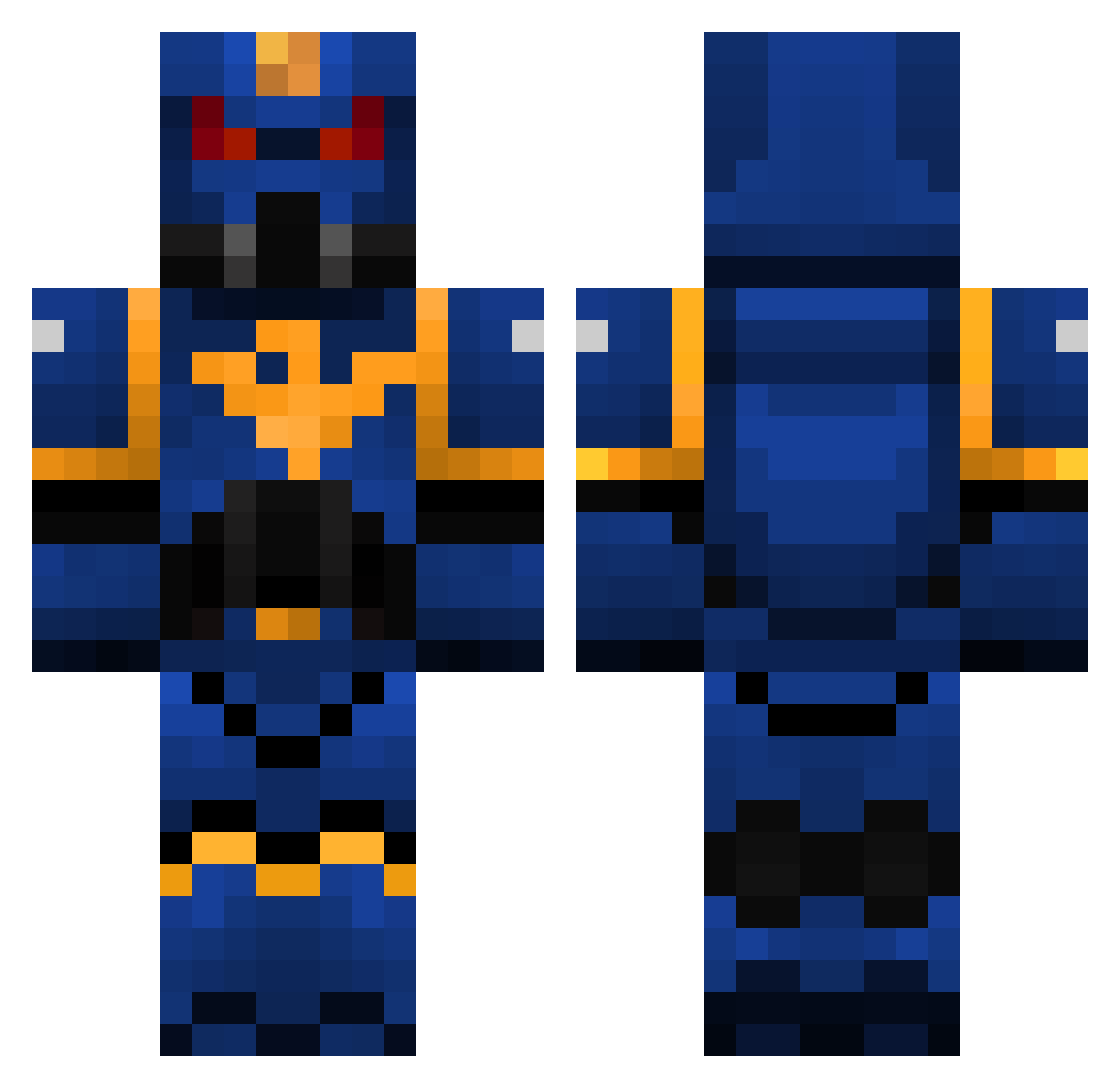
Current Minecraft skin of the player trey829, loaded from the official Mojang API. Rotate the 3D model with your mouse or finger, then download the skin as a PNG file and use it in Minecraft: Bedrock Edition or Java Edition for free. When trey829 changes their skin, this page updates automatically and the old skin stays in the history below.
Other players with this skin (325)
trey829 was the 321st player we have seen with this skin, first spotted on 31.10.2026. The same skin was seen on these players. Open a nickname to see their current skin and skin history.
 turkeyfist sjeflars MinecraftWarr CannibalCoffee horigan militaryfreak66 addx123456789 Viralona Geens02 Dangerous_M gunhazar __issa__ mbDOOM Gongiu mdpoulsen Coxaz pyro_block51 Spolander92 SirPukeAlot matthias08 sharp_eye DynamoStar Frenetique Gotozan Moonhero WALCKA30 patchwork64 lucaszd Ephajim Arsith proprotiss TheGladiator139 turbo0123 jackbillyliv l1_l1 scoutknife15 Narvalo17 rabargo06 Toryuu Milo_Mori Icarus_Rising King_Kitty gaffer3108 Degommer kmorfill Dawntreader2003 AmazingAlex007 Lilysnowdragon Gorgatron2000 elii17 sillas2001 repta54 JSrok Orapac salif76 Marciellus TubaProblem LakeWinni Casqit Vezos
More Warhammer Minecraft skins
How to install the trey829 skin
- Press the Download button above to save the skin as a PNG file.
- Minecraft: Bedrock Edition (PE): open the Dressing Room from the main menu (or tap your character → Edit Character), go to Classic Skins → Owned, press the + (new skin) button, choose the downloaded PNG and pick the Classic (Steve) model. Works on PC and mobile; consoles cannot import custom skins.
- Minecraft: Java Edition: open the Minecraft Launcher, go to the Skins tab, click New Skin, load the PNG, pick the Classic (Steve) model and press Save & Use. You can also upload it at minecraft.net → Profile → Change Skin.
The skin does not show up after import - what should I do?
Restart Minecraft and open the Dressing Room again - imported skins sometimes appear only after a restart. Also make sure you selected the imported skin and picked the Classic (Steve) model.
Which model should I choose, Classic or Slim?
This skin is designed for the Classic (Steve) model. If you pick the wrong model, the arms of the skin will look stretched or squeezed.
Is the skin of trey829 free to download?
Yes. Press Download, save the PNG file and use it in Minecraft: Bedrock Edition or Java Edition - no payment or registration needed. The skin also works on multiplayer servers and Realms.
More skins
Looking for more? Go back to all Minecraft skins and check the top skins of the week, month and all time, or find any player's skin by nickname.