
TitanPro - Minecraft Skins & Skin History
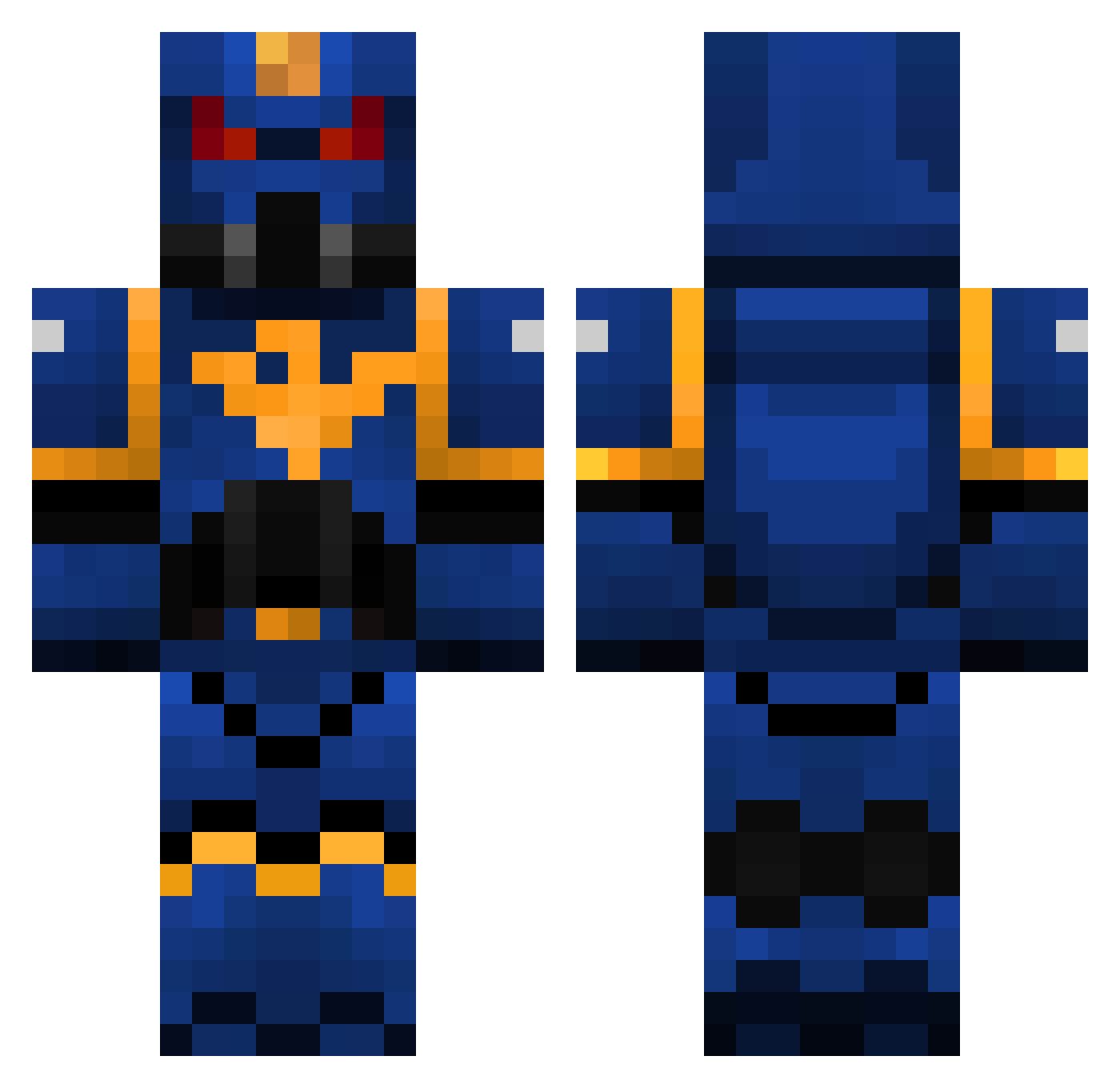
Current Minecraft skin of the player TitanPro, loaded from the official Mojang API. Rotate the 3D model with your mouse or finger, then download the skin as a PNG file and use it in Minecraft: Bedrock Edition or Java Edition for free. When TitanPro changes their skin, this page updates automatically and the old skin stays in the history below.
Other players with this skin (392)
TitanPro was the 338th player we have seen with this skin, first spotted on 05.11.2026. The same skin was seen on these players. Open a nickname to see their current skin and skin history.
 Big_Time5 farmerXX faroutz GhettoFighter01 Altied MeisterKreuz titus131 Skyroxis PIERRERW6 yoyo0207 JustAMarlin badboydaza94 NJD9 Xenus_666 Fenrir7 brookspsu WEBIA123 vincentmm150 Tree_humper LotteMikkel royneon6 JamesDean89 Dangerous_M addx123456789 Bombadill99 militaryfreak66 TotallyNotStalin CannibalCoffee MinecraftWarr ear_plugs825 mrpotatohead508 trey829 turkeyfist sjeflars gompa111 horigan Viralona Prodromus Geens02 Yamatos Kanashimi4 Kelohk gunhazar michel9421 subzero444 __issa__ ChinaMan454 SnagglepussQ mbDOOM cloudwheel nUgLeader Gongiu SecureHades beastlyboy02 starkchops FloppyGerbil JJ420BLAZEIT ThePhill0086 ckcrf50 Tikktoxy
More Warhammer Minecraft skins
How to install the TitanPro skin
- Press the Download button above to save the skin as a PNG file.
- Minecraft: Bedrock Edition (PE): open the Dressing Room from the main menu (or tap your character → Edit Character), go to Classic Skins → Owned, press the + (new skin) button, choose the downloaded PNG and pick the Classic (Steve) model. Works on PC and mobile; consoles cannot import custom skins.
- Minecraft: Java Edition: open the Minecraft Launcher, go to the Skins tab, click New Skin, load the PNG, pick the Classic (Steve) model and press Save & Use. You can also upload it at minecraft.net → Profile → Change Skin.
The skin does not show up after import - what should I do?
Restart Minecraft and open the Dressing Room again - imported skins sometimes appear only after a restart. Also make sure you selected the imported skin and picked the Classic (Steve) model.
Which model should I choose, Classic or Slim?
This skin is designed for the Classic (Steve) model. If you pick the wrong model, the arms of the skin will look stretched or squeezed.
Is the skin of TitanPro free to download?
Yes. Press Download, save the PNG file and use it in Minecraft: Bedrock Edition or Java Edition - no payment or registration needed. The skin also works on multiplayer servers and Realms.
More skins
Looking for more? Go back to all Minecraft skins and check the top skins of the week, month and all time, or find any player's skin by nickname.