
trexeli - Minecraft Skins & Skin History
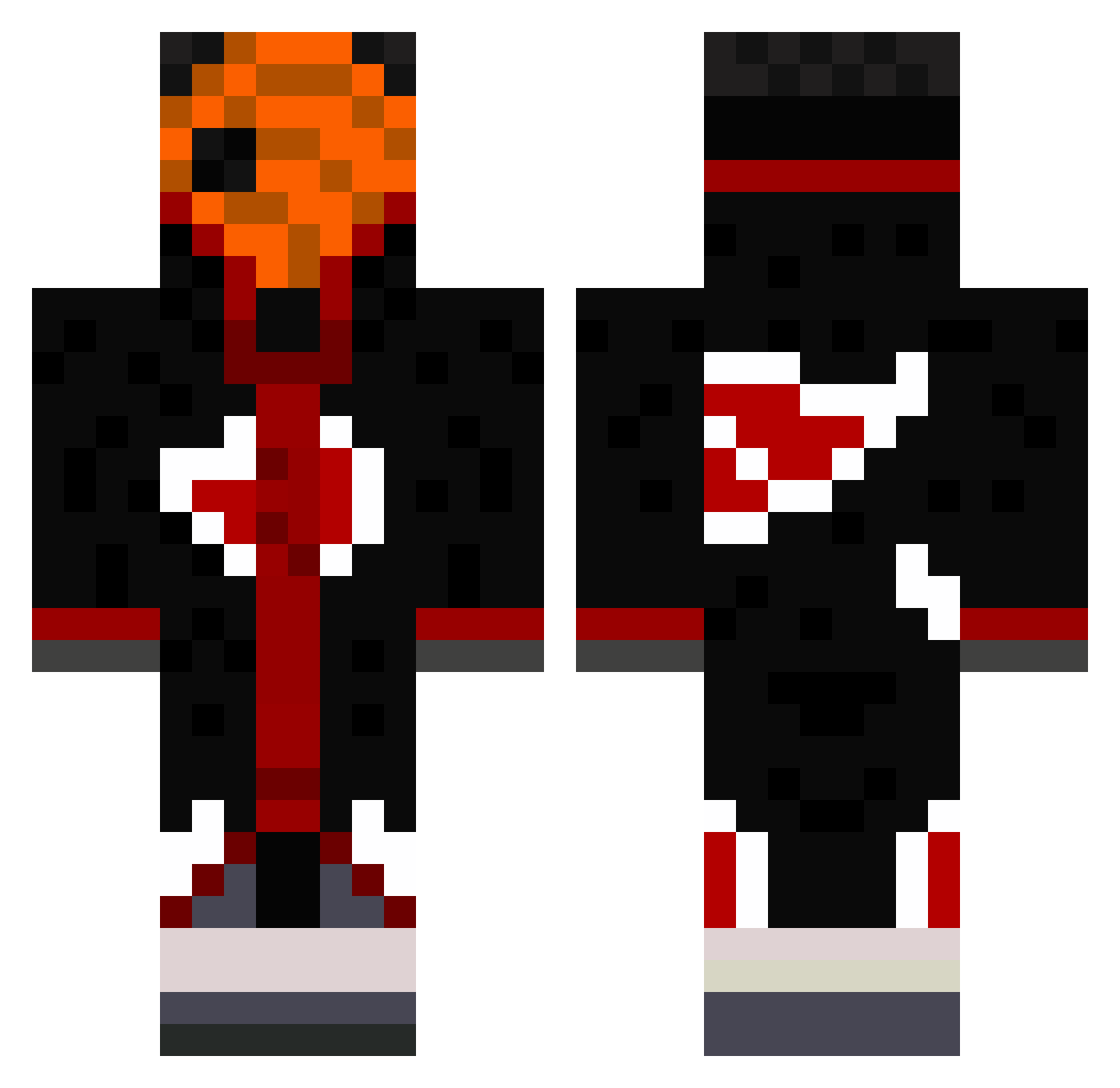
Current Minecraft skin of the player trexeli, loaded from the official Mojang API. Rotate the 3D model with your mouse or finger, then download the skin as a PNG file and use it in Minecraft: Bedrock Edition or Java Edition for free. When trexeli changes their skin, this page updates automatically and the old skin stays in the history below.
Other players with this skin (490)
trexeli was the 47th player we have seen with this skin, first spotted on 02.08.2026. The same skin was seen on these players. Open a nickname to see their current skin and skin history.
 naiqe Snuscka Thethinginuratic SOULsocietyCEO Zeno999 Artfullmoon vitortedpirata locodaan2 logijenk _RyRy59_ Verlyati Benkz LuvPerc Nokilone iDranx SouzaRx arthurzeal Emren2018 h4r1e7 jakejfrank Lxxcky69 DrakkanMC Sevan135 lordulmatei18 BoatClutcher Oxen_ xhersjy Maxuss888 EliteRSeren rafasmp Queud Dreamon1x David2807 TarazmatikLIE Kenjumba macocoa46 darkblademaster1 LF_FP Tenonin MrMcWaffle Makhachev12 v310x MajinB10 Ramos1644 Andeslud Deathk2 SaintjuSSJ2 amirboubie eblo666666 KAYNSPARTA StruggleMV JOHNLY1 Defconshad0w SnowyMC_ LiL_OLIKA SergeyG Faresyz chuang_how shioorii Idayn
More Obito Uchiha Minecraft skins
See all 171 Obito Uchiha skins
How to install the trexeli skin
- Press the Download button above to save the skin as a PNG file.
- Minecraft: Bedrock Edition (PE): open the Dressing Room from the main menu (or tap your character → Edit Character), go to Classic Skins → Owned, press the + (new skin) button, choose the downloaded PNG and pick the Classic (Steve) model. Works on PC and mobile; consoles cannot import custom skins.
- Minecraft: Java Edition: open the Minecraft Launcher, go to the Skins tab, click New Skin, load the PNG, pick the Classic (Steve) model and press Save & Use. You can also upload it at minecraft.net → Profile → Change Skin.
The skin does not show up after import - what should I do?
Restart Minecraft and open the Dressing Room again - imported skins sometimes appear only after a restart. Also make sure you selected the imported skin and picked the Classic (Steve) model.
Which model should I choose, Classic or Slim?
This skin is designed for the Classic (Steve) model. If you pick the wrong model, the arms of the skin will look stretched or squeezed.
Is the skin of trexeli free to download?
Yes. Press Download, save the PNG file and use it in Minecraft: Bedrock Edition or Java Edition - no payment or registration needed. The skin also works on multiplayer servers and Realms.
More skins
Looking for more? Go back to all Minecraft skins and check the top skins of the week, month and all time, or find any player's skin by nickname.