
treepuncher74 - Minecraft Skins & Skin History
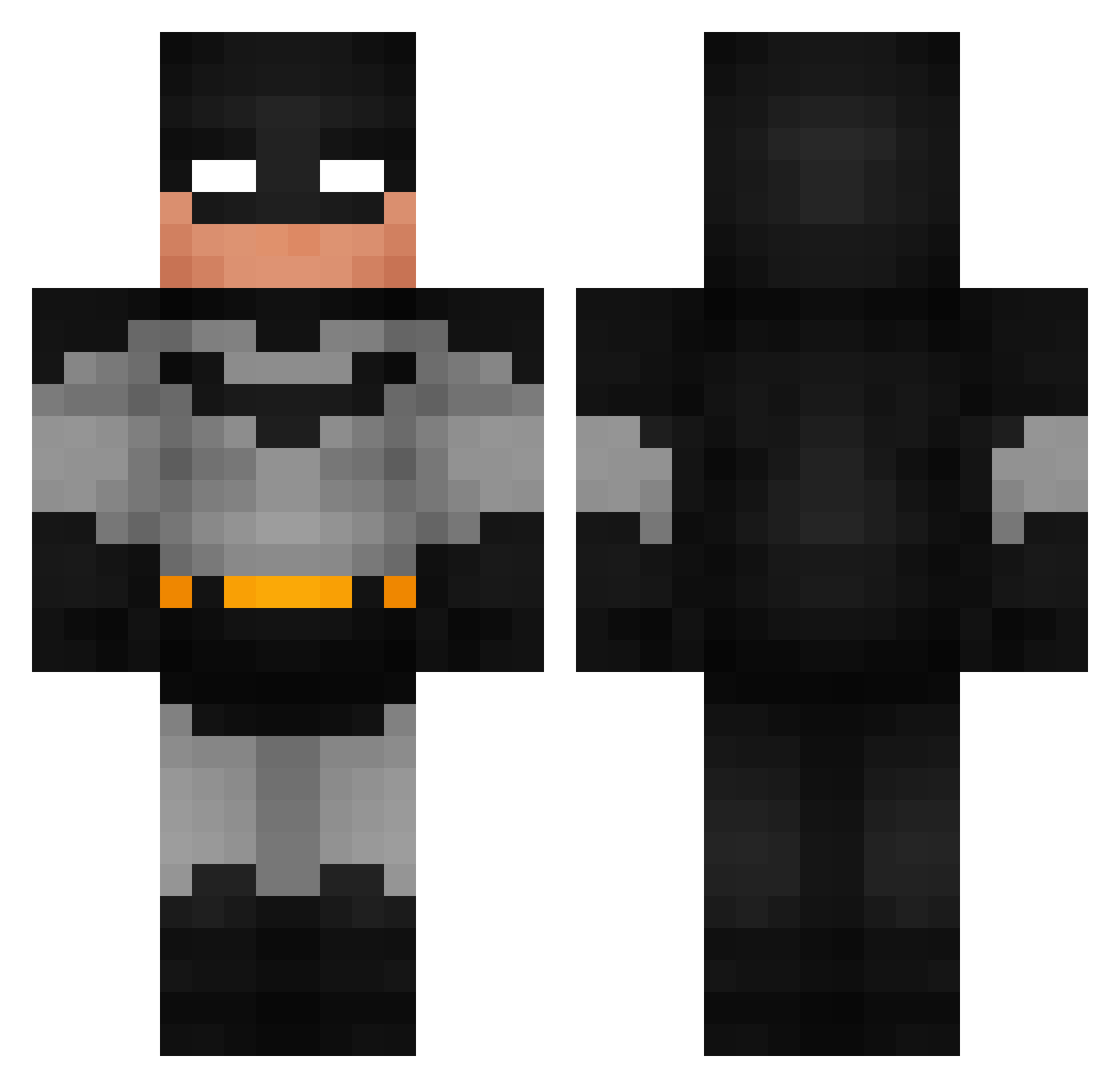
Current Minecraft skin of the player treepuncher74, loaded from the official Mojang API. Rotate the 3D model with your mouse or finger, then download the skin as a PNG file and use it in Minecraft: Bedrock Edition or Java Edition for free. When treepuncher74 changes their skin, this page updates automatically and the old skin stays in the history below.
Other players with this skin (789)
treepuncher74 was the 750th player we have seen with this skin, first spotted on 18.10.2026. The same skin was seen on these players. Open a nickname to see their current skin and skin history.
 MomeTito Dybala08 Ikodaae Luftmysza19 ndv_aceay Bongers2115 tretrorek_yt luciferogmille cumzuiger Jimmy124 MenitoBussolini1 ukiitoons BradytheKiller10 elithbenji Qubaisi78 Felipo95 xawer15 Ammar_2_ CrashoutSosa Stivman2 SpiderJambon kfizzle22 Vimasof PredatorX39 Apfel213 GodsAgent999 LOKI_67 CryptoBTW Brodsta4hire Alehandro37 NGNFadezzz bbcballz PETERPANGODGAMER Dony____ CrazyJ240 TudorNou ItIsThe1ndonlyFD Dragonizuka 0t4g Dasid apolloslug MichaelJackson19 Puss_inBoots TheLittleButerfl sdezzy Undeath4 skibidigamergirl Ndsheik thogmorten ZER0GM FSDiSciDe Sacs2 mort_irl JavxMC 01Rodrigox raf_o10 ANT7991 Griffinkapa obiejuanjacobie Potato0ps
More Batman Minecraft skins
How to install the treepuncher74 skin
- Press the Download button above to save the skin as a PNG file.
- Minecraft: Bedrock Edition (PE): open the Dressing Room from the main menu (or tap your character → Edit Character), go to Classic Skins → Owned, press the + (new skin) button, choose the downloaded PNG and pick the Classic (Steve) model. Works on PC and mobile; consoles cannot import custom skins.
- Minecraft: Java Edition: open the Minecraft Launcher, go to the Skins tab, click New Skin, load the PNG, pick the Classic (Steve) model and press Save & Use. You can also upload it at minecraft.net → Profile → Change Skin.
The skin does not show up after import - what should I do?
Restart Minecraft and open the Dressing Room again - imported skins sometimes appear only after a restart. Also make sure you selected the imported skin and picked the Classic (Steve) model.
Which model should I choose, Classic or Slim?
This skin is designed for the Classic (Steve) model. If you pick the wrong model, the arms of the skin will look stretched or squeezed.
Is the skin of treepuncher74 free to download?
Yes. Press Download, save the PNG file and use it in Minecraft: Bedrock Edition or Java Edition - no payment or registration needed. The skin also works on multiplayer servers and Realms.
More skins
Looking for more? Go back to all Minecraft skins and check the top skins of the week, month and all time, or find any player's skin by nickname.