
transformer_13 - Minecraft Skins & Skin History
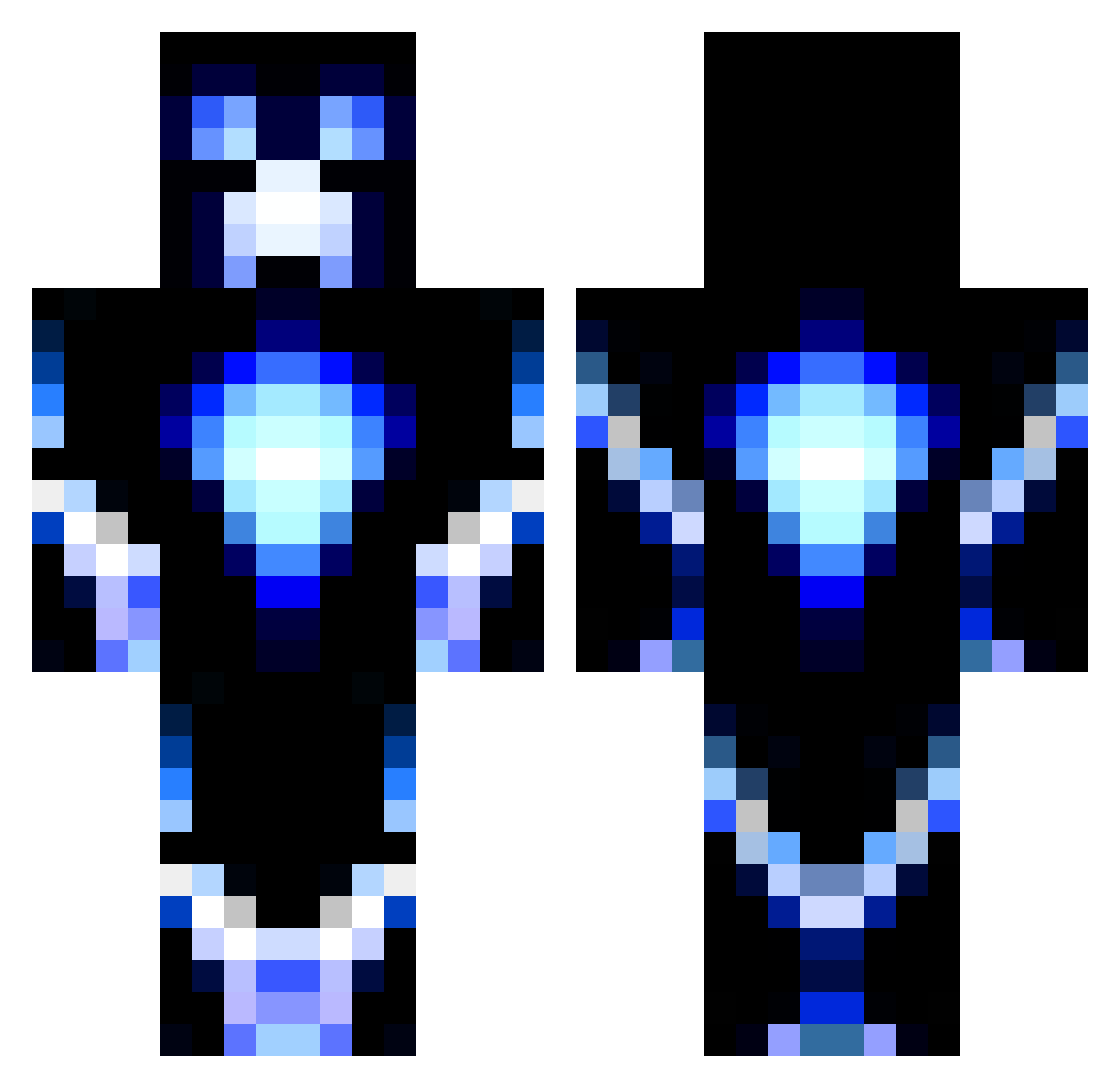
Current Minecraft skin of the player transformer_13, loaded from the official Mojang API. Rotate the 3D model with your mouse or finger, then download the skin as a PNG file and use it in Minecraft: Bedrock Edition or Java Edition for free. When transformer_13 changes their skin, this page updates automatically and the old skin stays in the history below.
Other players with this skin (1188)
transformer_13 was the 385th player we have seen with this skin, first spotted on 31.08.2026. The same skin was seen on these players. Open a nickname to see their current skin and skin history.
 MachoNakedPig captain_beast100 fighting45 ConorMega2008 Callotis aid3n_oc Power_Peter09 Josh56433 jjww88 hunter069 SWIFTERCREW SaucezC WATTAK84 comander_will jsdragon123 fishman100 colts62 Superawe VoltAge_1010 allazze Pikatchu_7 Zippysynpro jimpa72 L_wanni_ gummybear837 GoD_SaVe_Us tiger8353 tommyboyyyNL Nsmith460d Brayden0915 areyouin07 PiggPigg Swift_Gyro Spy2830 DCGRAY LAURINde PTChrist05 Lymoz1 remmie9 HalfBakedDragon juan1969999 LightningMan2903 vvswagg rapperen mattyman262 Chaota callan06 Aquascutum p_money909 dat_boss_creeper Cowboys_Forever fluffydakid WingedMeteor awwiwwi05 Marksanchez4 turner212 ImPoison plateu101 anderson6666 AnDy113
More Glowing Minecraft skins
How to install the transformer_13 skin
- Press the Download button above to save the skin as a PNG file.
- Minecraft: Bedrock Edition (PE): open the Dressing Room from the main menu (or tap your character → Edit Character), go to Classic Skins → Owned, press the + (new skin) button, choose the downloaded PNG and pick the Classic (Steve) model. Works on PC and mobile; consoles cannot import custom skins.
- Minecraft: Java Edition: open the Minecraft Launcher, go to the Skins tab, click New Skin, load the PNG, pick the Classic (Steve) model and press Save & Use. You can also upload it at minecraft.net → Profile → Change Skin.
The skin does not show up after import - what should I do?
Restart Minecraft and open the Dressing Room again - imported skins sometimes appear only after a restart. Also make sure you selected the imported skin and picked the Classic (Steve) model.
Which model should I choose, Classic or Slim?
This skin is designed for the Classic (Steve) model. If you pick the wrong model, the arms of the skin will look stretched or squeezed.
Is the skin of transformer_13 free to download?
Yes. Press Download, save the PNG file and use it in Minecraft: Bedrock Edition or Java Edition - no payment or registration needed. The skin also works on multiplayer servers and Realms.
More skins
Looking for more? Go back to all Minecraft skins and check the top skins of the week, month and all time, or find any player's skin by nickname.