
traglo - Minecraft Skins & Skin History
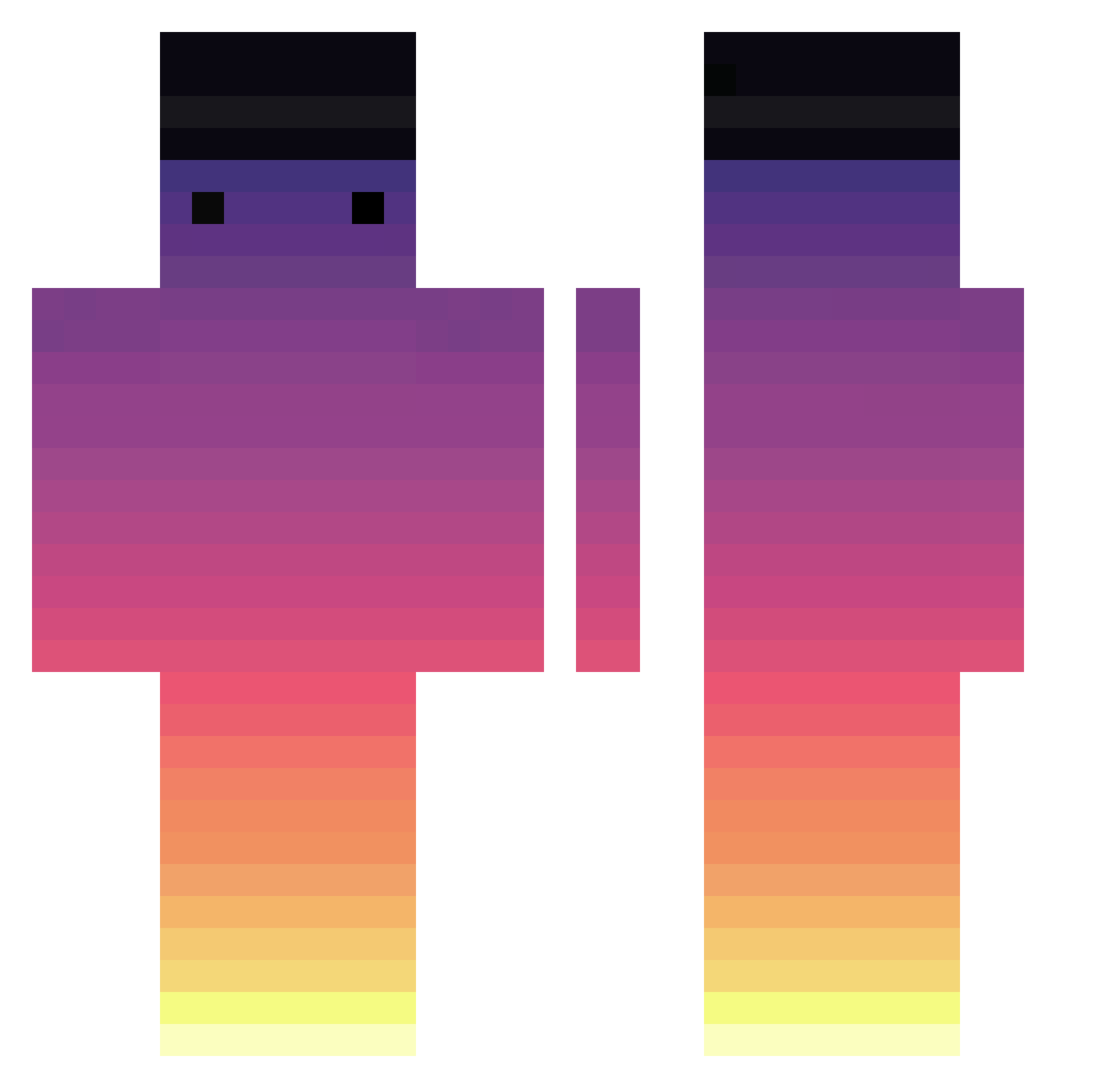
Current Minecraft skin of the player traglo, loaded from the official Mojang API. Rotate the 3D model with your mouse or finger, then download the skin as a PNG file and use it in Minecraft: Bedrock Edition or Java Edition for free. When traglo changes their skin, this page updates automatically and the old skin stays in the history below.
Other players with this skin (717)
traglo was the 399th player we have seen with this skin, first spotted on 26.09.2026. The same skin was seen on these players. Open a nickname to see their current skin and skin history.
 S2EUROPAS2 halo1178 TropicalSuns SadnessMan CHOIarin Kyonk_ Zajety kenNO_ojisan supanika__ Dusty_chicken_ agentOLEK AppetizerColt161 Zebra_ALL_S The_Blocker_101 Ruzer15 Ormanci11 ArtificialPorkhh Giaxomo shakuro85 bidulgy45770 sakiyiit _Kitty_Cat_Meow_ copwashere Ransur0 Lucamers lparker81 Ajvp7 ovkj FreedomLIQ mondkeks123 aleliz24 3l_mi4u petiks BaguetteMaison exrv sorry1sorry1 ianhung0318 pablito3003 epropar cleH20 54lili Jan3kk_ olidog8 antoine_faynot Samuel0919 deivisbeibis Lebasterr MarbleStraw2496 hxtlis edisamblock Shargueis racconut Why1st FunnyGamer_07 min945554 BReeeZx ItsSnowiii smith94 Rcins iEatNoodlez_
How to install the traglo skin
- Press the Download button above to save the skin as a PNG file.
- Minecraft: Bedrock Edition (PE): open the Dressing Room from the main menu (or tap your character → Edit Character), go to Classic Skins → Owned, press the + (new skin) button, choose the downloaded PNG and pick the Classic (Steve) model. Works on PC and mobile; consoles cannot import custom skins.
- Minecraft: Java Edition: open the Minecraft Launcher, go to the Skins tab, click New Skin, load the PNG, pick the Classic (Steve) model and press Save & Use. You can also upload it at minecraft.net → Profile → Change Skin.
The skin does not show up after import - what should I do?
Restart Minecraft and open the Dressing Room again - imported skins sometimes appear only after a restart. Also make sure you selected the imported skin and picked the Classic (Steve) model.
Which model should I choose, Classic or Slim?
This skin is designed for the Classic (Steve) model. If you pick the wrong model, the arms of the skin will look stretched or squeezed.
Is the skin of traglo free to download?
Yes. Press Download, save the PNG file and use it in Minecraft: Bedrock Edition or Java Edition - no payment or registration needed. The skin also works on multiplayer servers and Realms.
More skins
Looking for more? Go back to all Minecraft skins and check the top skins of the week, month and all time, or find any player's skin by nickname.