
tore_nil - Minecraft Skins & Skin History
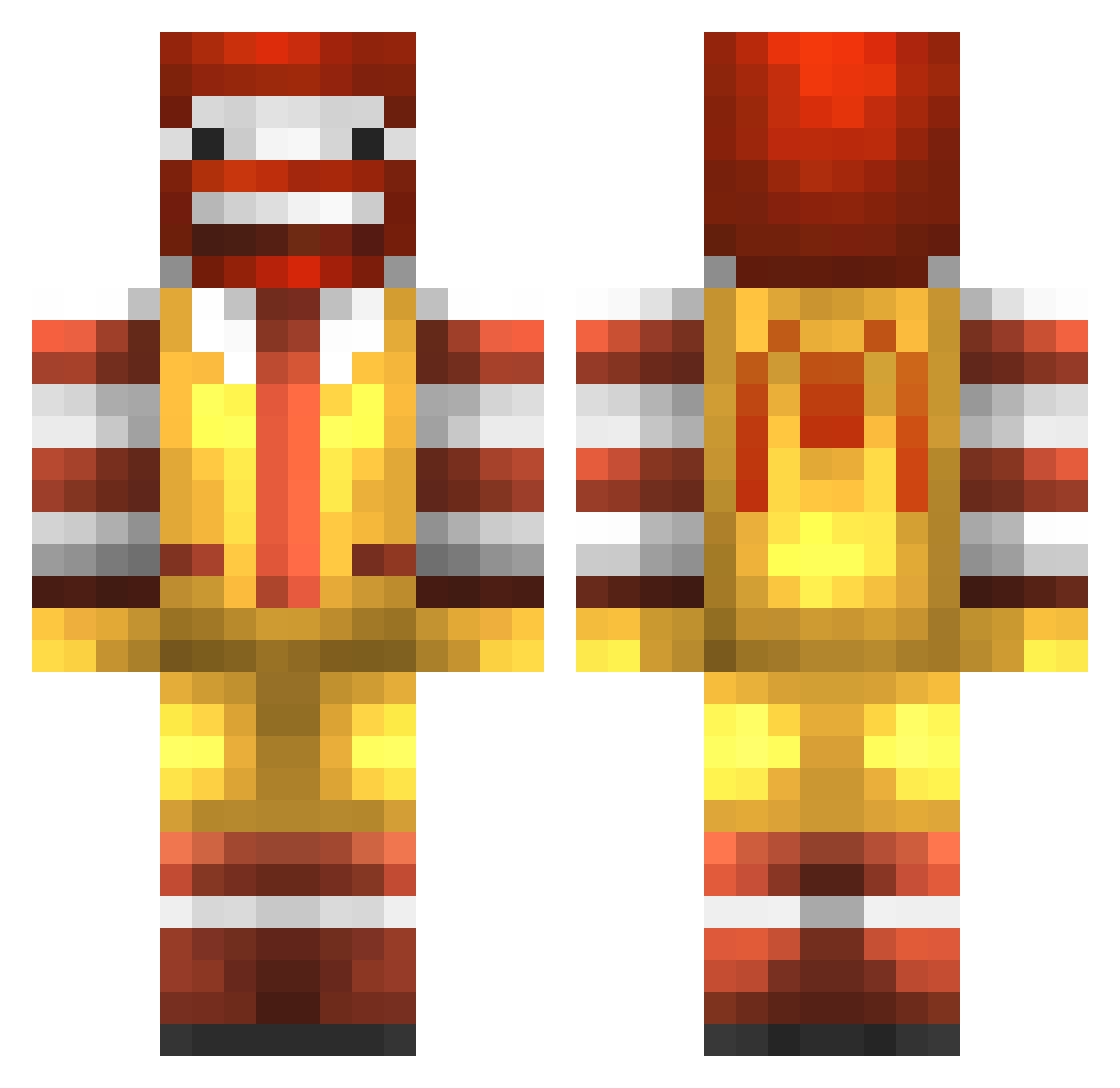
Current Minecraft skin of the player tore_nil, loaded from the official Mojang API. Rotate the 3D model with your mouse or finger, then download the skin as a PNG file and use it in Minecraft: Bedrock Edition or Java Edition for free. When tore_nil changes their skin, this page updates automatically and the old skin stays in the history below.
Other players with this skin (777)
tore_nil was the 26th player we have seen with this skin, first spotted on 26.07.2026. The same skin was seen on these players. Open a nickname to see their current skin and skin history.
 milotor sotinking Thepack707 skaterguy60 bmk1823 PME2021 beberix Alienzman thETacOMaN23000 kdog4784 alwaysf K_dawg14 XvEcLiPsEvX USATurtle Jotlo kcaj55 TyCampeau lildude3457 _KamiDesu PICKLEPARADE Korwin57 ronron1984 kimgus31 EEBloxson chelseafc264 mx3xm hmmmburger pilgreenal BuzzinTaiz kTdnG Totemic_Sniper04 AlbinoElfBoy IncrediblePs Diamondop3 puncakes112 AngryCrackhead Onetomany134444 KingOfMcDonalds WyattIRA HerbieLambert InfinityBomber Bringeur GenghisSwan69 Quality_Matrix ChickenOfBristol theynlu Silvnxe Pro_Bro_ ispud70 LordRichardsII Big_Ronda didouche Sem1307 Susan_Stone MustangYT mrburns349 Blockster380 McFluurry alecverwaard KalobGC
More Ronald Mcdonald Minecraft skins
See all 126 Ronald Mcdonald skins
How to install the tore_nil skin
- Press the Download button above to save the skin as a PNG file.
- Minecraft: Bedrock Edition (PE): open the Dressing Room from the main menu (or tap your character → Edit Character), go to Classic Skins → Owned, press the + (new skin) button, choose the downloaded PNG and pick the Classic (Steve) model. Works on PC and mobile; consoles cannot import custom skins.
- Minecraft: Java Edition: open the Minecraft Launcher, go to the Skins tab, click New Skin, load the PNG, pick the Classic (Steve) model and press Save & Use. You can also upload it at minecraft.net → Profile → Change Skin.
The skin does not show up after import - what should I do?
Restart Minecraft and open the Dressing Room again - imported skins sometimes appear only after a restart. Also make sure you selected the imported skin and picked the Classic (Steve) model.
Which model should I choose, Classic or Slim?
This skin is designed for the Classic (Steve) model. If you pick the wrong model, the arms of the skin will look stretched or squeezed.
Is the skin of tore_nil free to download?
Yes. Press Download, save the PNG file and use it in Minecraft: Bedrock Edition or Java Edition - no payment or registration needed. The skin also works on multiplayer servers and Realms.
More skins
Looking for more? Go back to all Minecraft skins and check the top skins of the week, month and all time, or find any player's skin by nickname.