
tonytemp2 - Minecraft Skins & Skin History
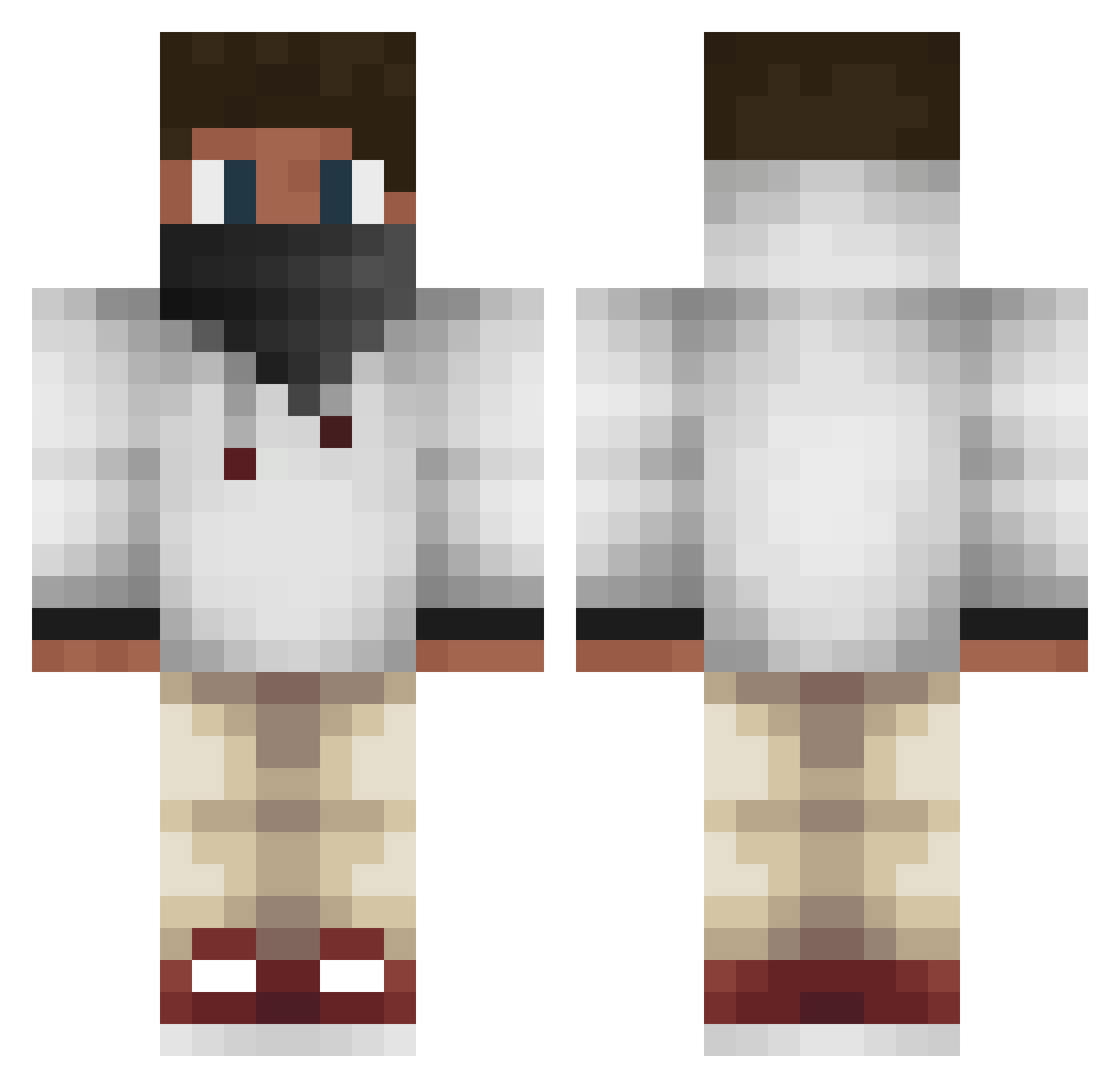
Current Minecraft skin of the player tonytemp2, loaded from the official Mojang API. Rotate the 3D model with your mouse or finger, then download the skin as a PNG file and use it in Minecraft: Bedrock Edition or Java Edition for free. When tonytemp2 changes their skin, this page updates automatically and the old skin stays in the history below.
Other players with this skin (163)
tonytemp2 was the 40th player we have seen with this skin, first spotted on 28.08.2026. The same skin was seen on these players. Open a nickname to see their current skin and skin history.
 Alvaro2416 2004matt GrizzNation Enz Adampadam77 SORAWRLD1 RQEEMO bjcy1 ThicccFork GhostBoy_DK Ilko102 LamaPRO0000 Legend_Derp bigdyk FOGyoy TOM31313131 Ciddonia gold3nchef JojoBoi11 HX1D3N megsmanX J0NI51 vaanee18 Alice8054 BKG1 CoolbearCommando Cybvrr PretoFosco aalatif SerKo11 GnIoTeK14 hulabaloo tommy_jake29 Neo499 avelaeon iiMew Gota_eg 1946YYD Kanellos007 KuCha118 Ethical1 Tuff_Gaming371 Pellofer summerskitty mowens99 Saladsauce_0 Ellisgaming45 Th123 Chrelle07 Nuhrs danganronpa12 _Mel0 _Durao_ Husika11 ETGV2 jube2003 slaviX_ Indiatofinland HypnoMP mr_senor8
More Streetwear Minecraft skins
How to install the tonytemp2 skin
- Press the Download button above to save the skin as a PNG file.
- Minecraft: Bedrock Edition (PE): open the Dressing Room from the main menu (or tap your character → Edit Character), go to Classic Skins → Owned, press the + (new skin) button, choose the downloaded PNG and pick the Classic (Steve) model. Works on PC and mobile; consoles cannot import custom skins.
- Minecraft: Java Edition: open the Minecraft Launcher, go to the Skins tab, click New Skin, load the PNG, pick the Classic (Steve) model and press Save & Use. You can also upload it at minecraft.net → Profile → Change Skin.
The skin does not show up after import - what should I do?
Restart Minecraft and open the Dressing Room again - imported skins sometimes appear only after a restart. Also make sure you selected the imported skin and picked the Classic (Steve) model.
Which model should I choose, Classic or Slim?
This skin is designed for the Classic (Steve) model. If you pick the wrong model, the arms of the skin will look stretched or squeezed.
Is the skin of tonytemp2 free to download?
Yes. Press Download, save the PNG file and use it in Minecraft: Bedrock Edition or Java Edition - no payment or registration needed. The skin also works on multiplayer servers and Realms.
More skins
Looking for more? Go back to all Minecraft skins and check the top skins of the week, month and all time, or find any player's skin by nickname.