
tomatoman0317 - Minecraft Skins & Skin History
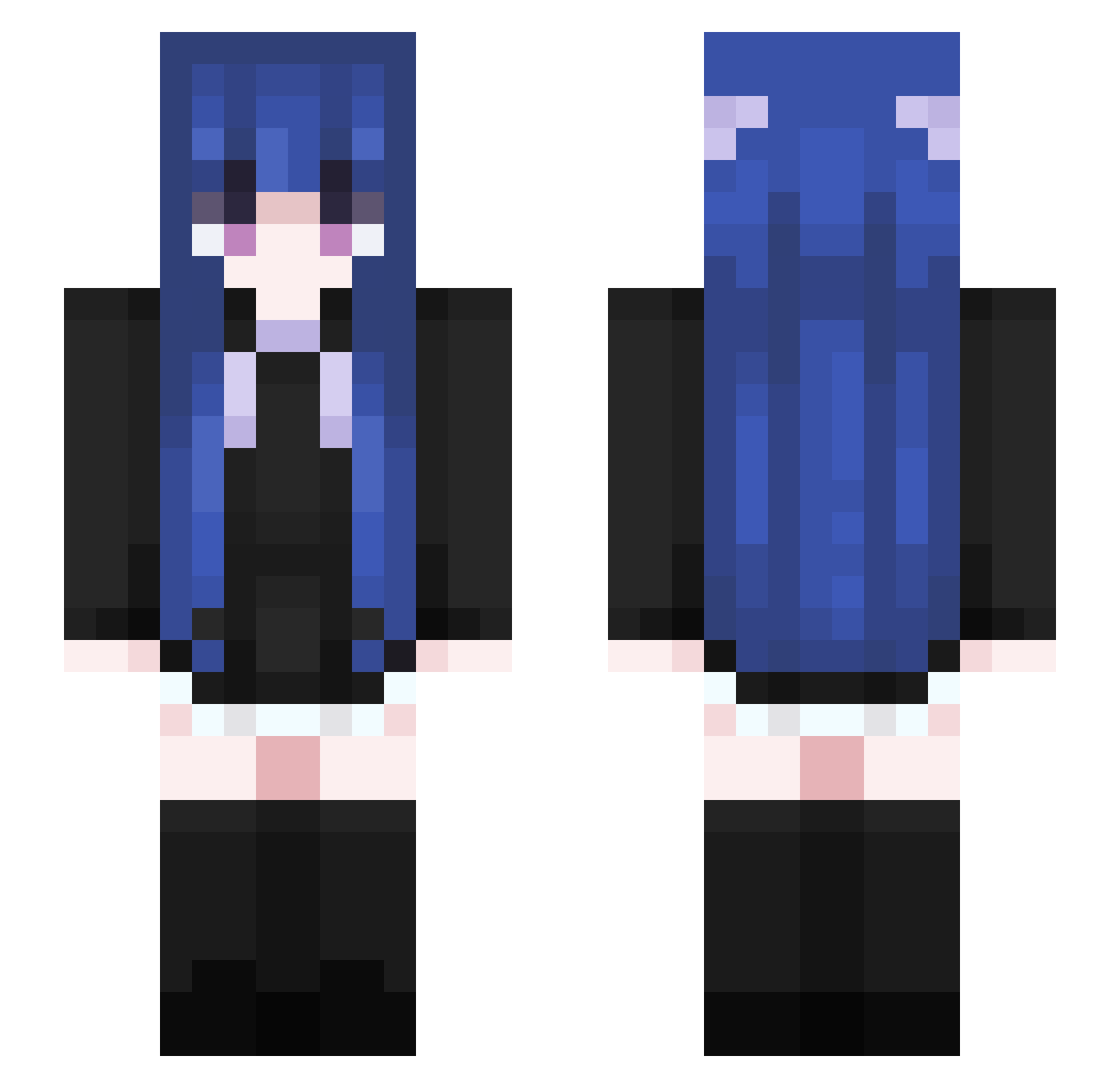
Current Minecraft skin of the player tomatoman0317, loaded from the official Mojang API. Rotate the 3D model with your mouse or finger, then download the skin as a PNG file and use it in Minecraft: Bedrock Edition or Java Edition for free. When tomatoman0317 changes their skin, this page updates automatically and the old skin stays in the history below.
Other players with this skin (460)
tomatoman0317 was the 247th player we have seen with this skin, first spotted on 12.09.2026. The same skin was seen on these players. Open a nickname to see their current skin and skin history.
 China_neul Salty_fish0 YOUOUZ Nibblette_ Asrie1 Pebble1003 AelinS2 OPHAM kirensina OkReAris rowanzi alswnd0812 CZTHHH zFI148 AbyssIris ANU1N pertkell tdawgggyy Destroyer_43 GreenIsGrass JockDolt RiKKA06n kuiyang MiYu233 Airmance Naitokyatto TGihub Suk_hyun Mr_Ses milkawa gamja0_0 ChenYJ3262 TaxEvasion2411 MXBJT satsuki9683 Guyin0220 XiaoMei_Cornetto onepersons Ending_Foil qiwan1006 yollow121 yian1204 ZhuRong_115 AnnieAdriana NeoSchnee mzxv5 BaiYiowo nerdieannie BethanT45 Msjoker Mayumi614 ningmeg Sakura99999 IobRemagOcir ArmedSiren74600 Chucky1504 dogbite_ TenseiCho Y_H_W caichara
More Goth Minecraft skins
How to install the tomatoman0317 skin
- Press the Download button above to save the skin as a PNG file.
- Minecraft: Bedrock Edition (PE): open the Dressing Room from the main menu (or tap your character → Edit Character), go to Classic Skins → Owned, press the + (new skin) button, choose the downloaded PNG and pick the Slim (Alex) model. Works on PC and mobile; consoles cannot import custom skins.
- Minecraft: Java Edition: open the Minecraft Launcher, go to the Skins tab, click New Skin, load the PNG, pick the Slim (Alex) model and press Save & Use. You can also upload it at minecraft.net → Profile → Change Skin.
The skin does not show up after import - what should I do?
Restart Minecraft and open the Dressing Room again - imported skins sometimes appear only after a restart. Also make sure you selected the imported skin and picked the Slim (Alex) model.
Which model should I choose, Classic or Slim?
This skin is designed for the Slim (Alex) model. If you pick the wrong model, the arms of the skin will look stretched or squeezed.
Is the skin of tomatoman0317 free to download?
Yes. Press Download, save the PNG file and use it in Minecraft: Bedrock Edition or Java Edition - no payment or registration needed. The skin also works on multiplayer servers and Realms.
More skins
Looking for more? Go back to all Minecraft skins and check the top skins of the week, month and all time, or find any player's skin by nickname.