
tldud1226 - Minecraft Skins & Skin History
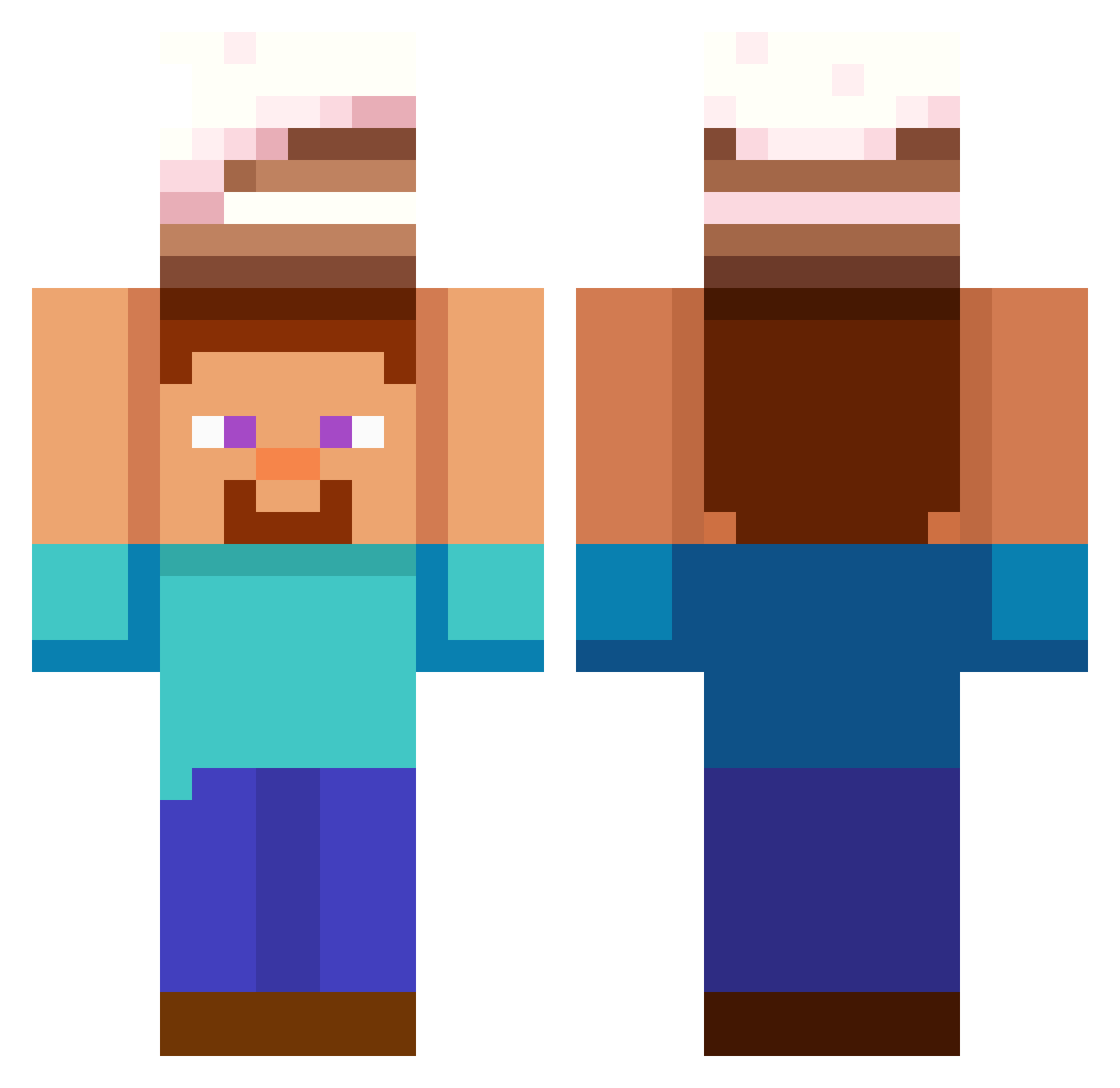
Current Minecraft skin of the player tldud1226, loaded from the official Mojang API. Rotate the 3D model with your mouse or finger, then download the skin as a PNG file and use it in Minecraft: Bedrock Edition or Java Edition for free. When tldud1226 changes their skin, this page updates automatically and the old skin stays in the history below.
Other players with this skin (565)
tldud1226 was the 388th player we have seen with this skin, first spotted on 02.10.2026. The same skin was seen on these players. Open a nickname to see their current skin and skin history.
 Ohylten sys8377 oretune mugiccat s2mle100les0 Messias04 Mirou2015 tyroneuz mong310 whdgus12 hello12200 real__ity Begula2 vlkad CowardPig _JackTheCripper_ MarkuSSSan rust875 leehocey Gorodamion2 The_Jetster jvmob4578 TwistedGrimTV12 JVrlk7 LTRAYN0R Peti205 BenKenobi83 dotmrjosh FatalPlayer9472 st0404 Marcio34400 alinaa3 Cuajoo Slikkepind11 Glacyan_ KenjiDaddy CoCoMiii McShell11 EmbodiedMoth744 Ryoshuki Neddiebones Arabian_Steve mitarasi03 ManIyPumpkin p0kkup bluepanda123455 ArtyChannel1410 MikeyND0 RescueAce Bleakshadow DuduPlayzYT Ch34t_C0d3s JohnJoodanPrime IndianTechSuport Drun alekspisarczyk d0nov4n BoomaFang Salgado04 Frenton
More Cake Minecraft skins
How to install the tldud1226 skin
- Press the Download button above to save the skin as a PNG file.
- Minecraft: Bedrock Edition (PE): open the Dressing Room from the main menu (or tap your character → Edit Character), go to Classic Skins → Owned, press the + (new skin) button, choose the downloaded PNG and pick the Classic (Steve) model. Works on PC and mobile; consoles cannot import custom skins.
- Minecraft: Java Edition: open the Minecraft Launcher, go to the Skins tab, click New Skin, load the PNG, pick the Classic (Steve) model and press Save & Use. You can also upload it at minecraft.net → Profile → Change Skin.
The skin does not show up after import - what should I do?
Restart Minecraft and open the Dressing Room again - imported skins sometimes appear only after a restart. Also make sure you selected the imported skin and picked the Classic (Steve) model.
Which model should I choose, Classic or Slim?
This skin is designed for the Classic (Steve) model. If you pick the wrong model, the arms of the skin will look stretched or squeezed.
Is the skin of tldud1226 free to download?
Yes. Press Download, save the PNG file and use it in Minecraft: Bedrock Edition or Java Edition - no payment or registration needed. The skin also works on multiplayer servers and Realms.
More skins
Looking for more? Go back to all Minecraft skins and check the top skins of the week, month and all time, or find any player's skin by nickname.