
tiara0111 - Minecraft Skins & Skin History
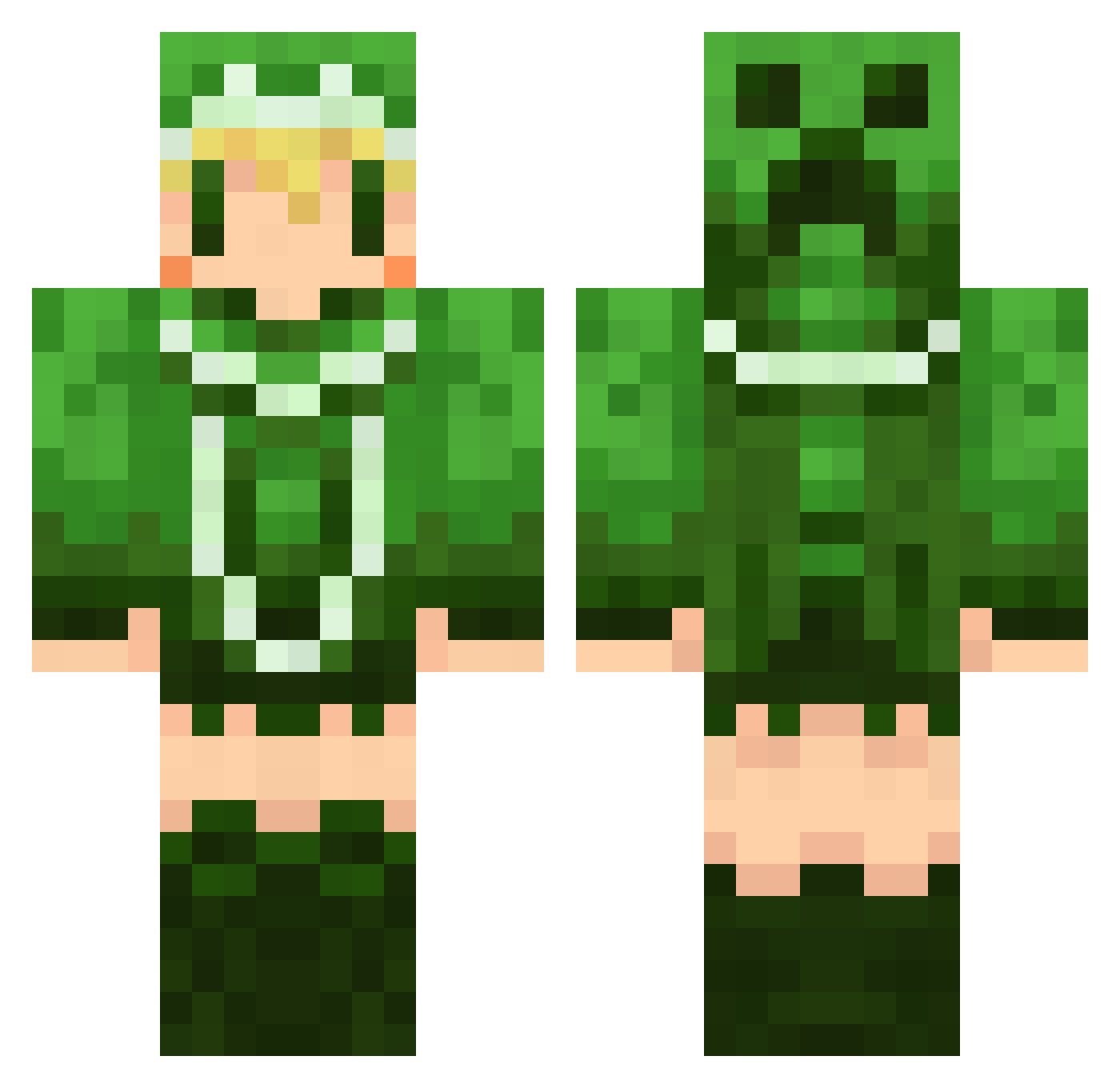
Current Minecraft skin of the player tiara0111, loaded from the official Mojang API. Rotate the 3D model with your mouse or finger, then download the skin as a PNG file and use it in Minecraft: Bedrock Edition or Java Edition for free. When tiara0111 changes their skin, this page updates automatically and the old skin stays in the history below.
Other players with this skin (668)
tiara0111 was the 644th player we have seen with this skin, first spotted on 06.11.2026. The same skin was seen on these players. Open a nickname to see their current skin and skin history.
 kytc meletts Lithmy yuuki1412 suzutomu lime_3129 cherry_sk U_season ImReiv kamiyan916 sabao429 MIKURI999 qczzy sunagin vividgreen nsk_0000 raina0 ftakak Glico_no_omake NAO0228 mikagenao amanekoco y0o0u kosian0612 Meltaso kuwasima Asagi0612 dsblanc akazora ziomaru PeeePooo K1ji airantou ke_ro_ppi midochoco aiueo5 makla_ Tubon Orc_Mage nooncopenhagen niki3 mesirom CURAN0512 amettiru yuki3782 yuumatouko pochiriku MikeNyan_ ntknnn mitsubachi0329 coaxial_R Freedom_Mk3 kanna710 1Corona1 Roche nao45 883482789 daigosig snow_2525 kzy_1666
More Creeper Minecraft skins
How to install the tiara0111 skin
- Press the Download button above to save the skin as a PNG file.
- Minecraft: Bedrock Edition (PE): open the Dressing Room from the main menu (or tap your character → Edit Character), go to Classic Skins → Owned, press the + (new skin) button, choose the downloaded PNG and pick the Classic (Steve) model. Works on PC and mobile; consoles cannot import custom skins.
- Minecraft: Java Edition: open the Minecraft Launcher, go to the Skins tab, click New Skin, load the PNG, pick the Classic (Steve) model and press Save & Use. You can also upload it at minecraft.net → Profile → Change Skin.
The skin does not show up after import - what should I do?
Restart Minecraft and open the Dressing Room again - imported skins sometimes appear only after a restart. Also make sure you selected the imported skin and picked the Classic (Steve) model.
Which model should I choose, Classic or Slim?
This skin is designed for the Classic (Steve) model. If you pick the wrong model, the arms of the skin will look stretched or squeezed.
Is the skin of tiara0111 free to download?
Yes. Press Download, save the PNG file and use it in Minecraft: Bedrock Edition or Java Edition - no payment or registration needed. The skin also works on multiplayer servers and Realms.
More skins
Looking for more? Go back to all Minecraft skins and check the top skins of the week, month and all time, or find any player's skin by nickname.