
thyluvbanana - Minecraft Skins & Skin History
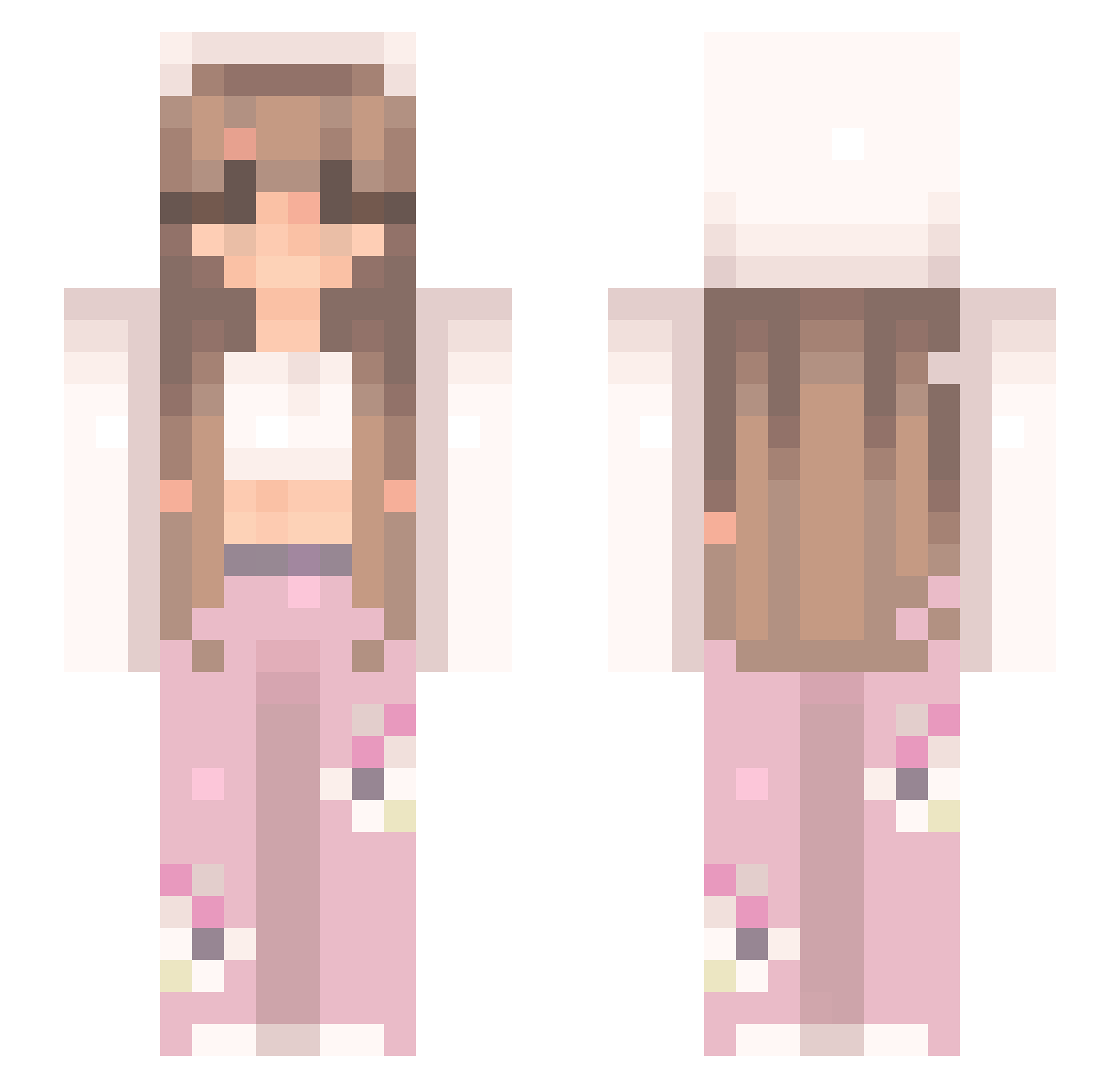
Current Minecraft skin of the player thyluvbanana, loaded from the official Mojang API. Rotate the 3D model with your mouse or finger, then download the skin as a PNG file and use it in Minecraft: Bedrock Edition or Java Edition for free. When thyluvbanana changes their skin, this page updates automatically and the old skin stays in the history below.
Other players with this skin (547)
thyluvbanana was the 328th player we have seen with this skin, first spotted on 30.09.2026. The same skin was seen on these players. Open a nickname to see their current skin and skin history.
 linaboonana Beyonds8 jaylanapoo jamilahhhhh xnejx iLoveTreXitoCfg irunit100 bbbunny01 ScarletAF Verophoto1 EGB2018 HvKNaidu Elss777 Lizzybeth1613 xxMagiydxx princessnevaeh13 PhoenixBlazze Naive_Fanatic JasperTropic 12Lilly12 ilyxez cinnamonzzzz Emmyy00 Tipounee jacinta4335 acey149 crystalzx flower_patchy TacoCat3201 YoungLix beccccaa TeslaSlayer64 Foneboy Dottie07 Dana_o11 BrainedBunny emmix_emmi bambambi7 Emma_Rose44 DAMI6760 Catbrace KatoTheKat badbarii Nana_POZ lucyRose20 princeznaaa__ saiturns yokoloco Munchedd TylaaK TrinitySpk lifeofvina Ichika_Tee BlaahBlaah mtv_bread peachpenguinn Teletubbyotter hotfries69 Davidoff69 soupypark
More Flowers Minecraft skins
How to install the thyluvbanana skin
- Press the Download button above to save the skin as a PNG file.
- Minecraft: Bedrock Edition (PE): open the Dressing Room from the main menu (or tap your character → Edit Character), go to Classic Skins → Owned, press the + (new skin) button, choose the downloaded PNG and pick the Slim (Alex) model. Works on PC and mobile; consoles cannot import custom skins.
- Minecraft: Java Edition: open the Minecraft Launcher, go to the Skins tab, click New Skin, load the PNG, pick the Slim (Alex) model and press Save & Use. You can also upload it at minecraft.net → Profile → Change Skin.
The skin does not show up after import - what should I do?
Restart Minecraft and open the Dressing Room again - imported skins sometimes appear only after a restart. Also make sure you selected the imported skin and picked the Slim (Alex) model.
Which model should I choose, Classic or Slim?
This skin is designed for the Slim (Alex) model. If you pick the wrong model, the arms of the skin will look stretched or squeezed.
Is the skin of thyluvbanana free to download?
Yes. Press Download, save the PNG file and use it in Minecraft: Bedrock Edition or Java Edition - no payment or registration needed. The skin also works on multiplayer servers and Realms.
More skins
Looking for more? Go back to all Minecraft skins and check the top skins of the week, month and all time, or find any player's skin by nickname.