
thiagomaia78 - Minecraft Skins & Skin History
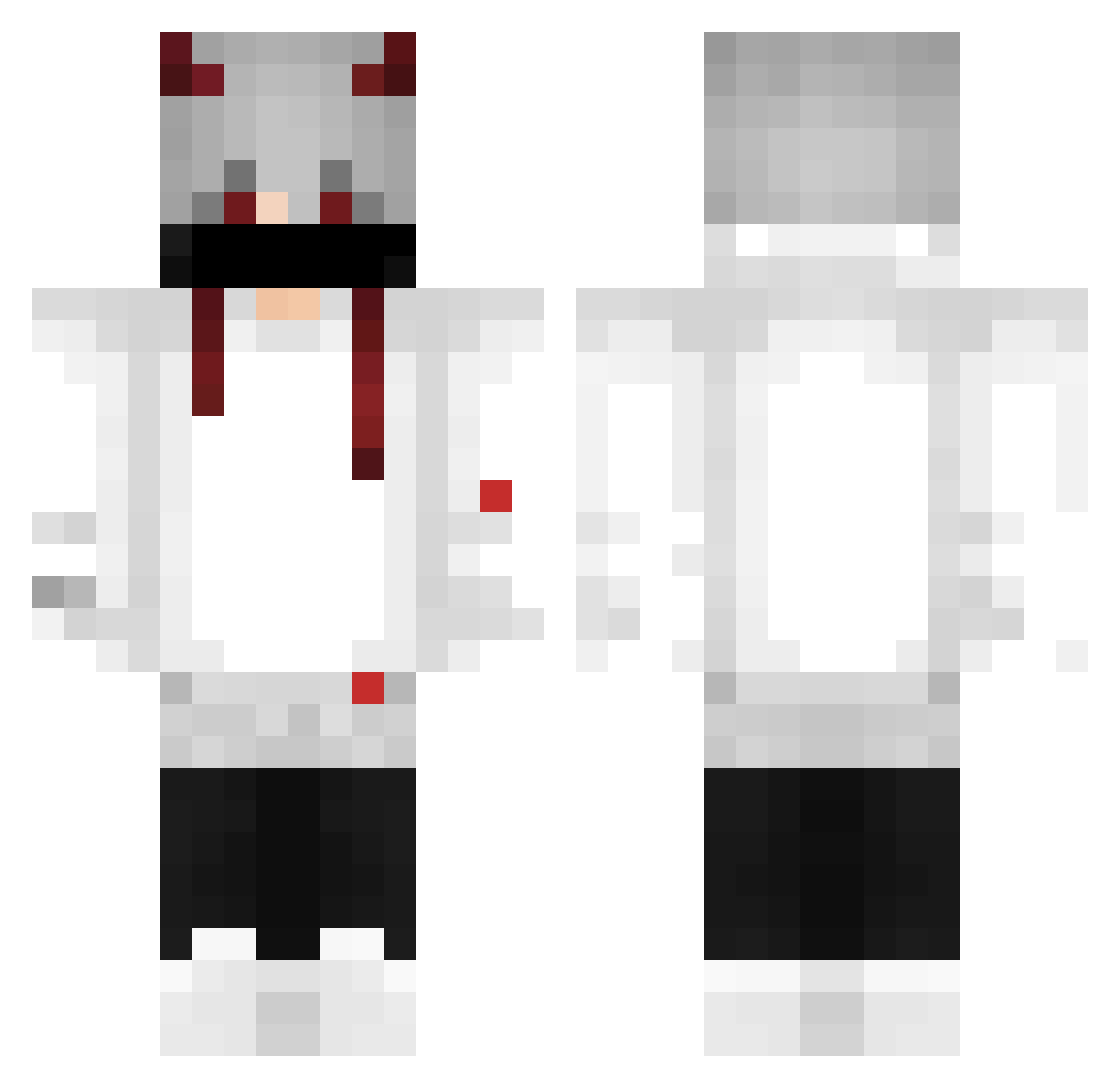
Current Minecraft skin of the player thiagomaia78, loaded from the official Mojang API. Rotate the 3D model with your mouse or finger, then download the skin as a PNG file and use it in Minecraft: Bedrock Edition or Java Edition for free. When thiagomaia78 changes their skin, this page updates automatically and the old skin stays in the history below.
Other players with this skin (378)
thiagomaia78 was the 290th player we have seen with this skin, first spotted on 06.10.2026. The same skin was seen on these players. Open a nickname to see their current skin and skin history.
 Gabrielscz DkzinRJ77 _sa123_ RIS0KOLL Beicin1214 iFroZzh Kzoti Aleklor GriXfon clownboy260 AL4K1NN NikolasKobla LuckaaN PhoenixRaphiii DRACKSTYLE THEDEADLYONI Arnav507 xSpazie Duluds dsadsadas DewilWar TheGreekNoob JotaPe_hds galbo66 HodSasRussia crayst Dirus91 femboycpvper Liphex bachira24 WolfRayH1 Kuro_shiro12 HuyOP_YT Mercenario683 Hawken12 demonlevi SamandSun mendigoRico Dolowin2323 LucasdBRA__3 Lukastv5000 Big_Rats031 LORDSKAR1 Peter090518 Revenge_02 OMG_MustaF1 Sasukecraf Smurf157 RHG_OFC jackedup321 Slafath ItsLuckyDaz buraksafak51 Balozk Narava_ NearX33 Dr_narutin9989 llirikz13 SRVINITV_ ArchonAzrath
More Demon Horns Minecraft skins
How to install the thiagomaia78 skin
- Press the Download button above to save the skin as a PNG file.
- Minecraft: Bedrock Edition (PE): open the Dressing Room from the main menu (or tap your character → Edit Character), go to Classic Skins → Owned, press the + (new skin) button, choose the downloaded PNG and pick the Classic (Steve) model. Works on PC and mobile; consoles cannot import custom skins.
- Minecraft: Java Edition: open the Minecraft Launcher, go to the Skins tab, click New Skin, load the PNG, pick the Classic (Steve) model and press Save & Use. You can also upload it at minecraft.net → Profile → Change Skin.
The skin does not show up after import - what should I do?
Restart Minecraft and open the Dressing Room again - imported skins sometimes appear only after a restart. Also make sure you selected the imported skin and picked the Classic (Steve) model.
Which model should I choose, Classic or Slim?
This skin is designed for the Classic (Steve) model. If you pick the wrong model, the arms of the skin will look stretched or squeezed.
Is the skin of thiagomaia78 free to download?
Yes. Press Download, save the PNG file and use it in Minecraft: Bedrock Edition or Java Edition - no payment or registration needed. The skin also works on multiplayer servers and Realms.
More skins
Looking for more? Go back to all Minecraft skins and check the top skins of the week, month and all time, or find any player's skin by nickname.