
thepurplehaze98 - Minecraft Skins & Skin History
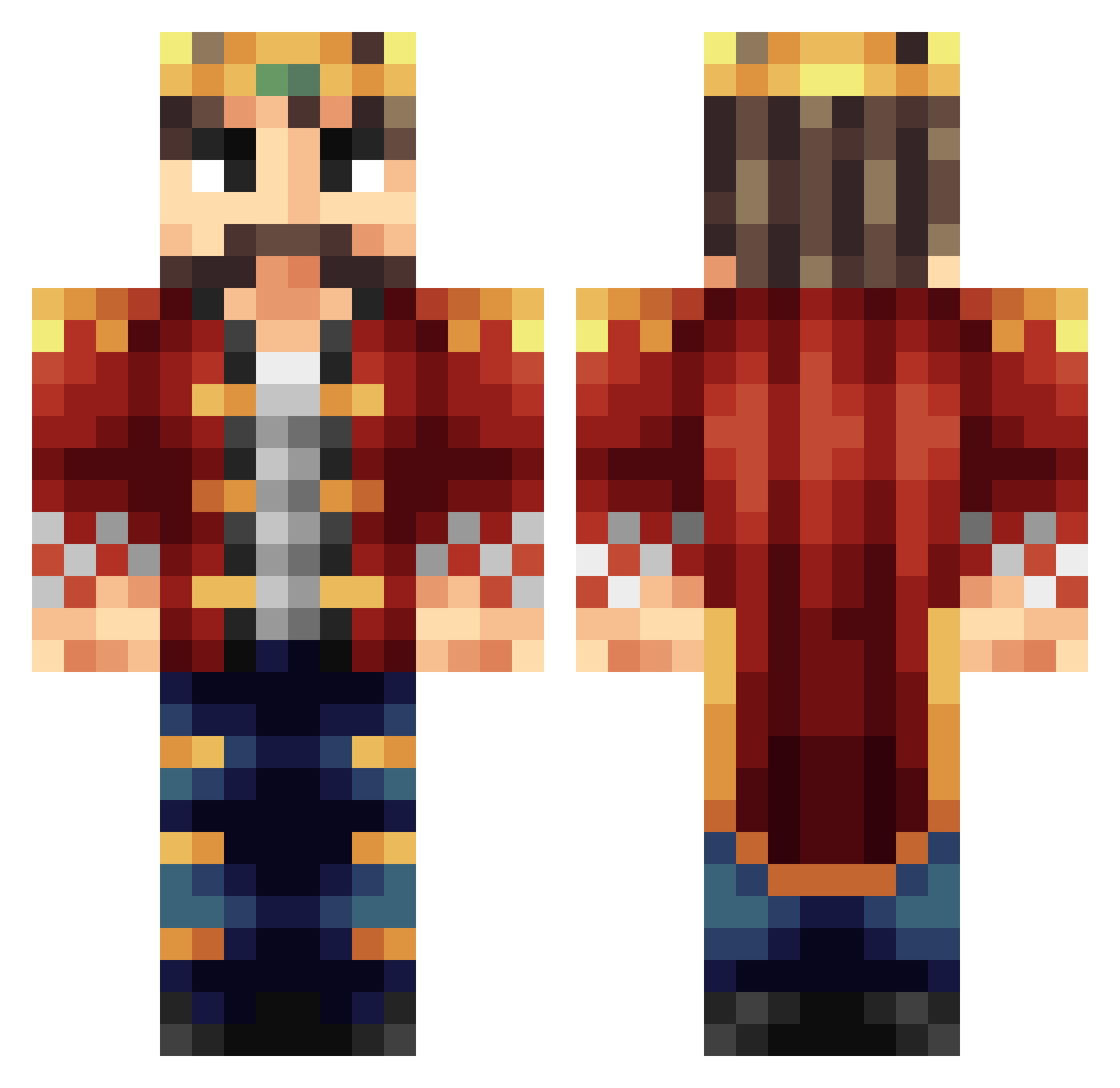
Current Minecraft skin of the player thepurplehaze98, loaded from the official Mojang API. Rotate the 3D model with your mouse or finger, then download the skin as a PNG file and use it in Minecraft: Bedrock Edition or Java Edition for free. When thepurplehaze98 changes their skin, this page updates automatically and the old skin stays in the history below.
Other players with this skin (398)
thepurplehaze98 was the 159th player we have seen with this skin, first spotted on 12.09.2026. The same skin was seen on these players. Open a nickname to see their current skin and skin history.
 Lub_Lub TheKingofRoast Noble KinGray JacksonLaz DonkeyKing1623 dragooon7 RivioQaz hejtobias IgneusJotunn The_Swift_Scout MathiChrist Miner213463 Ydokthegreat MrFilp chiefmora NeltharienPrime Super_Duck1106 Shuoriken Paranoia_Wolf Koenig_Relaxo knightglory REDDER AJOI1307 Armeniar Molnjir Floli20 TobiusAngleSmith tasiek123 ASLANTAS_YT TheBossFighter powerful_zeus NiklasB00 Ducky_JW Reinxastle HerioCheba FroggyDoodle BenTheMadKing cowwoc jimjamjimmyjimbo PapaSpicy Mimako_Knight Calco70 SwissGameHD shring monster02 BrentBailey1 OleM1995 K_DOG33 D1019 topboss1290 redmanking Future_Gamer 97LSY coolkid52345 MrKingTill oscarkungen05 MrSulinvar Logan0910 Zensu_
More Streamer Minecraft skins
How to install the thepurplehaze98 skin
- Press the Download button above to save the skin as a PNG file.
- Minecraft: Bedrock Edition (PE): open the Dressing Room from the main menu (or tap your character → Edit Character), go to Classic Skins → Owned, press the + (new skin) button, choose the downloaded PNG and pick the Classic (Steve) model. Works on PC and mobile; consoles cannot import custom skins.
- Minecraft: Java Edition: open the Minecraft Launcher, go to the Skins tab, click New Skin, load the PNG, pick the Classic (Steve) model and press Save & Use. You can also upload it at minecraft.net → Profile → Change Skin.
The skin does not show up after import - what should I do?
Restart Minecraft and open the Dressing Room again - imported skins sometimes appear only after a restart. Also make sure you selected the imported skin and picked the Classic (Steve) model.
Which model should I choose, Classic or Slim?
This skin is designed for the Classic (Steve) model. If you pick the wrong model, the arms of the skin will look stretched or squeezed.
Is the skin of thepurplehaze98 free to download?
Yes. Press Download, save the PNG file and use it in Minecraft: Bedrock Edition or Java Edition - no payment or registration needed. The skin also works on multiplayer servers and Realms.
More skins
Looking for more? Go back to all Minecraft skins and check the top skins of the week, month and all time, or find any player's skin by nickname.