
thepoorguy - Minecraft Skins & Skin History
Current Minecraft skin of the player thepoorguy, loaded from the official Mojang API. Rotate the 3D model with your mouse or finger, then download the skin as a PNG file and use it in Minecraft: Bedrock Edition or Java Edition for free. When thepoorguy changes their skin, this page updates automatically and the old skin stays in the history below.
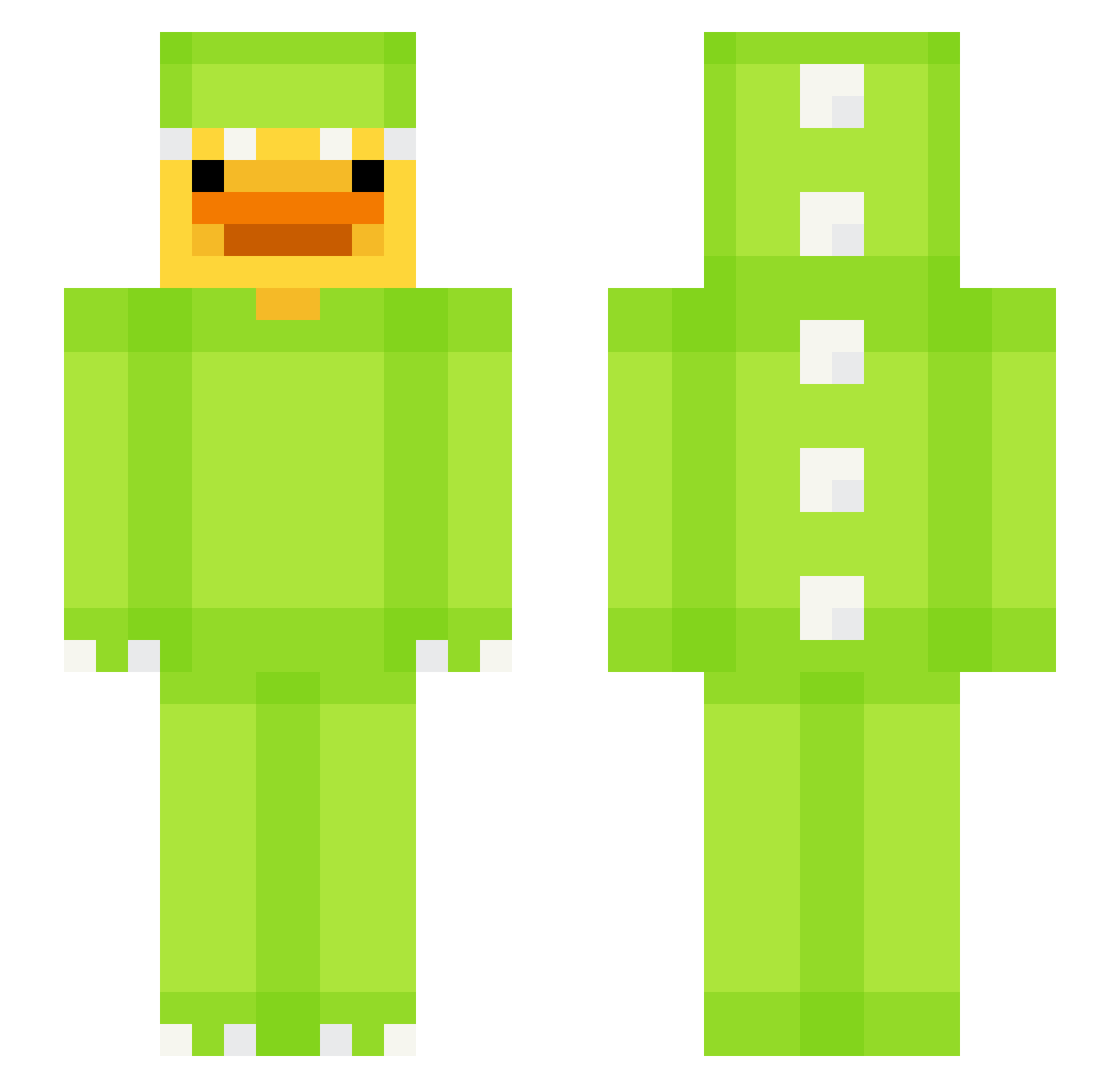
Other players with this skin (619)
thepoorguy was the 275th player we have seen with this skin, first spotted on 09.09.2026. The same skin was seen on these players. Open a nickname to see their current skin and skin history.
 vAbrahMC rjsdn3 Littlo98 prisa123 haram700 LRTZ221
 Quackalot_ ruri720 Yoyo923 PatoSal Bez_Kom Sofija77 SkateSC12 xAnt0lek Kragl50 HappyZombies missragge Emac_D ChaoticX_ megaphobia Diamondss11 YakaManky Bike5875 DavidGetTrolled lil_sevakan player929043020 lledwood ErenYeagerX whippy1 s3lw1 FoodGuystair M4hirk4r CabaX_ Gastroon rtay10
 wiwizee Kiiwmii kc_papita Ace_Tea7 mrbeangaming5 OrjaaN Pietrokev Kaguii maddawgrj aroe1227 Zajda6829 _GoatX MaddieMoo420 yeet123458
 IronAdas16 oleo7725 Myzooky guywithheadache Ernest02607 H1st0ries Zensein iuly_Y y00njung jminsk1 Minseoland
More Dinosaur Kigurumi Minecraft skins
See all 394 Dinosaur Kigurumi skins
How to install the thepoorguy skin
- Press the Download button above to save the skin as a PNG file.
- Minecraft: Bedrock Edition (PE): open the Dressing Room from the main menu (or tap your character → Edit Character), go to Classic Skins → Owned, press the + (new skin) button, choose the downloaded PNG and pick the Slim (Alex) model. Works on PC and mobile; consoles cannot import custom skins.
- Minecraft: Java Edition: open the Minecraft Launcher, go to the Skins tab, click New Skin, load the PNG, pick the Slim (Alex) model and press Save & Use. You can also upload it at minecraft.net → Profile → Change Skin.
The skin does not show up after import - what should I do?
Restart Minecraft and open the Dressing Room again - imported skins sometimes appear only after a restart. Also make sure you selected the imported skin and picked the Slim (Alex) model.
Which model should I choose, Classic or Slim?
This skin is designed for the Slim (Alex) model. If you pick the wrong model, the arms of the skin will look stretched or squeezed.
Is the skin of thepoorguy free to download?
Yes. Press Download, save the PNG file and use it in Minecraft: Bedrock Edition or Java Edition - no payment or registration needed. The skin also works on multiplayer servers and Realms.
More skins
Looking for more? Go back to all Minecraft skins and check the top skins of the week, month and all time, or find any player's skin by nickname.