
Zensein - Minecraft Skins & Skin History
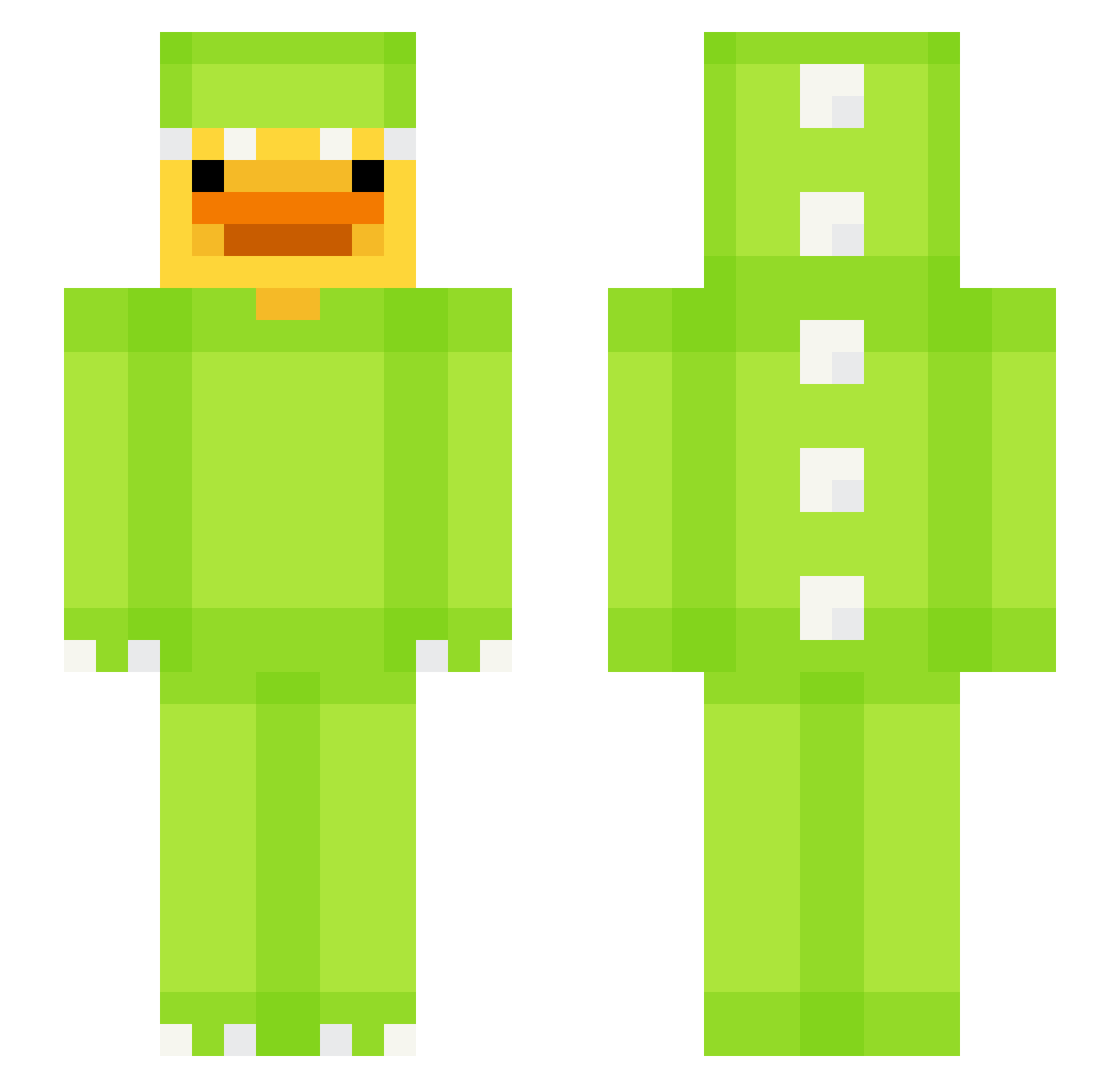
Current Minecraft skin of the player Zensein, loaded from the official Mojang API. Rotate the 3D model with your mouse or finger, then download the skin as a PNG file and use it in Minecraft: Bedrock Edition or Java Edition for free. When Zensein changes their skin, this page updates automatically and the old skin stays in the history below.
Other players with this skin (653)
Zensein was the 247th player we have seen with this skin, first spotted on 03.09.2026. The same skin was seen on these players. Open a nickname to see their current skin and skin history.
 H1st0ries guywithheadache
 IronAdas16 Thowasd09 MaddieMoo420 Gossiex _GoatX Zero_Kim_ Zajda6829 NarutoSnapped aroe1227 Os001 DuckzinBR01 fungi080814 LimpidNoodle ChinJuice knaves17 DatSlammedB5 ChunGgG OrjaaN panda2612 crucixoyYT Chingsmaa Ace_Tea7 dinoduck17
 wiwizee jace7jaar juraj24 KamilKnur Leixure JampuuliPvP CabaX_ M4hirk4r FoodGuystair ChilledXVI Complex13 whippy1 qmerkyr NotMeBuba lledwood player929043020 vBrage66 DavidGetTrolled Chasy2 soniks_
 70gs LFLEk Nexe5932 RuneLetter ChaoticX_ Phoenix_Paul ondra_lord missragge TrapShadow4 HappyZombies OPNOOBMAN dodoyeo Kragl50 B9bo ool7soo
More Dinosaur Kigurumi Minecraft skins
See all 410 Dinosaur Kigurumi skins
How to install the Zensein skin
- Press the Download button above to save the skin as a PNG file.
- Minecraft: Bedrock Edition (PE): open the Dressing Room from the main menu (or tap your character → Edit Character), go to Classic Skins → Owned, press the + (new skin) button, choose the downloaded PNG and pick the Slim (Alex) model. Works on PC and mobile; consoles cannot import custom skins.
- Minecraft: Java Edition: open the Minecraft Launcher, go to the Skins tab, click New Skin, load the PNG, pick the Slim (Alex) model and press Save & Use. You can also upload it at minecraft.net → Profile → Change Skin.
The skin does not show up after import - what should I do?
Restart Minecraft and open the Dressing Room again - imported skins sometimes appear only after a restart. Also make sure you selected the imported skin and picked the Slim (Alex) model.
Which model should I choose, Classic or Slim?
This skin is designed for the Slim (Alex) model. If you pick the wrong model, the arms of the skin will look stretched or squeezed.
Is the skin of Zensein free to download?
Yes. Press Download, save the PNG file and use it in Minecraft: Bedrock Edition or Java Edition - no payment or registration needed. The skin also works on multiplayer servers and Realms.
More skins
Looking for more? Go back to all Minecraft skins and check the top skins of the week, month and all time, or find any player's skin by nickname.