
thegrizz88 - Minecraft Skins & Skin History
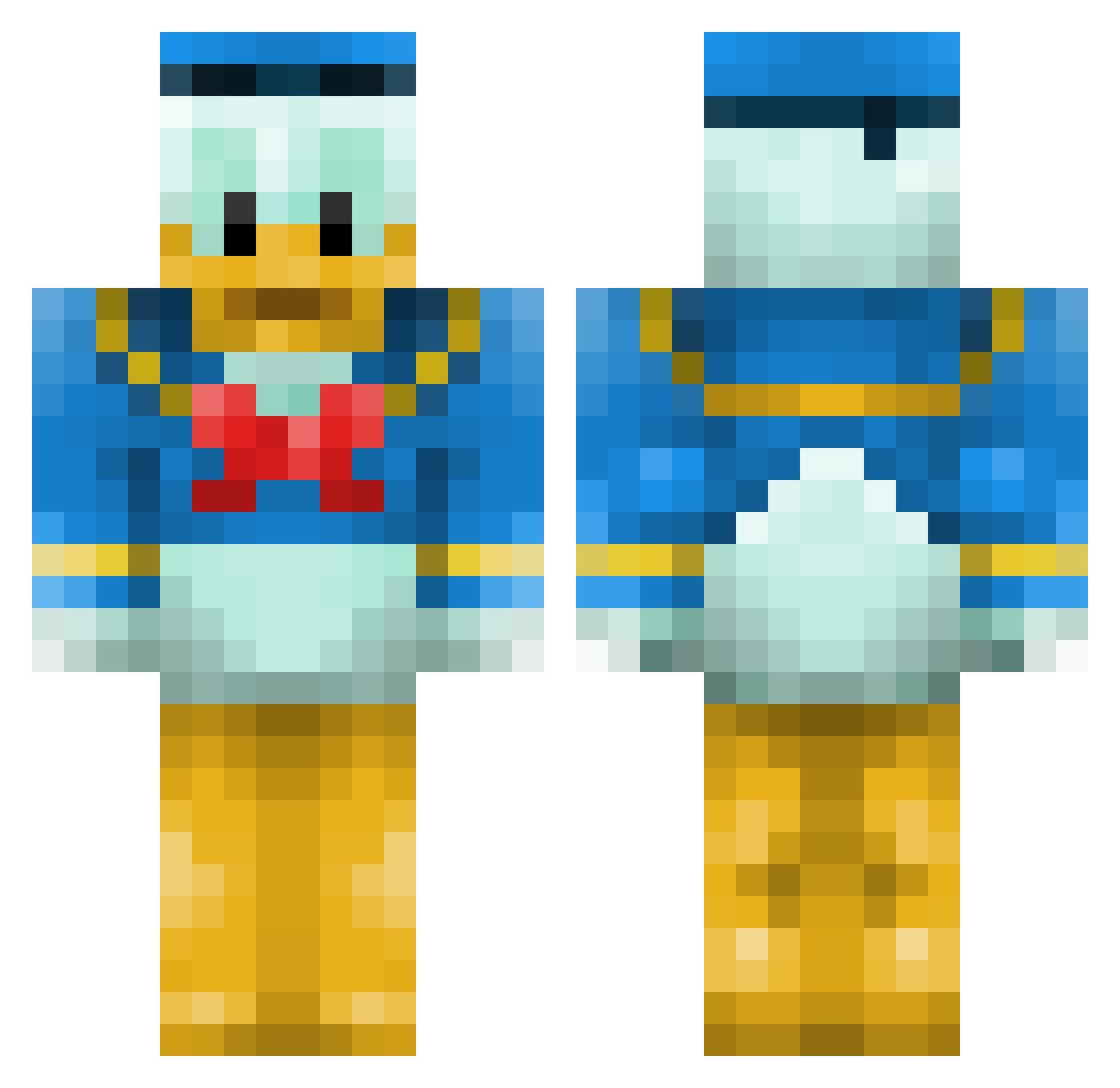
Current Minecraft skin of the player thegrizz88, loaded from the official Mojang API. Rotate the 3D model with your mouse or finger, then download the skin as a PNG file and use it in Minecraft: Bedrock Edition or Java Edition for free. When thegrizz88 changes their skin, this page updates automatically and the old skin stays in the history below.
Other players with this skin (140)
thegrizz88 was the 19th player we have seen with this skin, first spotted on 07.08.2026. The same skin was seen on these players. Open a nickname to see their current skin and skin history.
 Novu_217 morzan007 Jeipzon Planki74 Porti09 radwank55 daggwen90 soniccraft877 chanchase111 Ziarqooo e8dertzu J0n4h2003 CapitalistDawg Akuankka3 Mikeyoco Maikansoh EternityX mocanasu coleman2247 Catabolic Gbrooks11 Chiisan0930 moidor jbw060923 Stalker_CZ viktorand MusicBender randhier TacticTroll Emmanuel221 Glennmcl merbeast egg_luver32 yyuhua Axeeize JHarnan7 NastyaMur_YT QuackShack Applekoara Zumarta ultragod9 LordC00Kie Daddee_O Aidan_010 RyanLunzen tingnicke 19Reaper AbleReflexx OnLyGAMR cadnams General_Garlic KAYRON78 temeZer Surprise_FIN LaTouille x1l0v3w33dx ruru777 DuckOSoldier yukun01c kenbosan
More Donald Duck Minecraft skins
How to install the thegrizz88 skin
- Press the Download button above to save the skin as a PNG file.
- Minecraft: Bedrock Edition (PE): open the Dressing Room from the main menu (or tap your character → Edit Character), go to Classic Skins → Owned, press the + (new skin) button, choose the downloaded PNG and pick the Classic (Steve) model. Works on PC and mobile; consoles cannot import custom skins.
- Minecraft: Java Edition: open the Minecraft Launcher, go to the Skins tab, click New Skin, load the PNG, pick the Classic (Steve) model and press Save & Use. You can also upload it at minecraft.net → Profile → Change Skin.
The skin does not show up after import - what should I do?
Restart Minecraft and open the Dressing Room again - imported skins sometimes appear only after a restart. Also make sure you selected the imported skin and picked the Classic (Steve) model.
Which model should I choose, Classic or Slim?
This skin is designed for the Classic (Steve) model. If you pick the wrong model, the arms of the skin will look stretched or squeezed.
Is the skin of thegrizz88 free to download?
Yes. Press Download, save the PNG file and use it in Minecraft: Bedrock Edition or Java Edition - no payment or registration needed. The skin also works on multiplayer servers and Realms.
More skins
Looking for more? Go back to all Minecraft skins and check the top skins of the week, month and all time, or find any player's skin by nickname.