
theTallie - Minecraft Skins & Skin History
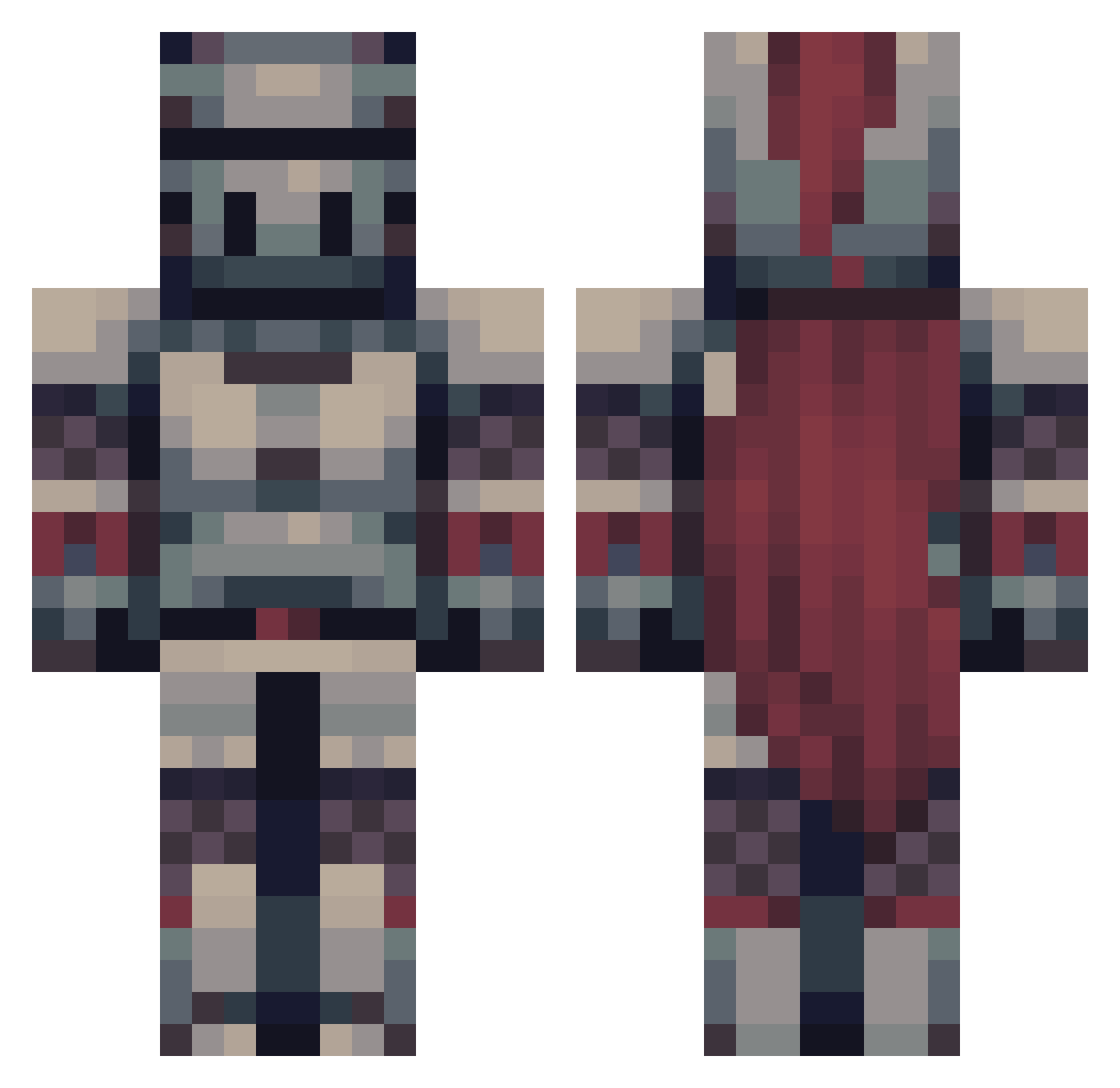
Current Minecraft skin of the player theTallie, loaded from the official Mojang API. Rotate the 3D model with your mouse or finger, then download the skin as a PNG file and use it in Minecraft: Bedrock Edition or Java Edition for free. When theTallie changes their skin, this page updates automatically and the old skin stays in the history below.
Other players with this skin (475)
theTallie was the 404th player we have seen with this skin, first spotted on 19.10.2026. The same skin was seen on these players. Open a nickname to see their current skin and skin history.
 ace_25_ ZomBTurtle Cinekyle Inso4 XNatsuyX Vakrio robbboto_ Projectile_ kodalion SilentSirius Barteltjaap Mxincs Oszki16 Penguin_G0d Skeltons Sharymoo lage_02 A_User_Named_S5 Boolis03 Gotro Narutoooooooooo elbono456 AVgaming1608 x_shrek_x187 Flraven_79 Sshea2020 l1ttl3tw1nst4rs AidNit _ShadowKnight_1 MrKicmi Sharkus99 CANOPOX KpZ99 napoleonjr42 Dadre5 raptor318 j3rryb0i TGAPTrixie Creation142 Leinad_24 SK4ND3RB3RG ForestalFlame76 Yeti777 Insxmniac925 ShadeLenny JarrodJohnson VladCrackbone zaiid2344 Junittoo Choccy3 haine1998 Best1here Sqigi obscuremechala LoisDaniel RyanK272 clon566 Averygoodboi809 Remraam Wearypants
More Knight Minecraft skins
How to install the theTallie skin
- Press the Download button above to save the skin as a PNG file.
- Minecraft: Bedrock Edition (PE): open the Dressing Room from the main menu (or tap your character → Edit Character), go to Classic Skins → Owned, press the + (new skin) button, choose the downloaded PNG and pick the Classic (Steve) model. Works on PC and mobile; consoles cannot import custom skins.
- Minecraft: Java Edition: open the Minecraft Launcher, go to the Skins tab, click New Skin, load the PNG, pick the Classic (Steve) model and press Save & Use. You can also upload it at minecraft.net → Profile → Change Skin.
The skin does not show up after import - what should I do?
Restart Minecraft and open the Dressing Room again - imported skins sometimes appear only after a restart. Also make sure you selected the imported skin and picked the Classic (Steve) model.
Which model should I choose, Classic or Slim?
This skin is designed for the Classic (Steve) model. If you pick the wrong model, the arms of the skin will look stretched or squeezed.
Is the skin of theTallie free to download?
Yes. Press Download, save the PNG file and use it in Minecraft: Bedrock Edition or Java Edition - no payment or registration needed. The skin also works on multiplayer servers and Realms.
More skins
Looking for more? Go back to all Minecraft skins and check the top skins of the week, month and all time, or find any player's skin by nickname.