
tgcharles - Minecraft Skins & Skin History
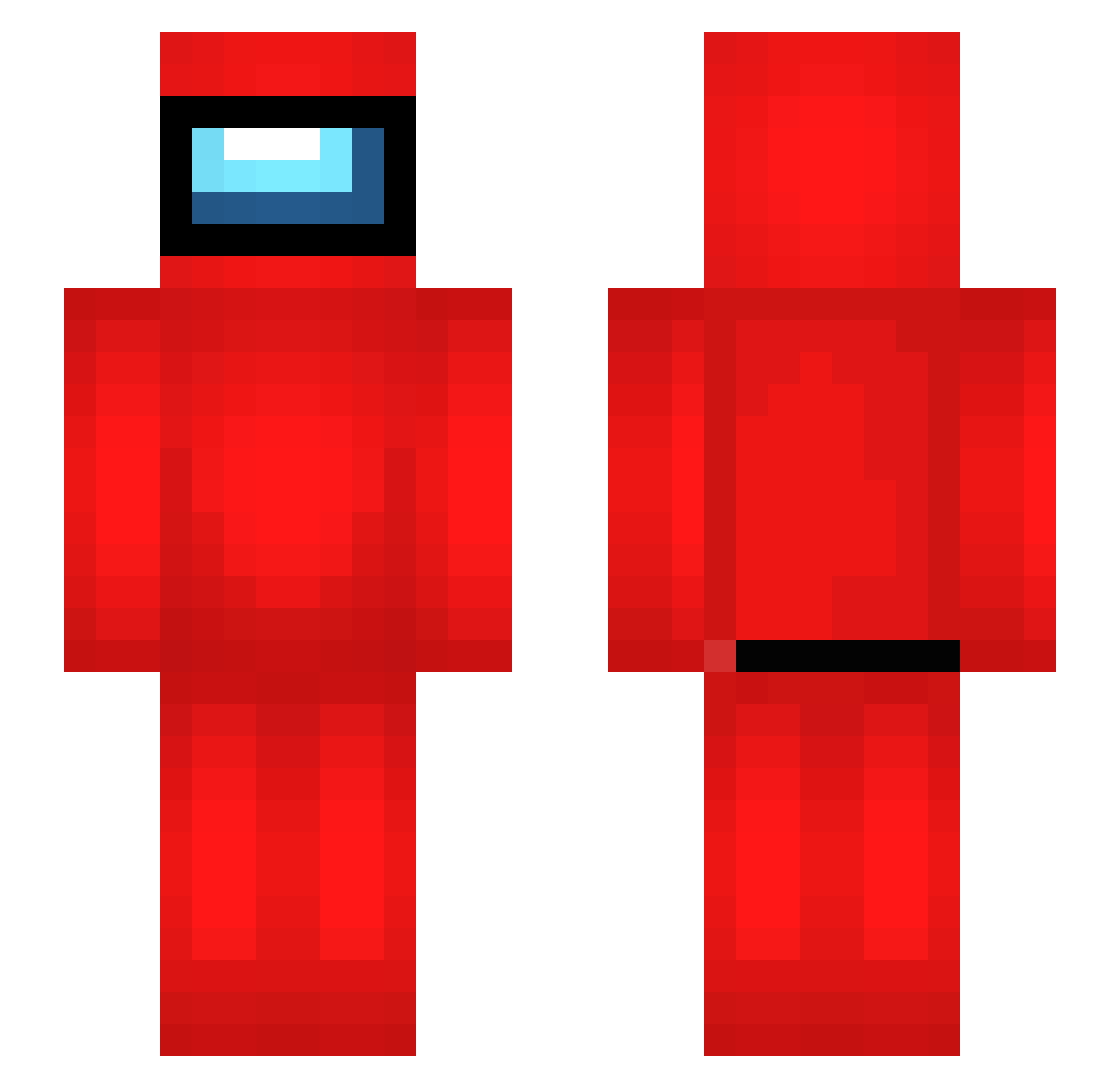
Current Minecraft skin of the player tgcharles, loaded from the official Mojang API. Rotate the 3D model with your mouse or finger, then download the skin as a PNG file and use it in Minecraft: Bedrock Edition or Java Edition for free. When tgcharles changes their skin, this page updates automatically and the old skin stays in the history below.
Other players with this skin (616)
tgcharles was the 566th player we have seen with this skin, first spotted on 11.11.2026. The same skin was seen on these players. Open a nickname to see their current skin and skin history.
 Proxus900 eduardoherique _supertanaka4801 ImBlackzZ Zozo_18 Jannifive Genmai444 F0llaBurr4s2005s Jo_bit lilrehub ll_skito BGM9810 BRUDDAOSASISASIM UltraPokeFire LuemmeLLuan Injabie Penguen777 Uncle_Paul_2112 Isaac_lindo heavyshidd totikuru SJ3339 miloxgod slajfnicke boxmongler DripMeister007 jaewoo389 viktorv25 bungas1234 EmPerorUng Kayryx Chelovek3312 nori_iwnl TW_BB huggywuggy54 SuperPastaMun Juhuja21 Gasanov zueirashow HoboJoe4Lyfe Noamplayer1 theQlio Adiks222 0Technoblade0 Hyper054 JotaGOD aqoricweiloriq Wexiar alifbait Netherman1997 Mijy48 EthanJohn_ borinq_YT Piki287 TBNRAndy zetikin Unskilledzz Szymo88 Songzaza06 tonyfradez
More Crewmate Minecraft skins
How to install the tgcharles skin
- Press the Download button above to save the skin as a PNG file.
- Minecraft: Bedrock Edition (PE): open the Dressing Room from the main menu (or tap your character → Edit Character), go to Classic Skins → Owned, press the + (new skin) button, choose the downloaded PNG and pick the Slim (Alex) model. Works on PC and mobile; consoles cannot import custom skins.
- Minecraft: Java Edition: open the Minecraft Launcher, go to the Skins tab, click New Skin, load the PNG, pick the Slim (Alex) model and press Save & Use. You can also upload it at minecraft.net → Profile → Change Skin.
The skin does not show up after import - what should I do?
Restart Minecraft and open the Dressing Room again - imported skins sometimes appear only after a restart. Also make sure you selected the imported skin and picked the Slim (Alex) model.
Which model should I choose, Classic or Slim?
This skin is designed for the Slim (Alex) model. If you pick the wrong model, the arms of the skin will look stretched or squeezed.
Is the skin of tgcharles free to download?
Yes. Press Download, save the PNG file and use it in Minecraft: Bedrock Edition or Java Edition - no payment or registration needed. The skin also works on multiplayer servers and Realms.
More skins
Looking for more? Go back to all Minecraft skins and check the top skins of the week, month and all time, or find any player's skin by nickname.