
teflon230 - Minecraft Skins & Skin History
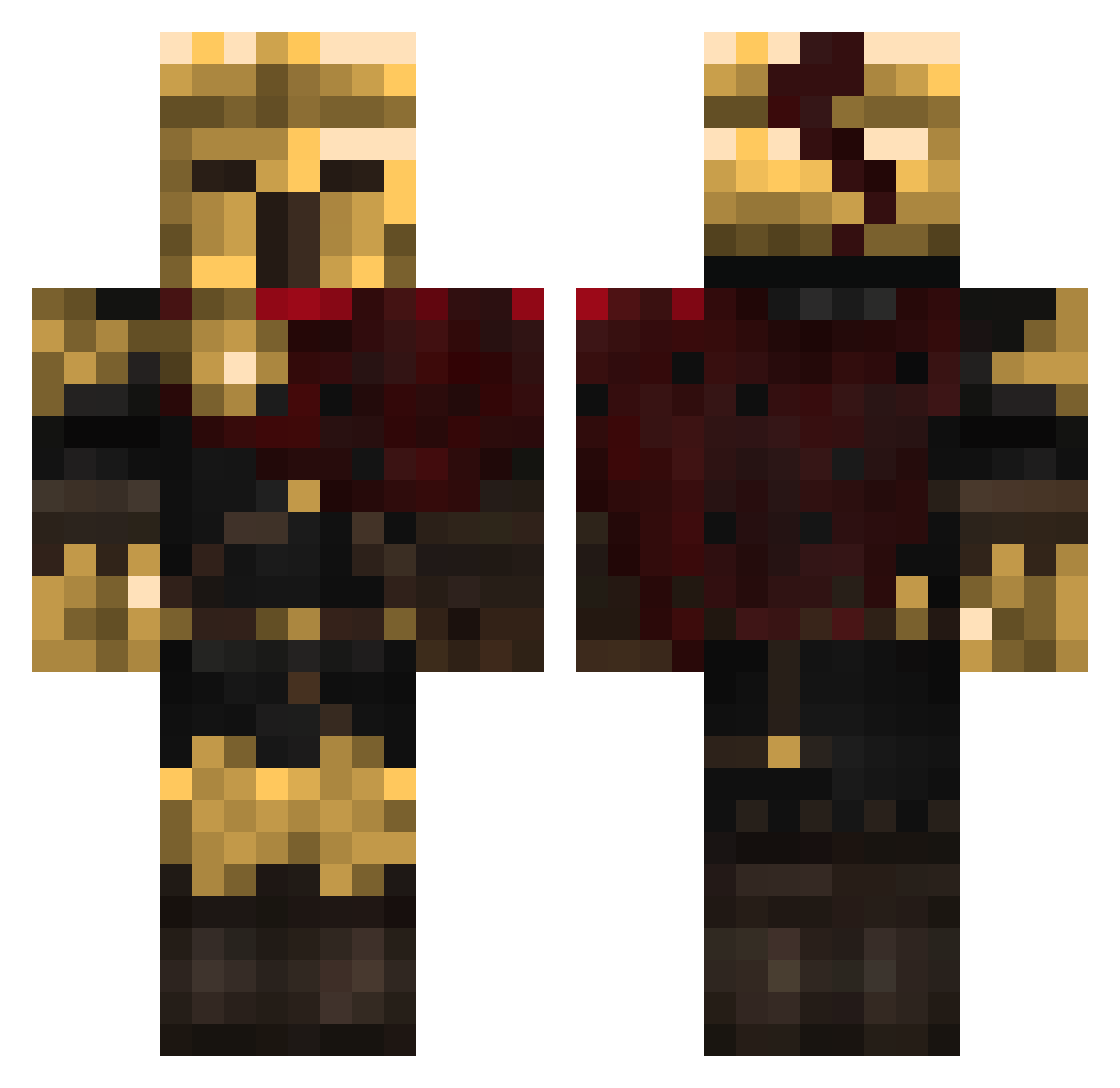
Current Minecraft skin of the player teflon230, loaded from the official Mojang API. Rotate the 3D model with your mouse or finger, then download the skin as a PNG file and use it in Minecraft: Bedrock Edition or Java Edition for free. When teflon230 changes their skin, this page updates automatically and the old skin stays in the history below.
Other players with this skin (459)
teflon230 was the 319th player we have seen with this skin, first spotted on 07.10.2026. The same skin was seen on these players. Open a nickname to see their current skin and skin history.
 MASSYX Hirtei Dusk__W cosdogy Booant13 bruno1432 Kaikage79 Kitakoss Wild0bike AresR3X JoZeF060 MrUnidem Xenoverse2194 emilioj zwzy88 KateCat95 Drayder IronTarkus3996 CaptainWolfee_ ClaytOnM921 Moor766 FancyIzzyBear_09 Lewe_Jajko Loback_ FrancoCD melonix199 Kaen_Hollow ACESHIGH1984 JayThePoopie ScEpTiiC_ _Genju Meetsu_ legrosblereau24 phamians ultraflame89 Lazerdog343 Silvertemplar chicledulse123 N1rvanaa_ NSGHORNET53 SmthRde Reckti Potatoman2677 Tholothian DATAWINE Jinxed970 Deathstridermeme dg_midz Grf_SalmonW TheWellerman142 Marveno0 Justpower835173 KalmarPv SovereignDrop7 MtW_Cheater GladiuSNinja godquinn darkcoree harleywm The_True_Bobey
More Warrior Minecraft skins
How to install the teflon230 skin
- Press the Download button above to save the skin as a PNG file.
- Minecraft: Bedrock Edition (PE): open the Dressing Room from the main menu (or tap your character → Edit Character), go to Classic Skins → Owned, press the + (new skin) button, choose the downloaded PNG and pick the Classic (Steve) model. Works on PC and mobile; consoles cannot import custom skins.
- Minecraft: Java Edition: open the Minecraft Launcher, go to the Skins tab, click New Skin, load the PNG, pick the Classic (Steve) model and press Save & Use. You can also upload it at minecraft.net → Profile → Change Skin.
The skin does not show up after import - what should I do?
Restart Minecraft and open the Dressing Room again - imported skins sometimes appear only after a restart. Also make sure you selected the imported skin and picked the Classic (Steve) model.
Which model should I choose, Classic or Slim?
This skin is designed for the Classic (Steve) model. If you pick the wrong model, the arms of the skin will look stretched or squeezed.
Is the skin of teflon230 free to download?
Yes. Press Download, save the PNG file and use it in Minecraft: Bedrock Edition or Java Edition - no payment or registration needed. The skin also works on multiplayer servers and Realms.
More skins
Looking for more? Go back to all Minecraft skins and check the top skins of the week, month and all time, or find any player's skin by nickname.