
tamim123_Dz - Minecraft Skins & Skin History
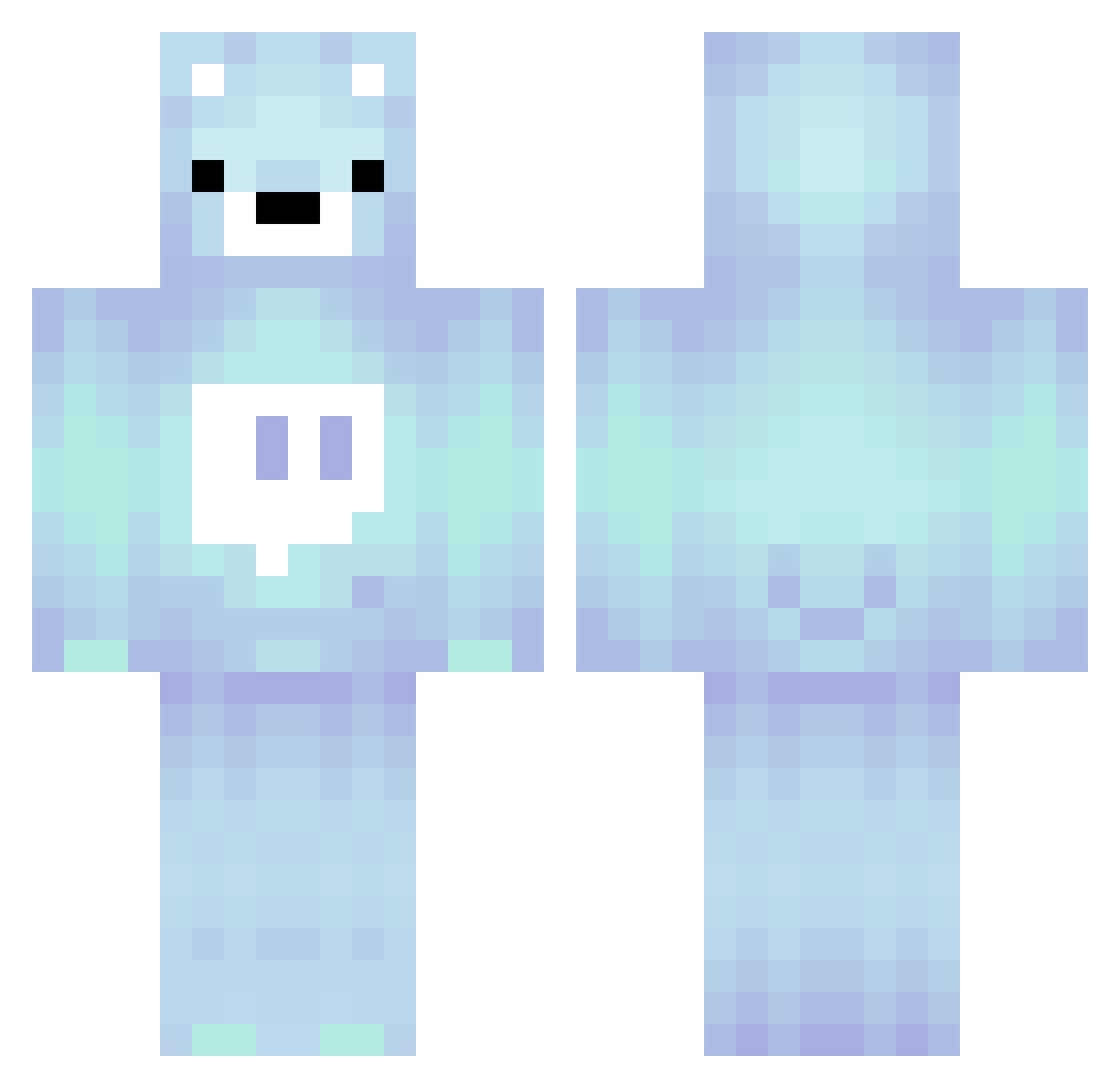
Current Minecraft skin of the player tamim123_Dz, loaded from the official Mojang API. Rotate the 3D model with your mouse or finger, then download the skin as a PNG file and use it in Minecraft: Bedrock Edition or Java Edition for free. When tamim123_Dz changes their skin, this page updates automatically and the old skin stays in the history below.
Other players with this skin (280)
tamim123_Dz was the 82nd player we have seen with this skin, first spotted on 01.09.2026. The same skin was seen on these players. Open a nickname to see their current skin and skin history.
 H0pelessv0id ParvisOp jaeyun414 DizaulixAveralic mojang1623 X_Neon_Gaming superforce17 WallliBear Asteyyy SLayerOfFire ilfaraone08 Kitty420 AMrAwesomeXD NLMONEY12 Nescargot notbaileyboik Trolero74 heinqw chiikabu HaakonHolte Tris_Ferns Lordinfamous666 ES_JIN AdzOwnsYou spookyscary215 Filipekhusty349 ThePigNeverDies Wallibear909 YC1233 PRIMERS_SIMP NotAuro Shun7777 jucicoolpine LV_cookie PrestenPlays6722 Hunter001 hogalalaop HappyZebra9632 Baang_gom calgoodwill WonderPhul Jack13456447 KumaisBigSad UR_Demises Yuri1399 gre4tmine frankheffley007 Neron0p zAck_rAt ChangSing Moritzikus minhoo145 Spongeplay crystal_metallic fetterjumbojet xD_Mahat Shadow_at_dawn kokong1 jjugulegi EpicGamerYT69
More Bear Minecraft skins
How to install the tamim123_Dz skin
- Press the Download button above to save the skin as a PNG file.
- Minecraft: Bedrock Edition (PE): open the Dressing Room from the main menu (or tap your character → Edit Character), go to Classic Skins → Owned, press the + (new skin) button, choose the downloaded PNG and pick the Classic (Steve) model. Works on PC and mobile; consoles cannot import custom skins.
- Minecraft: Java Edition: open the Minecraft Launcher, go to the Skins tab, click New Skin, load the PNG, pick the Classic (Steve) model and press Save & Use. You can also upload it at minecraft.net → Profile → Change Skin.
The skin does not show up after import - what should I do?
Restart Minecraft and open the Dressing Room again - imported skins sometimes appear only after a restart. Also make sure you selected the imported skin and picked the Classic (Steve) model.
Which model should I choose, Classic or Slim?
This skin is designed for the Classic (Steve) model. If you pick the wrong model, the arms of the skin will look stretched or squeezed.
Is the skin of tamim123_Dz free to download?
Yes. Press Download, save the PNG file and use it in Minecraft: Bedrock Edition or Java Edition - no payment or registration needed. The skin also works on multiplayer servers and Realms.
More skins
Looking for more? Go back to all Minecraft skins and check the top skins of the week, month and all time, or find any player's skin by nickname.