
sushidushy - Minecraft Skins & Skin History
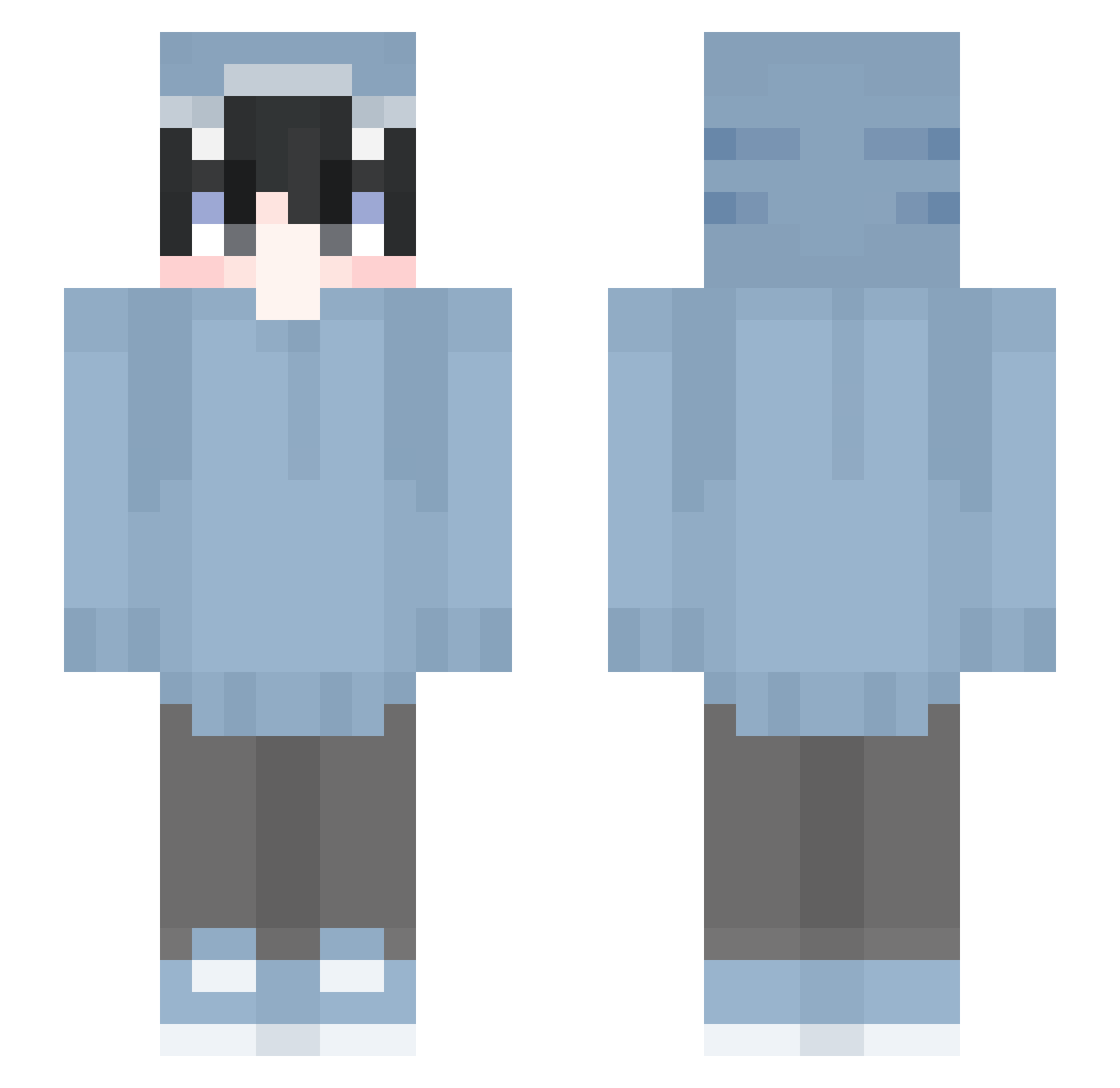
Current Minecraft skin of the player sushidushy, loaded from the official Mojang API. Rotate the 3D model with your mouse or finger, then download the skin as a PNG file and use it in Minecraft: Bedrock Edition or Java Edition for free. When sushidushy changes their skin, this page updates automatically and the old skin stays in the history below.
Other players with this skin (641)
sushidushy was the 405th player we have seen with this skin, first spotted on 04.10.2026. The same skin was seen on these players. Open a nickname to see their current skin and skin history.
 Diz358 King_Shark2689 tyhtyh Bryangoo fakeqwq Magnus_107 wanzi15 NathanKrip 1ts_yuki SigurdStricker KenniForAdmin Agumue Zairuuuuu_ nAASmO Chase71089 manul_manjwi kaikaninchen MONTIC45 lexyf June_0918 Mroofoof _Minecraftson_ mamdzhachnik Braden1120 ponpoko0910 Loke_G08 Ari0n__ Urieltzola MeguminYep SHARKcy DrowningShark ShadowRaptor32 ULTIMATEsoup331 Atk728 FishingMueller Leon_Heda PixelNomad STH41 seira1231 souma200520 Chasann mqdik tsuzuri_uta LocCaChep DenserKiko NU_YA Galyer Akane1011 M1N1ZYT ragumaro HelloBebra AlverMert BrahumEshwald YUGA1210 yahirowani As_fishron BabyZew haha520 Its_Ch4rlie Cosmo_J
More Shark Onesie Minecraft skins
See all 191 Shark Onesie skins
How to install the sushidushy skin
- Press the Download button above to save the skin as a PNG file.
- Minecraft: Bedrock Edition (PE): open the Dressing Room from the main menu (or tap your character → Edit Character), go to Classic Skins → Owned, press the + (new skin) button, choose the downloaded PNG and pick the Slim (Alex) model. Works on PC and mobile; consoles cannot import custom skins.
- Minecraft: Java Edition: open the Minecraft Launcher, go to the Skins tab, click New Skin, load the PNG, pick the Slim (Alex) model and press Save & Use. You can also upload it at minecraft.net → Profile → Change Skin.
The skin does not show up after import - what should I do?
Restart Minecraft and open the Dressing Room again - imported skins sometimes appear only after a restart. Also make sure you selected the imported skin and picked the Slim (Alex) model.
Which model should I choose, Classic or Slim?
This skin is designed for the Slim (Alex) model. If you pick the wrong model, the arms of the skin will look stretched or squeezed.
Is the skin of sushidushy free to download?
Yes. Press Download, save the PNG file and use it in Minecraft: Bedrock Edition or Java Edition - no payment or registration needed. The skin also works on multiplayer servers and Realms.
More skins
Looking for more? Go back to all Minecraft skins and check the top skins of the week, month and all time, or find any player's skin by nickname.