
supermouse123 - Minecraft Skins & Skin History
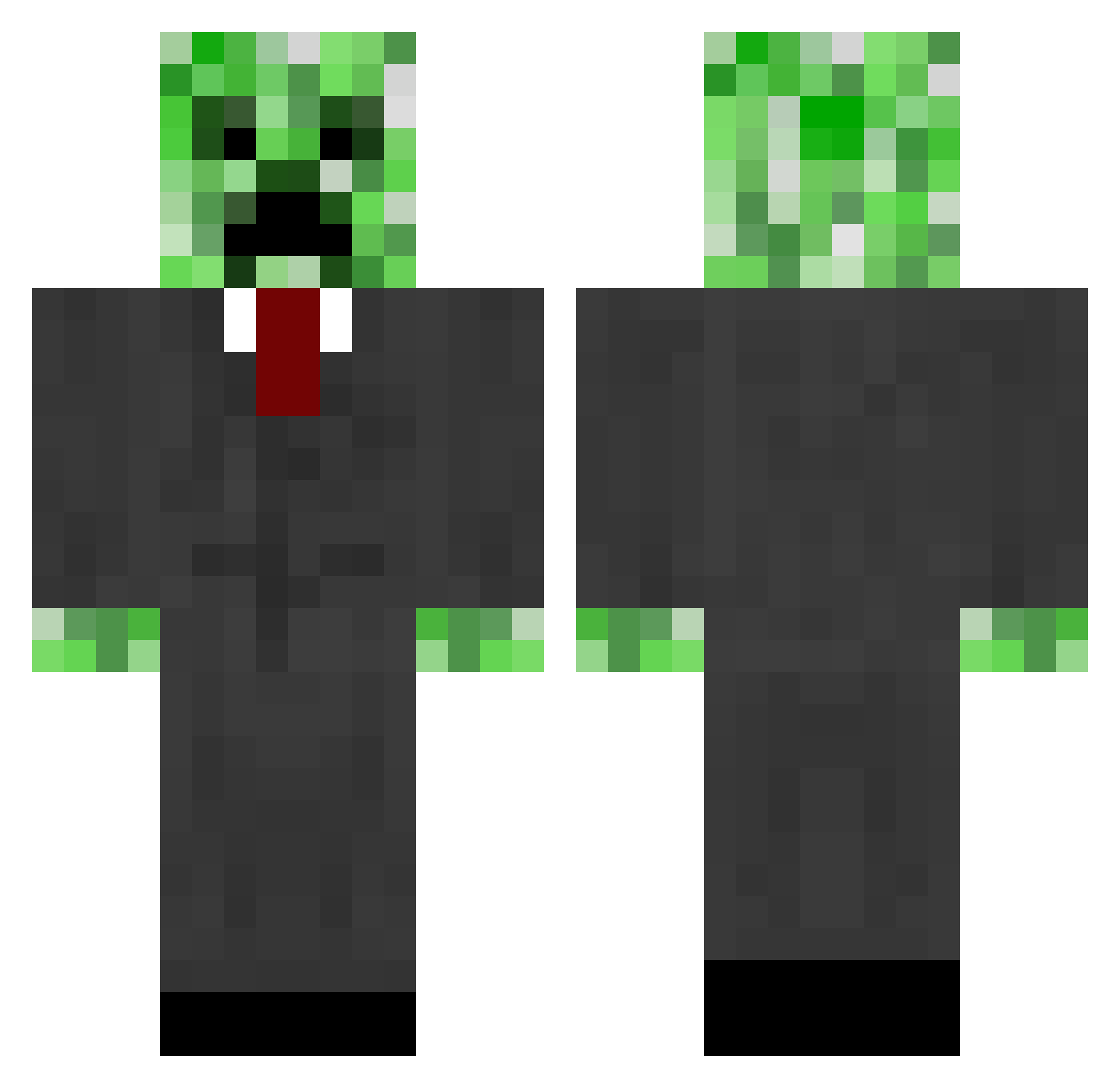
Current Minecraft skin of the player supermouse123, loaded from the official Mojang API. Rotate the 3D model with your mouse or finger, then download the skin as a PNG file and use it in Minecraft: Bedrock Edition or Java Edition for free. When supermouse123 changes their skin, this page updates automatically and the old skin stays in the history below.
Other players with this skin (664)
supermouse123 was the 241st player we have seen with this skin, first spotted on 05.09.2026. The same skin was seen on these players. Open a nickname to see their current skin and skin history.
 knbbl Alphaschakal Lastkings6969 Anh0nym DiDDY_22 WHomewood124 manupkp 55presley jaydenminecraft1 Thunderman4444 lesser47 BanzaiLax imz2004 bigred11sg DylanEsc lukas898 elguarda22 Archer567 Pizzaman81 amoulton sroa9 mickelsr nzhoppy wildcat_jj lio06 thorgrim_a commonman22 CaveAke bigshifter007 porterattack81 mario_1499 DAMON_RULES Nicky_J Block__Smasher starynight35 ZOMBIESL4YER Beargasm DM01 psych88 awesomebenjie tobi172 Connor_2119 BraveWolf777 Gallowin MellamoChipper pth02 Sekorashka borderlander123 LaPerse Decthdevil Rhaha _Titanimus_ askep97 picapickle mastaken2 Jebodiah123 loyloy10 Fieres zvebbo mildravin
More Creeper Minecraft skins
How to install the supermouse123 skin
- Press the Download button above to save the skin as a PNG file.
- Minecraft: Bedrock Edition (PE): open the Dressing Room from the main menu (or tap your character → Edit Character), go to Classic Skins → Owned, press the + (new skin) button, choose the downloaded PNG and pick the Classic (Steve) model. Works on PC and mobile; consoles cannot import custom skins.
- Minecraft: Java Edition: open the Minecraft Launcher, go to the Skins tab, click New Skin, load the PNG, pick the Classic (Steve) model and press Save & Use. You can also upload it at minecraft.net → Profile → Change Skin.
The skin does not show up after import - what should I do?
Restart Minecraft and open the Dressing Room again - imported skins sometimes appear only after a restart. Also make sure you selected the imported skin and picked the Classic (Steve) model.
Which model should I choose, Classic or Slim?
This skin is designed for the Classic (Steve) model. If you pick the wrong model, the arms of the skin will look stretched or squeezed.
Is the skin of supermouse123 free to download?
Yes. Press Download, save the PNG file and use it in Minecraft: Bedrock Edition or Java Edition - no payment or registration needed. The skin also works on multiplayer servers and Realms.
More skins
Looking for more? Go back to all Minecraft skins and check the top skins of the week, month and all time, or find any player's skin by nickname.