
supercath - Minecraft Skins & Skin History
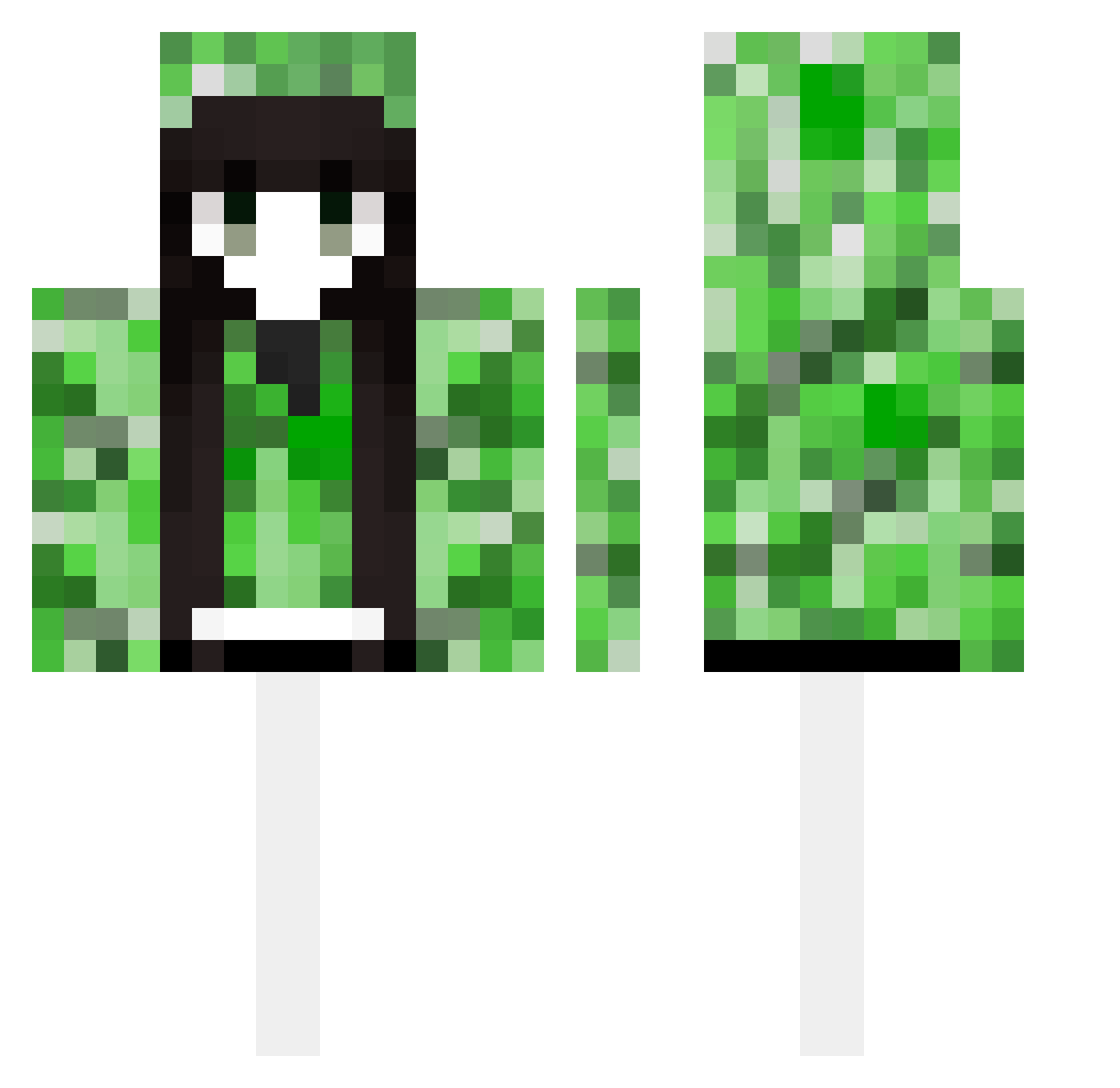
Current Minecraft skin of the player supercath, loaded from the official Mojang API. Rotate the 3D model with your mouse or finger, then download the skin as a PNG file and use it in Minecraft: Bedrock Edition or Java Edition for free. When supercath changes their skin, this page updates automatically and the old skin stays in the history below.
Other players with this skin (489)
supercath was the 383rd player we have seen with this skin, first spotted on 16.10.2026. The same skin was seen on these players. Open a nickname to see their current skin and skin history.
 amdg91 Lone_some ZRQQ auha J32777 xX_darkmister_Xx XXXIAAAN ykdk WorldCoins MuZIYUE pajedor32 TuLaLa Billionhappy Zesut RainOwO Xetilla SweetY0619 SSRQQQQQ huozhong asdfg45 Jianhao1 carol233 WetFartGaming56 Iamfly_zy yunlong9527 yeoncjs123 RagedCanvas2777 Polaris1242 SixBenzene HP_Creepers zeroin254 sdjj GuoYiHan Sejuma_XTV1 chengyu_69 nelzx114 chris04876 dacz2223 ayixa Antigoneia z9234 pkziito 1zy12 TRRmuyan charon_skr 6c6 nian_chu 9BA7BA ENZVZ sunshine24349 2H2SO4 MCLTY Elgatomusulman believeyouself firework1222 Grace041029 Lyley Baicai2023 Evildoer__ xingjie0321
More Creeper Minecraft skins
How to install the supercath skin
- Press the Download button above to save the skin as a PNG file.
- Minecraft: Bedrock Edition (PE): open the Dressing Room from the main menu (or tap your character → Edit Character), go to Classic Skins → Owned, press the + (new skin) button, choose the downloaded PNG and pick the Classic (Steve) model. Works on PC and mobile; consoles cannot import custom skins.
- Minecraft: Java Edition: open the Minecraft Launcher, go to the Skins tab, click New Skin, load the PNG, pick the Classic (Steve) model and press Save & Use. You can also upload it at minecraft.net → Profile → Change Skin.
The skin does not show up after import - what should I do?
Restart Minecraft and open the Dressing Room again - imported skins sometimes appear only after a restart. Also make sure you selected the imported skin and picked the Classic (Steve) model.
Which model should I choose, Classic or Slim?
This skin is designed for the Classic (Steve) model. If you pick the wrong model, the arms of the skin will look stretched or squeezed.
Is the skin of supercath free to download?
Yes. Press Download, save the PNG file and use it in Minecraft: Bedrock Edition or Java Edition - no payment or registration needed. The skin also works on multiplayer servers and Realms.
More skins
Looking for more? Go back to all Minecraft skins and check the top skins of the week, month and all time, or find any player's skin by nickname.