
suorama - Minecraft Skins & Skin History
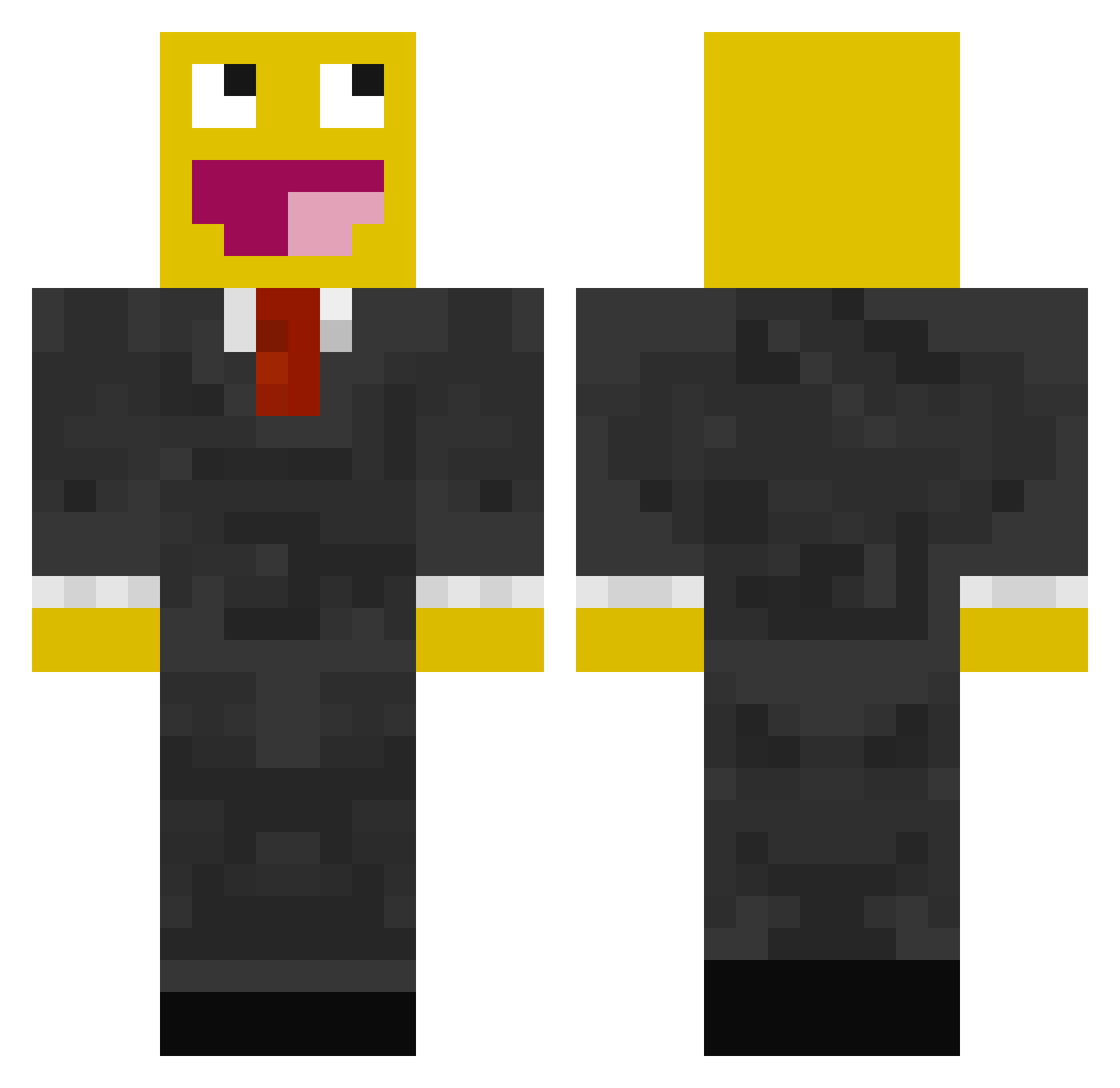
Current Minecraft skin of the player suorama, loaded from the official Mojang API. Rotate the 3D model with your mouse or finger, then download the skin as a PNG file and use it in Minecraft: Bedrock Edition or Java Edition for free. When suorama changes their skin, this page updates automatically and the old skin stays in the history below.
Other players with this skin (529)
suorama was the 241st player we have seen with this skin, first spotted on 17.09.2026. The same skin was seen on these players. Open a nickname to see their current skin and skin history.
 gouldkids narbooka MrMads tigertiggs wakataco00 drraydr1 snowfx PoopSwoop UnderPressure Denn3r jasonliketoeat GandarHorn xxcoldfuz3xx WinterHarbor kalterkrieg jbarca13 Bigviggilybitch InlineFrame KYLENELLY cybertooth389 Codycool43 321noskcaj SmashdaCash10 TimeToStryke Adamsadsadsad MsMusic96 YLNinja GoGoBronko Cabbeh Nathan_Hunt8r SeismicMouse bigchomp123 wyatt0206 StepHeavy AnEvilMuffin Thijs_MLK KingGodzilla ItsTrillez ninpo87 Altexer Pixl0 noeldinho13 K43R4M Tyberman1 xxLegendxx40 Mac_Madd3 CraigPvP epicskills123 eli637 lohne123 JTGabio Austria_HG BlacKKaR funnykid089 ItzJocaFTW MegaemeraldTJ viiksters gavin010 Swaggaaa Julian1994
More Smiley Face Minecraft skins
See all 2040 Smiley Face skins
How to install the suorama skin
- Press the Download button above to save the skin as a PNG file.
- Minecraft: Bedrock Edition (PE): open the Dressing Room from the main menu (or tap your character → Edit Character), go to Classic Skins → Owned, press the + (new skin) button, choose the downloaded PNG and pick the Classic (Steve) model. Works on PC and mobile; consoles cannot import custom skins.
- Minecraft: Java Edition: open the Minecraft Launcher, go to the Skins tab, click New Skin, load the PNG, pick the Classic (Steve) model and press Save & Use. You can also upload it at minecraft.net → Profile → Change Skin.
The skin does not show up after import - what should I do?
Restart Minecraft and open the Dressing Room again - imported skins sometimes appear only after a restart. Also make sure you selected the imported skin and picked the Classic (Steve) model.
Which model should I choose, Classic or Slim?
This skin is designed for the Classic (Steve) model. If you pick the wrong model, the arms of the skin will look stretched or squeezed.
Is the skin of suorama free to download?
Yes. Press Download, save the PNG file and use it in Minecraft: Bedrock Edition or Java Edition - no payment or registration needed. The skin also works on multiplayer servers and Realms.
More skins
Looking for more? Go back to all Minecraft skins and check the top skins of the week, month and all time, or find any player's skin by nickname.