
 MCTheGunner1997 ColdProgress sonkan91 CheezeCubes Pieciu simplesomething Reep_ awsomeandy11 chan37 harry_3695 pedlow2012 Xlargenoob ieatpie4life2 PresidentThomas mrprimatus skayz58 _Rythos papiyon1214 StanTheMan1121 iTeezR cur_b Razzyxi paintballjoe DudenMathi WRDR Kaffee_Tasse MSTITELtm 1killcreeper Reckintosh DALTO73R 50PPY Klatschkuchen TrickshotPro OliverBoi04 xNikossss Dutch_Duke Hard_Diamond22 DGRgame Mr_Wigger KoProcitaPeder DR1FTR247 dorter1998 Vikings2824 akkez SilverFoxPup Blerg16 PKCarwash bat_city_0090 harakiri200 trollgamer90 Ture12 RickJamesBitch alex_ortega12 12pigeonman fusradah22 werf178 JackUSA Who_Is_Dini ajax101013 MattIshy5
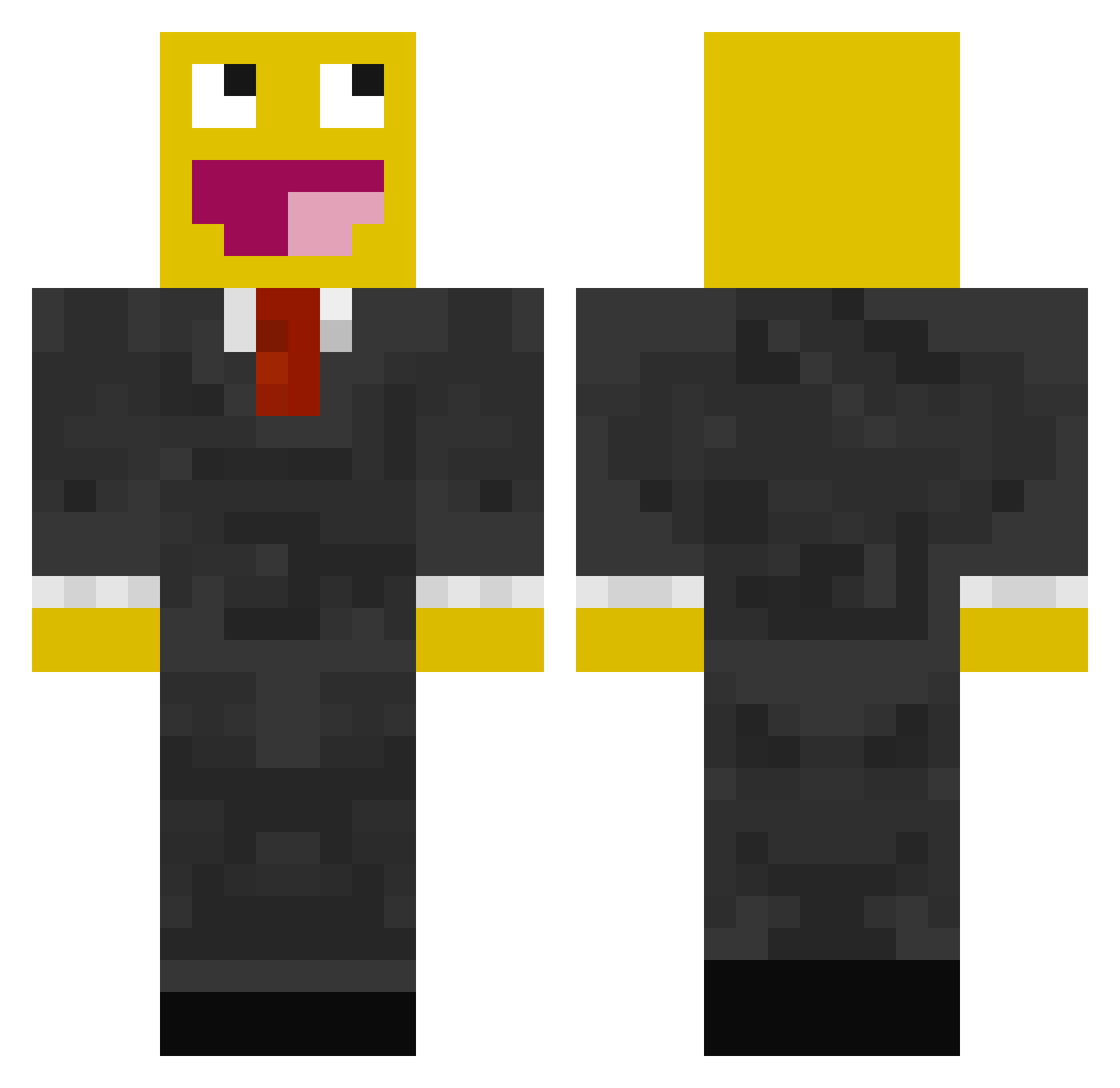
Minecraft skin of GamingLegendX. Rotate the 3D model with your mouse or finger to view the skin from every angle, then download it as a PNG file and use it in Minecraft: Bedrock Edition or Java Edition for free. Rate the skin with stars to help other players find the best skins in our collection.
How to install the GamingLegendX skin
- Press the Download button above to save the skin as a PNG file.
- Minecraft: Bedrock Edition (PE): open the Dressing Room from the main menu (or tap your character → Edit Character), go to Classic Skins → Owned, press the + (new skin) button, choose the downloaded PNG and pick the Classic (Steve) model. Works on PC and mobile; consoles cannot import custom skins.
- Minecraft: Java Edition: open the Minecraft Launcher, go to the Skins tab, click New Skin, load the PNG, pick the Classic (Steve) model and press Save & Use. You can also upload it at minecraft.net → Profile → Change Skin.
The skin does not show up after import - what should I do?
Restart Minecraft and open the Dressing Room again - imported skins sometimes appear only after a restart. Also make sure you selected the imported skin and picked the Classic (Steve) model.
Which model should I choose, Classic or Slim?
This skin is designed for the Classic (Steve) model. If you pick the wrong model, the arms of the skin will look stretched or squeezed.
Is this skin free to use?
Yes. Press Download, save the PNG file and use it in Minecraft: Bedrock Edition or Java Edition - no payment or registration needed. The skin also works on multiplayer servers and Realms.
More Smiley Face Minecraft skins
See all 2039 Smiley Face skins
More skins
Looking for more? Go back to all Minecraft skins and check the top skins of the week, month and all time, or find any player's skin by nickname.