
sugalvr - Minecraft Skins & Skin History
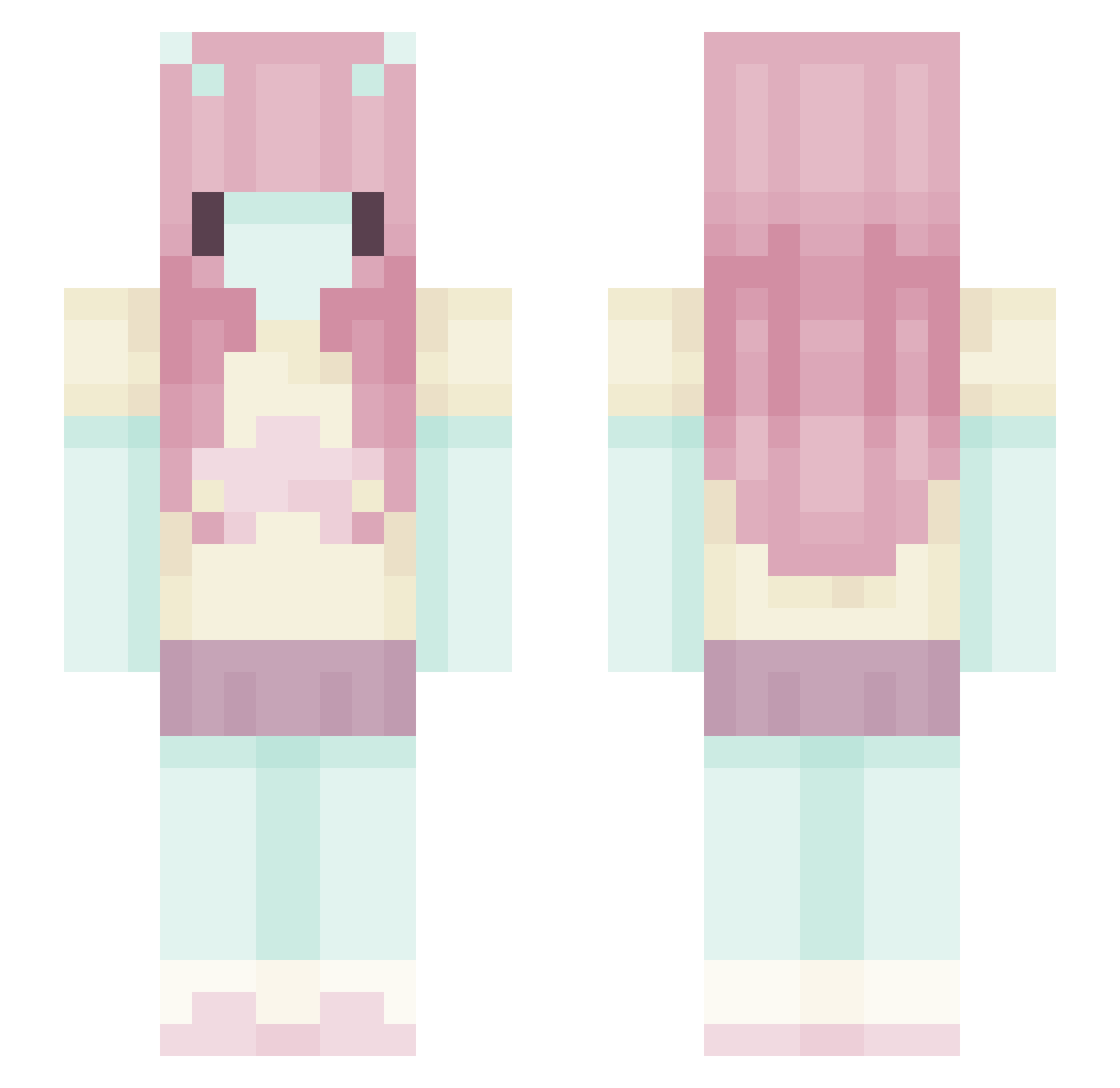
Current Minecraft skin of the player sugalvr, loaded from the official Mojang API. Rotate the 3D model with your mouse or finger, then download the skin as a PNG file and use it in Minecraft: Bedrock Edition or Java Edition for free. When sugalvr changes their skin, this page updates automatically and the old skin stays in the history below.
Other players with this skin (551)
sugalvr was the 344th player we have seen with this skin, first spotted on 26.09.2026. The same skin was seen on these players. Open a nickname to see their current skin and skin history.
 keven8877 d0rkn0b kkumkum Oluniaa EDionne aIyzaa UFO_S digitalarchive LIX86n Kavyi AceSaaaft Mimusy StitchedPuppet mistyx7897 rainbowpiggy8 Ozztri naibu3u amibabyy m3lc14 Rinraveling epicd1ck Burrito_Blanket Dess5419 prettybabylu tourstyle dollsxberber mvarlee BlueBanisters17 Jnshnn salilili ItzNxmp dedgrrl Pill0wBear ikelovsu fawniaa Susi_p pizzawaffle_ thick_meat awyyana keifuyiz syeulea Shroom_Y apricity1726 caraa143 Cup1d_Cand1 YellowHearts79 Vxague Churrumais2767 miyazaakiii ooggie iislvn DontJinxxIt fazecris bundr3g PabloNefor sockxo Vinaaaaaaaaaa_ jayde_kool_aid EtherealBeast6 Liluncia
More Zero Two Minecraft skins
How to install the sugalvr skin
- Press the Download button above to save the skin as a PNG file.
- Minecraft: Bedrock Edition (PE): open the Dressing Room from the main menu (or tap your character → Edit Character), go to Classic Skins → Owned, press the + (new skin) button, choose the downloaded PNG and pick the Slim (Alex) model. Works on PC and mobile; consoles cannot import custom skins.
- Minecraft: Java Edition: open the Minecraft Launcher, go to the Skins tab, click New Skin, load the PNG, pick the Slim (Alex) model and press Save & Use. You can also upload it at minecraft.net → Profile → Change Skin.
The skin does not show up after import - what should I do?
Restart Minecraft and open the Dressing Room again - imported skins sometimes appear only after a restart. Also make sure you selected the imported skin and picked the Slim (Alex) model.
Which model should I choose, Classic or Slim?
This skin is designed for the Slim (Alex) model. If you pick the wrong model, the arms of the skin will look stretched or squeezed.
Is the skin of sugalvr free to download?
Yes. Press Download, save the PNG file and use it in Minecraft: Bedrock Edition or Java Edition - no payment or registration needed. The skin also works on multiplayer servers and Realms.
More skins
Looking for more? Go back to all Minecraft skins and check the top skins of the week, month and all time, or find any player's skin by nickname.