
stheoop - Minecraft Skins & Skin History
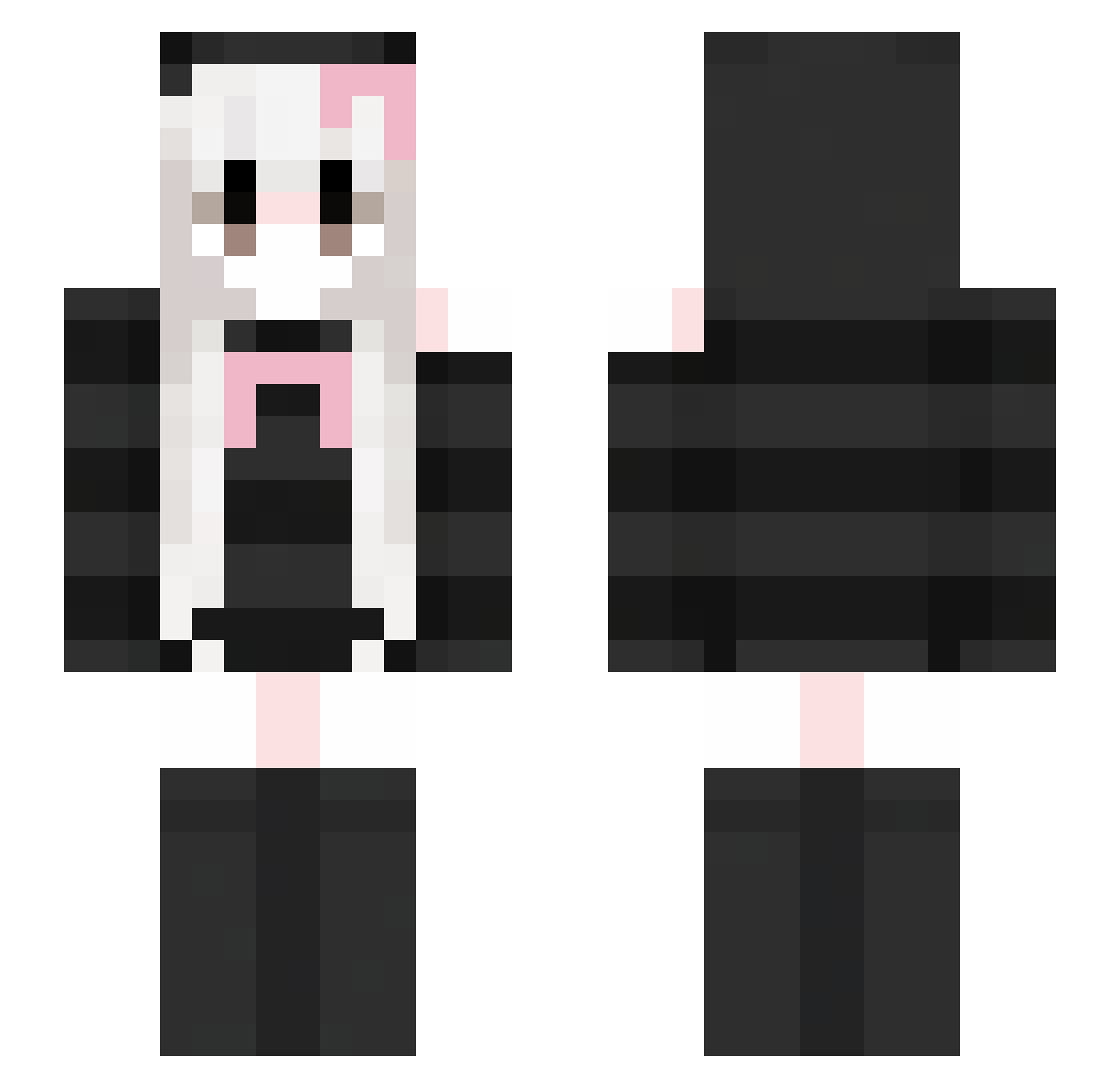
Current Minecraft skin of the player stheoop, loaded from the official Mojang API. Rotate the 3D model with your mouse or finger, then download the skin as a PNG file and use it in Minecraft: Bedrock Edition or Java Edition for free. When stheoop changes their skin, this page updates automatically and the old skin stays in the history below.
Other players with this skin (419)
stheoop was the 117th player we have seen with this skin, first spotted on 23.08.2026. The same skin was seen on these players. Open a nickname to see their current skin and skin history.
 yunlixi520 xhihix oz_113 mwneet LYQ905 Allisonite jiangfan6 Yenalea Kitty_miyue kchx neyt1ri TIKHK yhjml ArzSee nik777ola Eallxx linkLlLl KannaRyoko b4ttt Cpaer
 LostSlush m0YA0 Haayaska1 Taotj joshisthebest005 Moo_Snuckel UselessWolfie ToiLaCun WSSB_ agnkx Chiyu09 FearfulDreams0 chen_qi_an Veskaria zhgss aluniaszyszunia xxsky123 tkzcbl M4RI4H19 xPrincessBunnyy XuJ1xuan HikariNosukez keilert77 YunDuoPengYou Marhegourez 30thirty30 zywy520 shiaoya1 GUUOK_WW Uktrene HTY765 autumn0455 Violq1 doanhung04 t1tm1ilk IceLillie magxvo
 crispyeyeballs QiQi_xi Waver0079
More Face Mask Minecraft skins
How to install the stheoop skin
- Press the Download button above to save the skin as a PNG file.
- Minecraft: Bedrock Edition (PE): open the Dressing Room from the main menu (or tap your character → Edit Character), go to Classic Skins → Owned, press the + (new skin) button, choose the downloaded PNG and pick the Slim (Alex) model. Works on PC and mobile; consoles cannot import custom skins.
- Minecraft: Java Edition: open the Minecraft Launcher, go to the Skins tab, click New Skin, load the PNG, pick the Slim (Alex) model and press Save & Use. You can also upload it at minecraft.net → Profile → Change Skin.
The skin does not show up after import - what should I do?
Restart Minecraft and open the Dressing Room again - imported skins sometimes appear only after a restart. Also make sure you selected the imported skin and picked the Slim (Alex) model.
Which model should I choose, Classic or Slim?
This skin is designed for the Slim (Alex) model. If you pick the wrong model, the arms of the skin will look stretched or squeezed.
Is the skin of stheoop free to download?
Yes. Press Download, save the PNG file and use it in Minecraft: Bedrock Edition or Java Edition - no payment or registration needed. The skin also works on multiplayer servers and Realms.
More skins
Looking for more? Go back to all Minecraft skins and check the top skins of the week, month and all time, or find any player's skin by nickname.