
steveproxeo - Minecraft Skins & Skin History
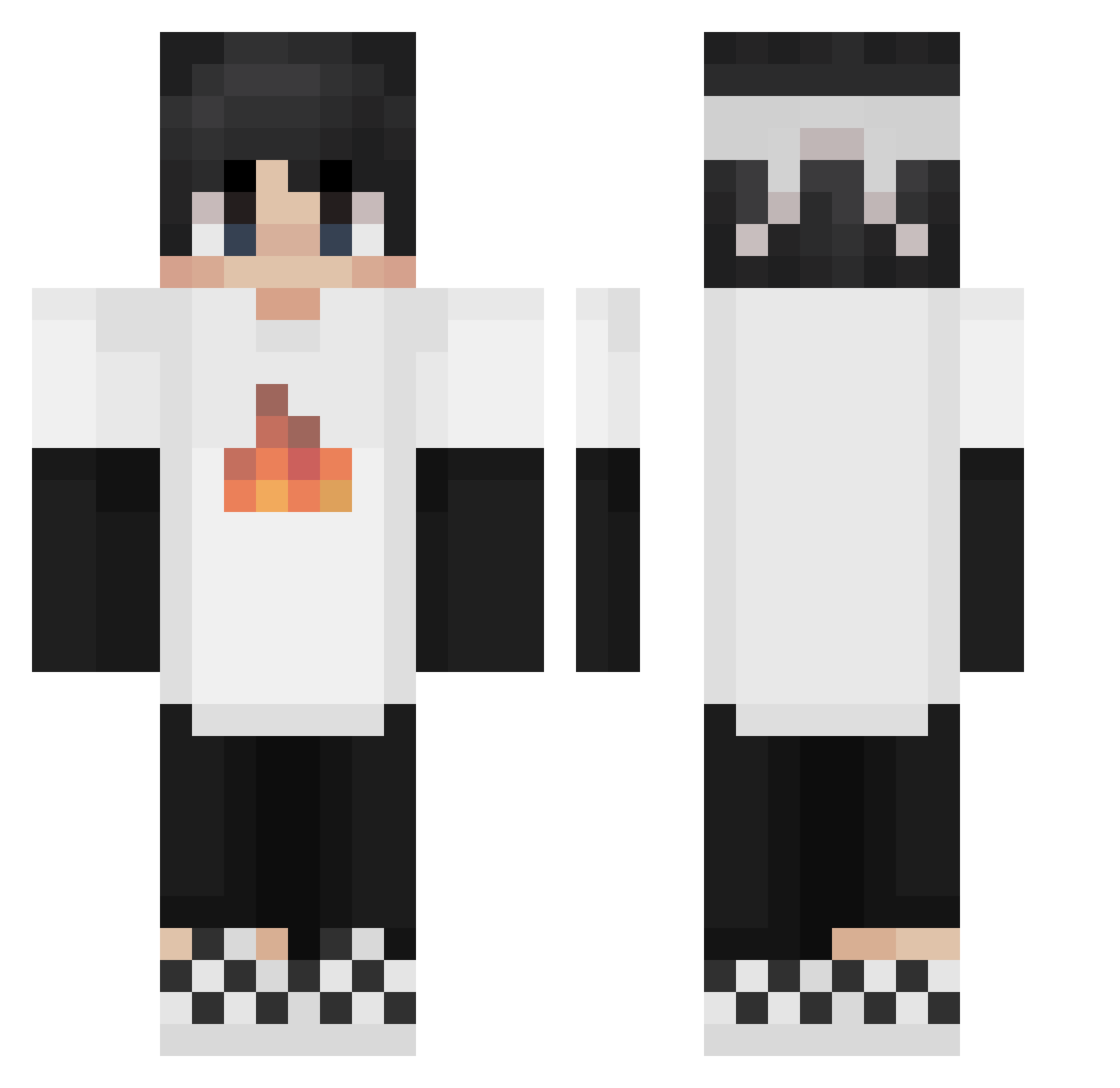
Current Minecraft skin of the player steveproxeo, loaded from the official Mojang API. Rotate the 3D model with your mouse or finger, then download the skin as a PNG file and use it in Minecraft: Bedrock Edition or Java Edition for free. When steveproxeo changes their skin, this page updates automatically and the old skin stays in the history below.
Other players with this skin (224)
steveproxeo was the 77th player we have seen with this skin, first spotted on 28.08.2026. The same skin was seen on these players. Open a nickname to see their current skin and skin history.
 Keyeads Graphicprince Davidgames1244 yangmaodeyin_233 weihezhici 3qXcc Crxstallized Tyrrant_ TheEpsomDragon e1rq6 Melonpin FN3ZF Ender_dargon____ BigC1614 Frann13 xNotSampan Kou128 kittennap H1tplay btere AskedCarrot654 Astronommy_ Dardengo DocGonzo2009 Aidanrap GlamGirlHannes KirigiriLove Tidus92 xxiaojin Void_Rampage littledora28 Lethal_Knife Sapnap101 Billy801 Tastaturist Nobody6969 Georgebb GamerSigge120802 tiantian_666 ilikecurry69 LauroCisterna86 GreatIce ZlatanHampus bablubola IIGH05TII F_Ash Tontrakul peteXD513 Best_name_ hello_wow_ BandiKanz tzi_s4GQ0_02_07 Creeper_shhhhh Boneowo NAGEBUM Garynofound201 AlexCraft1608 imkzzh RobboPanther1 ziglelee
More Checkered Shoes Minecraft skins
See all 55 Checkered Shoes skins
How to install the steveproxeo skin
- Press the Download button above to save the skin as a PNG file.
- Minecraft: Bedrock Edition (PE): open the Dressing Room from the main menu (or tap your character → Edit Character), go to Classic Skins → Owned, press the + (new skin) button, choose the downloaded PNG and pick the Classic (Steve) model. Works on PC and mobile; consoles cannot import custom skins.
- Minecraft: Java Edition: open the Minecraft Launcher, go to the Skins tab, click New Skin, load the PNG, pick the Classic (Steve) model and press Save & Use. You can also upload it at minecraft.net → Profile → Change Skin.
The skin does not show up after import - what should I do?
Restart Minecraft and open the Dressing Room again - imported skins sometimes appear only after a restart. Also make sure you selected the imported skin and picked the Classic (Steve) model.
Which model should I choose, Classic or Slim?
This skin is designed for the Classic (Steve) model. If you pick the wrong model, the arms of the skin will look stretched or squeezed.
Is the skin of steveproxeo free to download?
Yes. Press Download, save the PNG file and use it in Minecraft: Bedrock Edition or Java Edition - no payment or registration needed. The skin also works on multiplayer servers and Realms.
More skins
Looking for more? Go back to all Minecraft skins and check the top skins of the week, month and all time, or find any player's skin by nickname.