
Boneowo - Minecraft Skins & Skin History
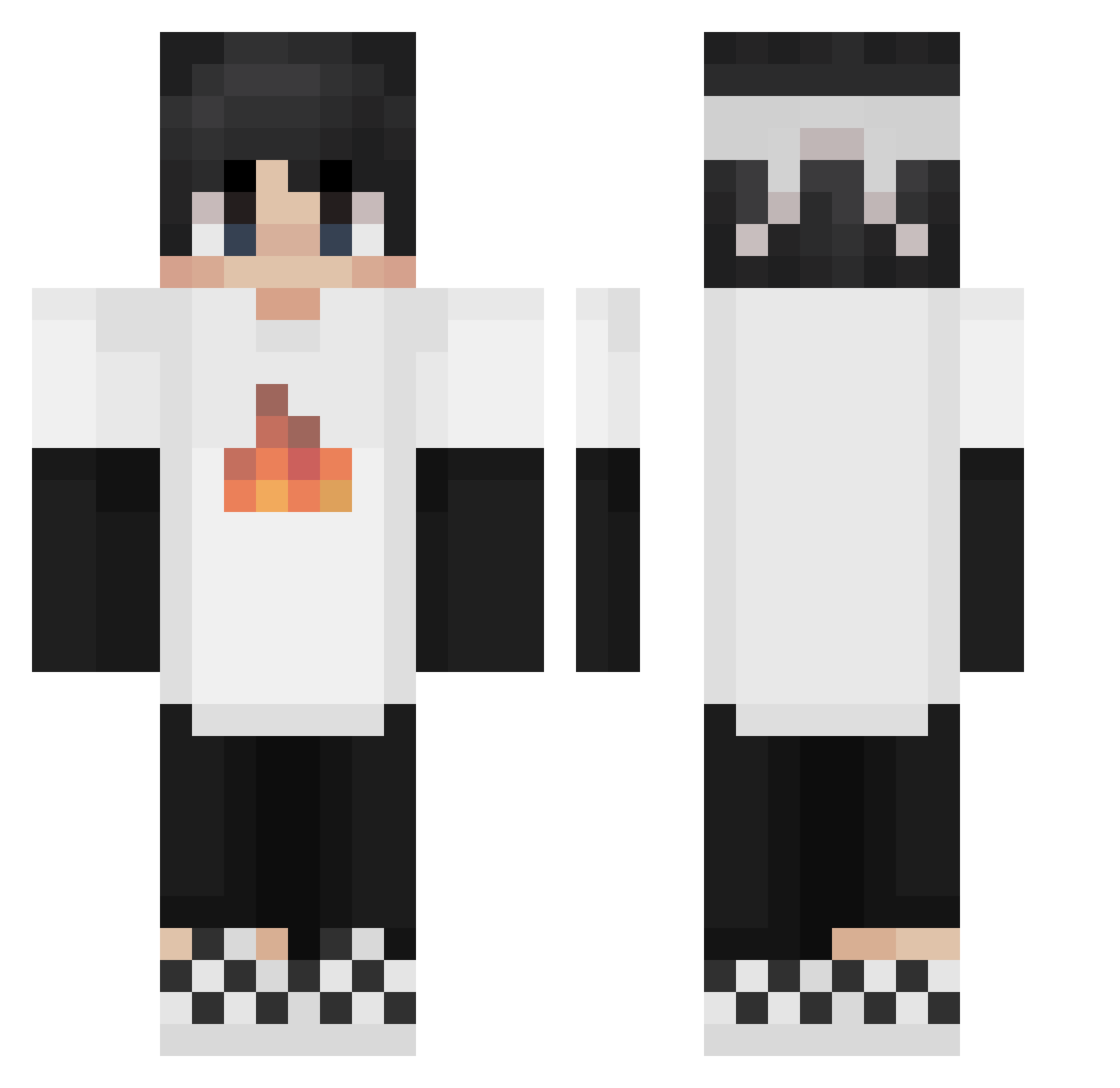
Current Minecraft skin of the player Boneowo, loaded from the official Mojang API. Rotate the 3D model with your mouse or finger, then download the skin as a PNG file and use it in Minecraft: Bedrock Edition or Java Edition for free. When Boneowo changes their skin, this page updates automatically and the old skin stays in the history below.
Other players with this skin (224)
Boneowo was the 103rd player we have seen with this skin, first spotted on 14.09.2026. The same skin was seen on these players. Open a nickname to see their current skin and skin history.
 Creeper_shhhhh tzi_s4GQ0_02_07 WiseYoda008 Van_Lizard Charizard609W Turnout300 Best_name_ Lu_Knight Student_No3 peteXD513 letsgoO4633 twitterzabrafnbr F_Ash ZlatanHampus ifnotab GreatIce LauroCisterna86 FZ18 GamerSigge120802 closedrose Georgebb McCSw24 DannyWhite520 Tastaturist Billy801 Stefanutz1 Lethal_Knife littledora28 xxiaojin BiteMyTurd lqsg Corey_22 GlamGirlHannes GUO_gouyyds mukoko2212 Dardengo Astronommy_ FireHawk588 btere Mengmenger LABOY428 Frann13 0muly0 CaptCodi FN3ZF SapnapXD TheEpsomDragon antvenom2124 SmearyTundra crafter_103 Jeff7221 3qXcc Twisocfan weihezhici TBNRMaya Keyeads steveproxeo Lioreysus Graphicprince Davidgames1244
More Checkered Shoes Minecraft skins
See all 55 Checkered Shoes skins
How to install the Boneowo skin
- Press the Download button above to save the skin as a PNG file.
- Minecraft: Bedrock Edition (PE): open the Dressing Room from the main menu (or tap your character → Edit Character), go to Classic Skins → Owned, press the + (new skin) button, choose the downloaded PNG and pick the Classic (Steve) model. Works on PC and mobile; consoles cannot import custom skins.
- Minecraft: Java Edition: open the Minecraft Launcher, go to the Skins tab, click New Skin, load the PNG, pick the Classic (Steve) model and press Save & Use. You can also upload it at minecraft.net → Profile → Change Skin.
The skin does not show up after import - what should I do?
Restart Minecraft and open the Dressing Room again - imported skins sometimes appear only after a restart. Also make sure you selected the imported skin and picked the Classic (Steve) model.
Which model should I choose, Classic or Slim?
This skin is designed for the Classic (Steve) model. If you pick the wrong model, the arms of the skin will look stretched or squeezed.
Is the skin of Boneowo free to download?
Yes. Press Download, save the PNG file and use it in Minecraft: Bedrock Edition or Java Edition - no payment or registration needed. The skin also works on multiplayer servers and Realms.
More skins
Looking for more? Go back to all Minecraft skins and check the top skins of the week, month and all time, or find any player's skin by nickname.