
ssd8282 - Minecraft Skins & Skin History
Current Minecraft skin of the player ssd8282, loaded from the official Mojang API. Rotate the 3D model with your mouse or finger, then download the skin as a PNG file and use it in Minecraft: Bedrock Edition or Java Edition for free. When ssd8282 changes their skin, this page updates automatically and the old skin stays in the history below.
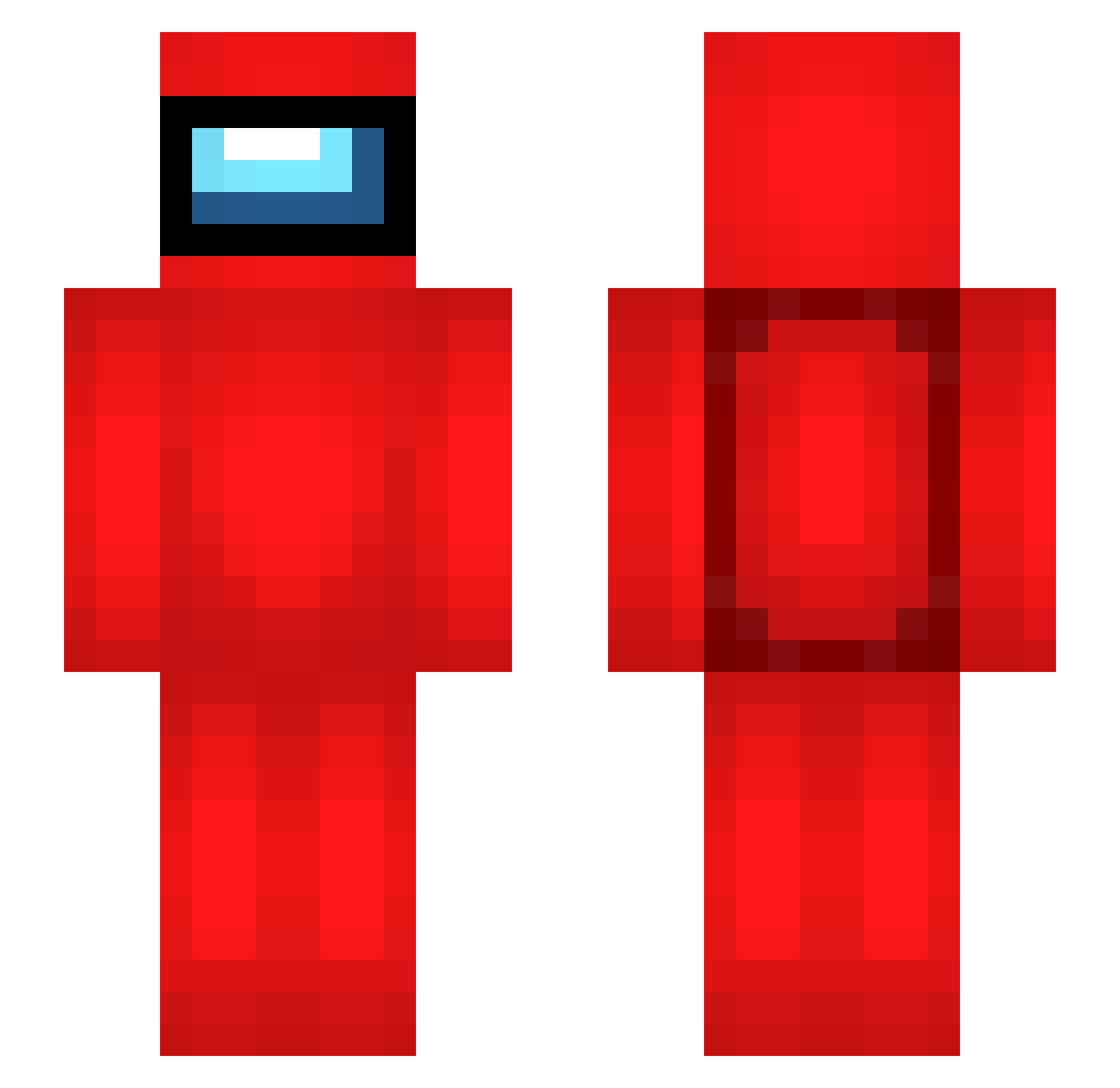
Other players with this skin (281)
ssd8282 was the 270th player we have seen with this skin, first spotted on 14.10.2026. The same skin was seen on these players. Open a nickname to see their current skin and skin history.
 TasteTheF33ling HATAEUK DBZMaster100 JORGEUSO celloman563 Grace1010 ULTRAPUDGE SABOTAGE1540 Fulano0987 BanishedDRILL Tapique23 silvayzf sasangfan Frappe_OMG martiian001 lalololz TXReznikoff Brimja tyotyo0 IceRage7YT kuronmanv Oxyde13 Ko0r0o172 Uno_Turbo ermokito fishy853 Lord_Ayex Epic_gamer_simon Blackwood69 Sbardt Trikeratops ExelionNL StevenHawking56 YOLOmen468 0xNif matteof54 escuuinnn Clanmod Titut_ GeraPro Noob21Noob idzilla PickleBeanTTV Otomlin96 wss2839 YunusEmre028 lanceww88 Heu_ Vincemann04 Micheletti arlindji Freshm1n kapkp brother_iron awenig_ deemo_demo JuicedAnanas hollowrocket Thehenry199 eld3lcraft
More Crewmate Minecraft skins
How to install the ssd8282 skin
- Press the Download button above to save the skin as a PNG file.
- Minecraft: Bedrock Edition (PE): open the Dressing Room from the main menu (or tap your character → Edit Character), go to Classic Skins → Owned, press the + (new skin) button, choose the downloaded PNG and pick the Slim (Alex) model. Works on PC and mobile; consoles cannot import custom skins.
- Minecraft: Java Edition: open the Minecraft Launcher, go to the Skins tab, click New Skin, load the PNG, pick the Slim (Alex) model and press Save & Use. You can also upload it at minecraft.net → Profile → Change Skin.
The skin does not show up after import - what should I do?
Restart Minecraft and open the Dressing Room again - imported skins sometimes appear only after a restart. Also make sure you selected the imported skin and picked the Slim (Alex) model.
Which model should I choose, Classic or Slim?
This skin is designed for the Slim (Alex) model. If you pick the wrong model, the arms of the skin will look stretched or squeezed.
Is the skin of ssd8282 free to download?
Yes. Press Download, save the PNG file and use it in Minecraft: Bedrock Edition or Java Edition - no payment or registration needed. The skin also works on multiplayer servers and Realms.
More skins
Looking for more? Go back to all Minecraft skins and check the top skins of the week, month and all time, or find any player's skin by nickname.