
sred98 - Minecraft Skins & Skin History
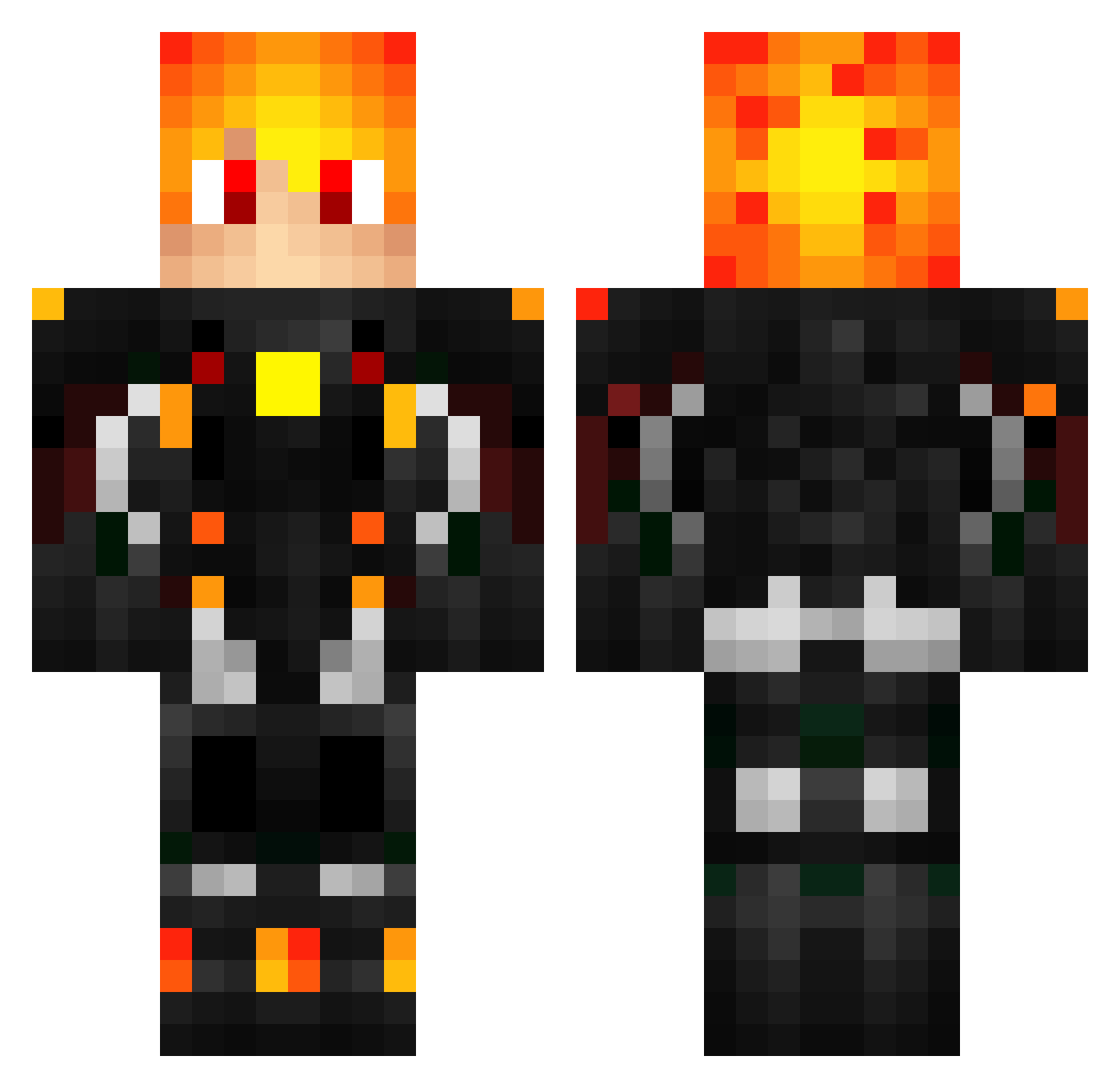
Current Minecraft skin of the player sred98, loaded from the official Mojang API. Rotate the 3D model with your mouse or finger, then download the skin as a PNG file and use it in Minecraft: Bedrock Edition or Java Edition for free. When sred98 changes their skin, this page updates automatically and the old skin stays in the history below.
Other players with this skin (439)
sred98 was the 222nd player we have seen with this skin, first spotted on 14.09.2026. The same skin was seen on these players. Open a nickname to see their current skin and skin history.
 XXBIGBOY80XX
 Mati17319 AnxuzHD djactv robbyslip Elirix21 IronIsaab Apao David32 Solirion _Ki11_Switch_ maticape SuperMunchkin95 kngDiZzy jpeg_love LeonBrawlStars Dark_light73 Mossigge KruM_StorM Exode34 TheDoctor85ba lilcreepp FrauGold BigSchmeeze RAS_gab Metalant207 SoMa_Dz sick_mario Renaku KyleOrenji_ Quizzarex Niki2011_ Guif_23 DiesD4sAnanas Akamahl LionTaste Petuscha PIROlixO VitalikVime14 timeo_TKTR arcus2000 Renatoto MatoXjunior TheAxelAlex Turion37 PodeArcoSim2 JimmOPlays123 Maintain740Virus nacibabo Ht1_Goat NichJuan IchBinNettt Kairo_Kairo Fire_X8269 Scorpion_CH Jouii17 Necke04 PVE_XiaoLine charlin_pro M2N68
More Futuristic Armor Minecraft skins
See all 512 Futuristic Armor skins
How to install the sred98 skin
- Press the Download button above to save the skin as a PNG file.
- Minecraft: Bedrock Edition (PE): open the Dressing Room from the main menu (or tap your character → Edit Character), go to Classic Skins → Owned, press the + (new skin) button, choose the downloaded PNG and pick the Classic (Steve) model. Works on PC and mobile; consoles cannot import custom skins.
- Minecraft: Java Edition: open the Minecraft Launcher, go to the Skins tab, click New Skin, load the PNG, pick the Classic (Steve) model and press Save & Use. You can also upload it at minecraft.net → Profile → Change Skin.
The skin does not show up after import - what should I do?
Restart Minecraft and open the Dressing Room again - imported skins sometimes appear only after a restart. Also make sure you selected the imported skin and picked the Classic (Steve) model.
Which model should I choose, Classic or Slim?
This skin is designed for the Classic (Steve) model. If you pick the wrong model, the arms of the skin will look stretched or squeezed.
Is the skin of sred98 free to download?
Yes. Press Download, save the PNG file and use it in Minecraft: Bedrock Edition or Java Edition - no payment or registration needed. The skin also works on multiplayer servers and Realms.
More skins
Looking for more? Go back to all Minecraft skins and check the top skins of the week, month and all time, or find any player's skin by nickname.