
spygon9 - Minecraft Skins & Skin History
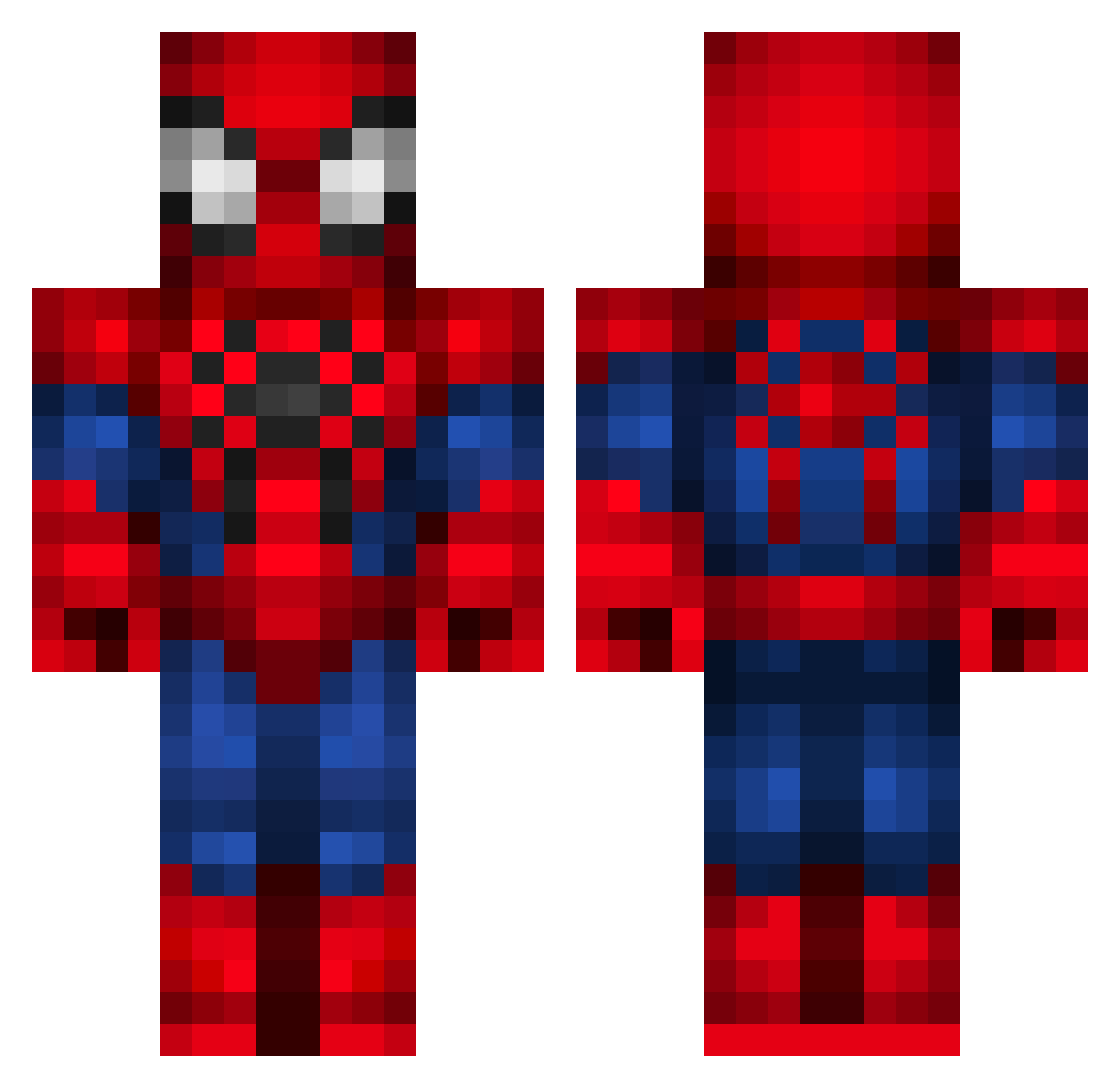
Current Minecraft skin of the player spygon9, loaded from the official Mojang API. Rotate the 3D model with your mouse or finger, then download the skin as a PNG file and use it in Minecraft: Bedrock Edition or Java Edition for free. When spygon9 changes their skin, this page updates automatically and the old skin stays in the history below.
Other players with this skin (351)
spygon9 was the 76th player we have seen with this skin, first spotted on 22.08.2026. The same skin was seen on these players. Open a nickname to see their current skin and skin history.
 Bad_Endingxd
 Charlotteleeuwin RSSWW ShireSharkey LeoTuMano CookieZ03 secretjuice19 yara_sh Powerhitter119 MatiasAraujo Frickzera_ Lenieee jitcuh10 v1xenbeast Azizlacolombe Charam47 Rt0813 JR_Roach42 MAZSING dida224 JuanPlex UchihaSaid AnhYeuEmSoMuch Qwiktrip Maj2dd ianasado Khillynn_Thyme 18kubus McKay_25 gonzalonick yuceclyde Lokiho Snow3131 Aryndae KaliNa5413
 QFloop IronForce05 AMAGMI loockoo 2099paco Sausageman77 JUANZER4 JuJupung TheBruno_14 Nikito_ComXD CTheodoro SenhorDelass agusdenza99 IGIPIGIEL0 ENDERMITO2011 Ghosty_231 lockshot_12 Zahir2322 jspider_949 Princess_pina McFemurPasta Angelloco125 Spideywebbb olgas_ PresidentMojo
More Spider-Man Minecraft skins
How to install the spygon9 skin
- Press the Download button above to save the skin as a PNG file.
- Minecraft: Bedrock Edition (PE): open the Dressing Room from the main menu (or tap your character → Edit Character), go to Classic Skins → Owned, press the + (new skin) button, choose the downloaded PNG and pick the Classic (Steve) model. Works on PC and mobile; consoles cannot import custom skins.
- Minecraft: Java Edition: open the Minecraft Launcher, go to the Skins tab, click New Skin, load the PNG, pick the Classic (Steve) model and press Save & Use. You can also upload it at minecraft.net → Profile → Change Skin.
The skin does not show up after import - what should I do?
Restart Minecraft and open the Dressing Room again - imported skins sometimes appear only after a restart. Also make sure you selected the imported skin and picked the Classic (Steve) model.
Which model should I choose, Classic or Slim?
This skin is designed for the Classic (Steve) model. If you pick the wrong model, the arms of the skin will look stretched or squeezed.
Is the skin of spygon9 free to download?
Yes. Press Download, save the PNG file and use it in Minecraft: Bedrock Edition or Java Edition - no payment or registration needed. The skin also works on multiplayer servers and Realms.
More skins
Looking for more? Go back to all Minecraft skins and check the top skins of the week, month and all time, or find any player's skin by nickname.