
spiky15 - Minecraft Skins & Skin History
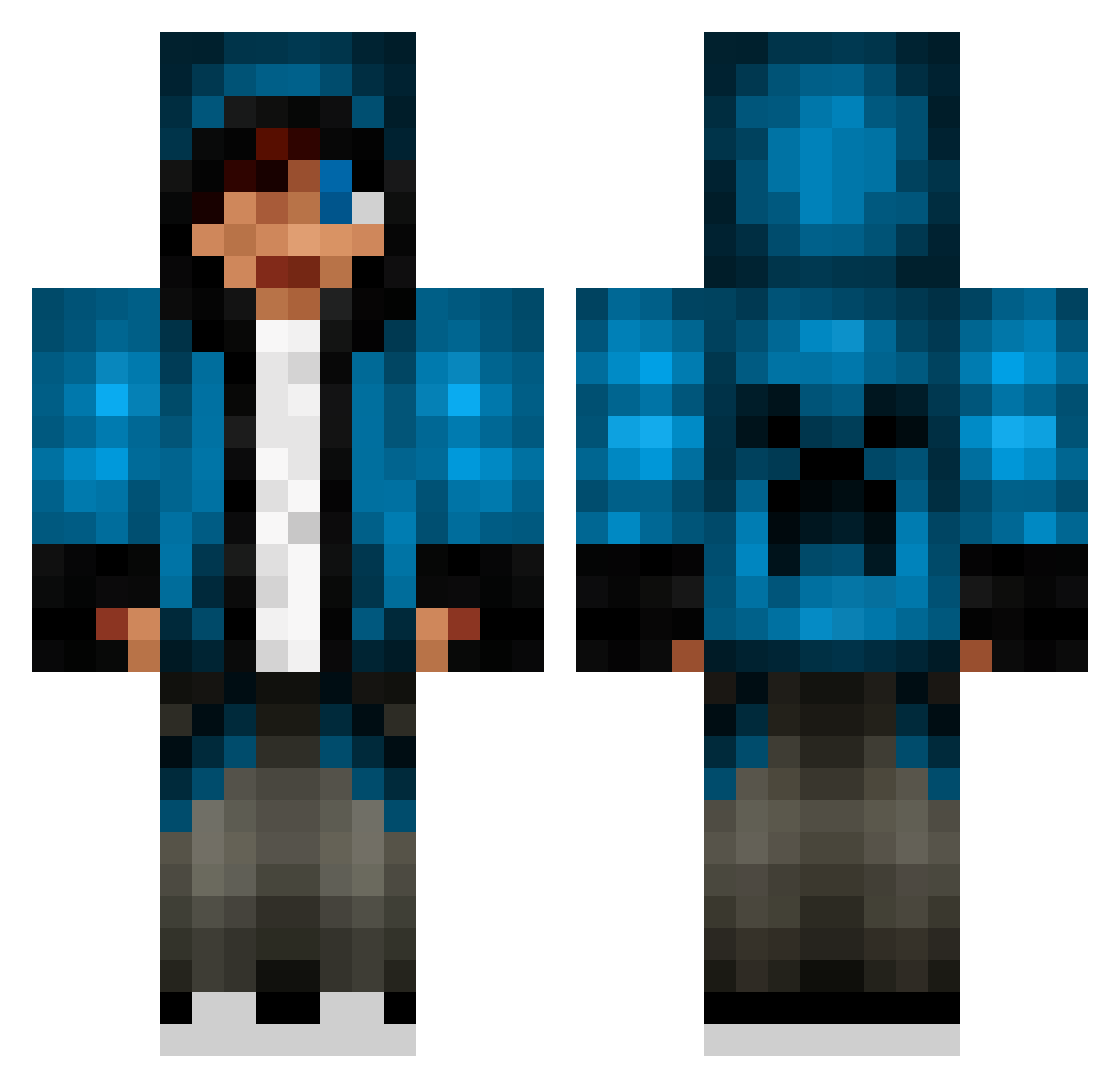
Current Minecraft skin of the player spiky15, loaded from the official Mojang API. Rotate the 3D model with your mouse or finger, then download the skin as a PNG file and use it in Minecraft: Bedrock Edition or Java Edition for free. When spiky15 changes their skin, this page updates automatically and the old skin stays in the history below.
Other players with this skin (70)
spiky15 was the 23rd player we have seen with this skin, first spotted on 24.08.2026. The same skin was seen on these players. Open a nickname to see their current skin and skin history.
 albatrosees notCarlitosTacos DrCranium02 Qi_MaoA jordyharris ParaD0x66 SirKricket GBarmada1122 MidWolfhunter kell6396 TToyBoxx Nautile Dedxead Nannilein the_nether_ender Noo_Sama chaselambov Kerello WithoutEyeBrow melvinz2005 Slasher_Mike grimshaw01 ASHplaysTV_ youya_fish001 NiKKlaZz apleoxero AWS_TMW A_Few_Czy9 sleeper413 UltimateFever Maxoneza yipanese paradex0258 fbzj gorlami31 ChaiTkYoun fuzzysniper2000 YEETMYSTER69 ThiirtySiix EnesIlliyaP2 blackopes2boy Baidong RageSkills Ke_Nann SWANNYB BLUEBULL03 Jinxed_Soul exoRift the_valin123 JinwooBrico J_T__ nokipehu Toby1645 Hhurelok BG1091 AlwaysNear_ Captain___Chaos Callster401 listenrian Gautaxis
More Creeper Minecraft skins
How to install the spiky15 skin
- Press the Download button above to save the skin as a PNG file.
- Minecraft: Bedrock Edition (PE): open the Dressing Room from the main menu (or tap your character → Edit Character), go to Classic Skins → Owned, press the + (new skin) button, choose the downloaded PNG and pick the Classic (Steve) model. Works on PC and mobile; consoles cannot import custom skins.
- Minecraft: Java Edition: open the Minecraft Launcher, go to the Skins tab, click New Skin, load the PNG, pick the Classic (Steve) model and press Save & Use. You can also upload it at minecraft.net → Profile → Change Skin.
The skin does not show up after import - what should I do?
Restart Minecraft and open the Dressing Room again - imported skins sometimes appear only after a restart. Also make sure you selected the imported skin and picked the Classic (Steve) model.
Which model should I choose, Classic or Slim?
This skin is designed for the Classic (Steve) model. If you pick the wrong model, the arms of the skin will look stretched or squeezed.
Is the skin of spiky15 free to download?
Yes. Press Download, save the PNG file and use it in Minecraft: Bedrock Edition or Java Edition - no payment or registration needed. The skin also works on multiplayer servers and Realms.
More skins
Looking for more? Go back to all Minecraft skins and check the top skins of the week, month and all time, or find any player's skin by nickname.