
someguy0926 - Minecraft Skins & Skin History
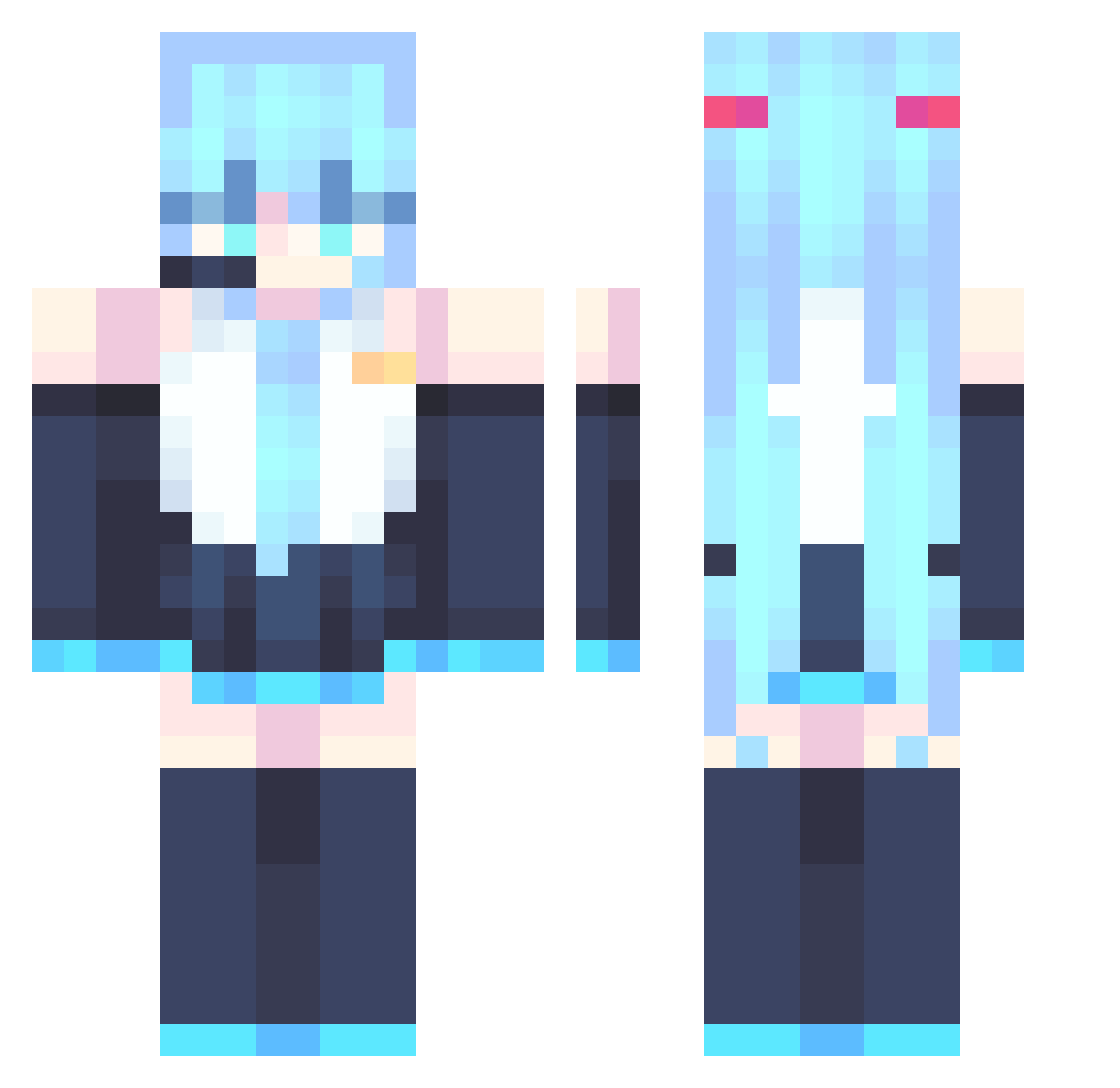
Current Minecraft skin of the player someguy0926, loaded from the official Mojang API. Rotate the 3D model with your mouse or finger, then download the skin as a PNG file and use it in Minecraft: Bedrock Edition or Java Edition for free. When someguy0926 changes their skin, this page updates automatically and the old skin stays in the history below.
Other players with this skin (886)
someguy0926 was the 199th player we have seen with this skin, first spotted on 18.08.2026. The same skin was seen on these players. Open a nickname to see their current skin and skin history.
 kakaru07 Asmoh05 javazyr YIREN2006 IDeltA_alt Green_Pancake03 gaball maplebunnyy ChocoByte05 BigBlackBois xicheng2 DungFu2 DeadlyReki BAKUGOD Chacalacha yangzihao111 YangDumb Nitr0_X DonTakeMe shuiguoshala dokkaos Charlie_BL lxy1101 _calcite_ monter___ pekkii_ Sun_Prime_ sydney_x M0GUMO _koumuru_ MingJaehyun Hoppiedoppeh Yeongi1006 Aokinorii CirnoLeaf
 Sky6887 josh1880 KFCITO
 LootingX Hypex227 SetsunaC42 CirMoI xiaogan666 HYITA233 Freedom05202 mabbak1 Comm1itment LukiBezBazuki Yagyaveer leonel113 negi1230
 krix228 llllliiiiiiiiii ForniteLuvr123 5SZ SuSLimits MJbread jiuye654 raychen0805 chi_simp_minh_em
More Hatsune Miku Minecraft skins
See all 904 Hatsune Miku skins
How to install the someguy0926 skin
- Press the Download button above to save the skin as a PNG file.
- Minecraft: Bedrock Edition (PE): open the Dressing Room from the main menu (or tap your character → Edit Character), go to Classic Skins → Owned, press the + (new skin) button, choose the downloaded PNG and pick the Classic (Steve) model. Works on PC and mobile; consoles cannot import custom skins.
- Minecraft: Java Edition: open the Minecraft Launcher, go to the Skins tab, click New Skin, load the PNG, pick the Classic (Steve) model and press Save & Use. You can also upload it at minecraft.net → Profile → Change Skin.
The skin does not show up after import - what should I do?
Restart Minecraft and open the Dressing Room again - imported skins sometimes appear only after a restart. Also make sure you selected the imported skin and picked the Classic (Steve) model.
Which model should I choose, Classic or Slim?
This skin is designed for the Classic (Steve) model. If you pick the wrong model, the arms of the skin will look stretched or squeezed.
Is the skin of someguy0926 free to download?
Yes. Press Download, save the PNG file and use it in Minecraft: Bedrock Edition or Java Edition - no payment or registration needed. The skin also works on multiplayer servers and Realms.
More skins
Looking for more? Go back to all Minecraft skins and check the top skins of the week, month and all time, or find any player's skin by nickname.