
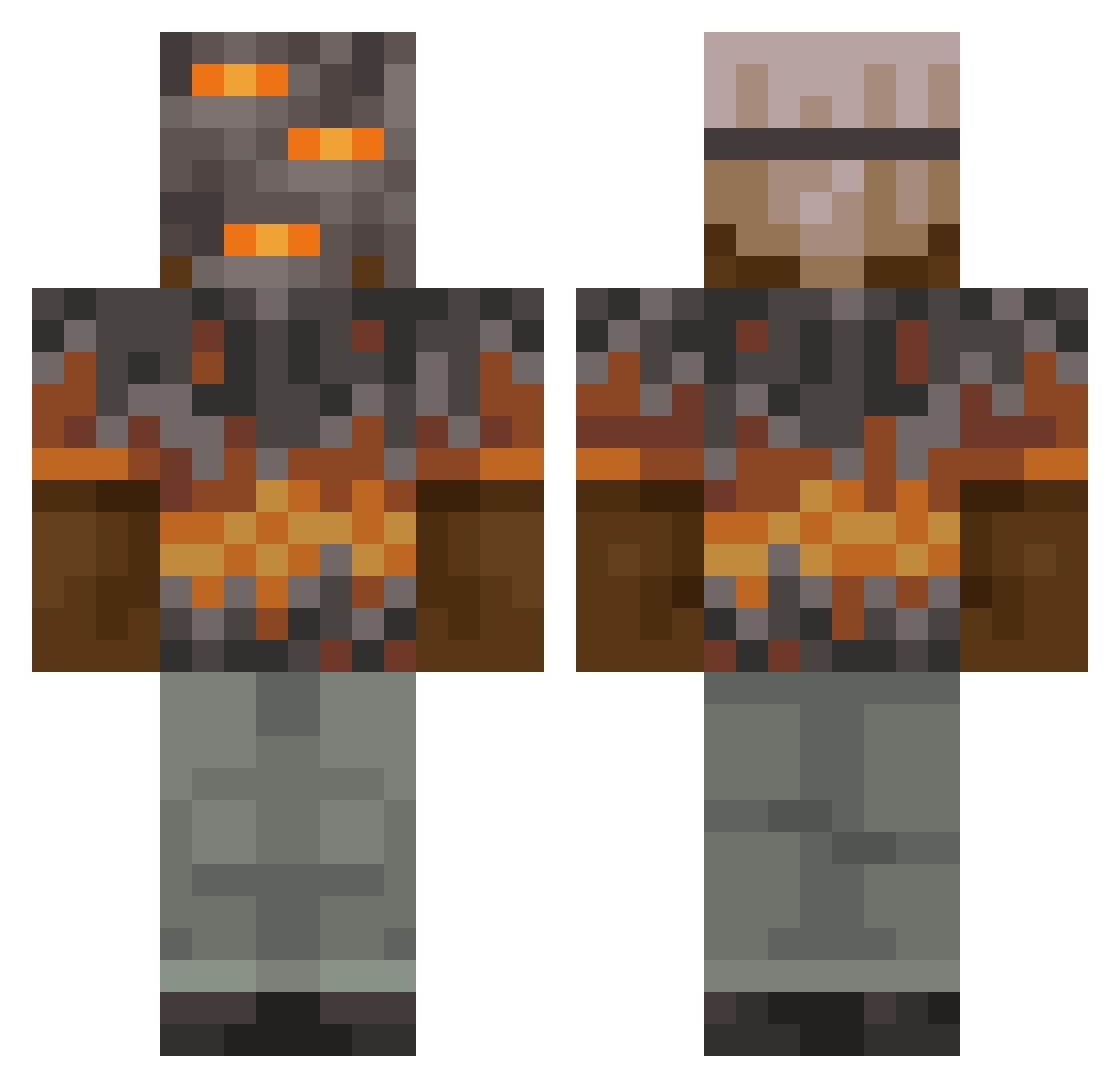
Current Minecraft skin of the player sojias, loaded from the official Mojang API. Rotate the 3D model with your mouse or finger, then download the skin as a PNG file and use it in Minecraft: Bedrock Edition or Java Edition for free. When sojias changes their skin, this page updates automatically and the old skin stays in the history below.
Other players with this skin (788)
sojias was the 294th player we have seen with this skin, first spotted on 25.08.2026. The same skin was seen on these players. Open a nickname to see their current skin and skin history.
 qied109 erkan16097 1TapBeef IsraelGODwembyy ExUnity kcbc643 lejket Moyobrogo Remvi LBH001001 greatnight100 no_name1001 Terminator6666 Jack_GG CateredOdin2 WackyPancake peridotlovertm ffe7afb beaver4444 German452 hextrileuk CoalGrinder893 decore16 yarrajarry Silmarilion_ Gezeiten_ poopydoopy5647 kupaszmalu
 Gingerinooo dorabaebasic ElaIsMyBae GegeLaGrenouille Splurgle G35_Driver MASONROGERS spd_127 clively06 TaintTickler11 JonathanLG Visualingo rickets73 tgref7 1jls Jawbles NeoCrush OneLoafObread lkw669 P__R_ FateDaGoat Kokiri1010 faisal445 CreeperGamer8xx M4ng0STAR nullifize Karnusu Glimmarz ooAmomi Dirtydan79 leonbetter MidBeast4842
More Rock Minecraft skins
How to install the sojias skin
- Press the Download button above to save the skin as a PNG file.
- Minecraft: Bedrock Edition (PE): open the Dressing Room from the main menu (or tap your character → Edit Character), go to Classic Skins → Owned, press the + (new skin) button, choose the downloaded PNG and pick the Classic (Steve) model. Works on PC and mobile; consoles cannot import custom skins.
- Minecraft: Java Edition: open the Minecraft Launcher, go to the Skins tab, click New Skin, load the PNG, pick the Classic (Steve) model and press Save & Use. You can also upload it at minecraft.net → Profile → Change Skin.
The skin does not show up after import - what should I do?
Restart Minecraft and open the Dressing Room again - imported skins sometimes appear only after a restart. Also make sure you selected the imported skin and picked the Classic (Steve) model.
Which model should I choose, Classic or Slim?
This skin is designed for the Classic (Steve) model. If you pick the wrong model, the arms of the skin will look stretched or squeezed.
Is the skin of sojias free to download?
Yes. Press Download, save the PNG file and use it in Minecraft: Bedrock Edition or Java Edition - no payment or registration needed. The skin also works on multiplayer servers and Realms.
More skins
Looking for more? Go back to all Minecraft skins and check the top skins of the week, month and all time, or find any player's skin by nickname.