
smgmal1zard - Minecraft Skins & Skin History
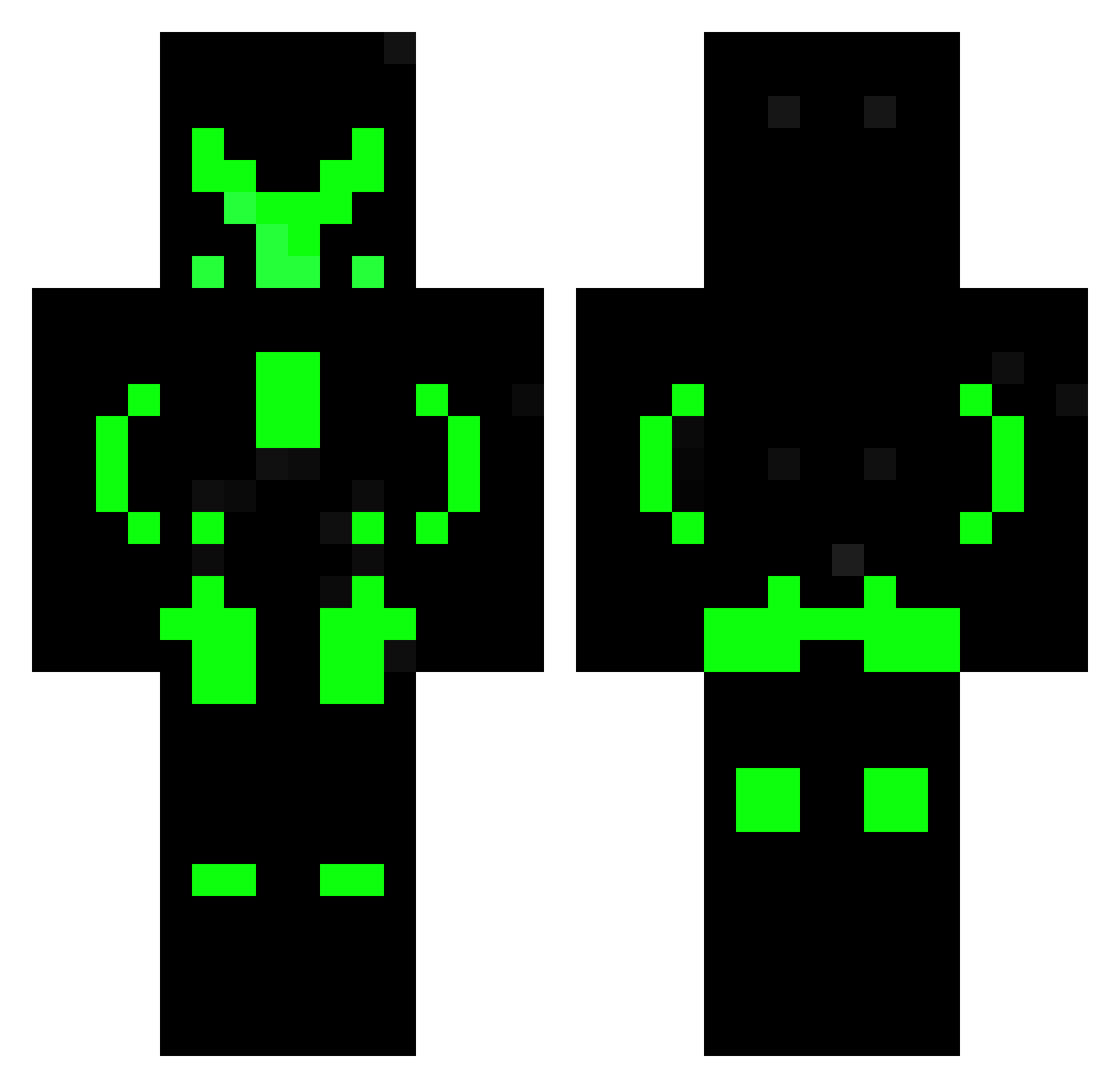
Current Minecraft skin of the player smgmal1zard, loaded from the official Mojang API. Rotate the 3D model with your mouse or finger, then download the skin as a PNG file and use it in Minecraft: Bedrock Edition or Java Edition for free. When smgmal1zard changes their skin, this page updates automatically and the old skin stays in the history below.
Other players with this skin (608)
smgmal1zard was the 366th player we have seen with this skin, first spotted on 01.10.2026. The same skin was seen on these players. Open a nickname to see their current skin and skin history.
 joakim330g jozefstalin11 Gogeta01 GODZILLA_SUPREME MasterRei IANC123 LucasDeFS Chris2508 FredOG1 velmiraelin ahmed_oc_king Reddestroyer1945 RaringScarab533 Maximuslol910 viruswolfgolem22 Santi_lobos ITZ_KillerJoy Aklix123 incompedense bankruptrook prodigalgunner ZeTsuki2049 yENRICO Antoneeyow Bravotitan CRASHER475 Shiro2503 JesusARG45 lu_kir Yezter j_tunez01 Odunben ArryOnSpawners Weowolf91 Qrillex maikuraa TheRealLelleK DaniLP3 ThatFearsomeKid Lemming007 Lionheart_5002 abababab53 VcS_Control Adissaurus Knockout120 Gio2104 kampanjo OnyXWolve bfa_203 BAOSIEUNGAU JayceO18 cilius24 DTX_IDREAM Jahoda_Swag Darklondon SuperNovaYKY294 acai321 Vanono7 The_Nomad092 Rloryan
More Neon Armor Minecraft skins
How to install the smgmal1zard skin
- Press the Download button above to save the skin as a PNG file.
- Minecraft: Bedrock Edition (PE): open the Dressing Room from the main menu (or tap your character → Edit Character), go to Classic Skins → Owned, press the + (new skin) button, choose the downloaded PNG and pick the Classic (Steve) model. Works on PC and mobile; consoles cannot import custom skins.
- Minecraft: Java Edition: open the Minecraft Launcher, go to the Skins tab, click New Skin, load the PNG, pick the Classic (Steve) model and press Save & Use. You can also upload it at minecraft.net → Profile → Change Skin.
The skin does not show up after import - what should I do?
Restart Minecraft and open the Dressing Room again - imported skins sometimes appear only after a restart. Also make sure you selected the imported skin and picked the Classic (Steve) model.
Which model should I choose, Classic or Slim?
This skin is designed for the Classic (Steve) model. If you pick the wrong model, the arms of the skin will look stretched or squeezed.
Is the skin of smgmal1zard free to download?
Yes. Press Download, save the PNG file and use it in Minecraft: Bedrock Edition or Java Edition - no payment or registration needed. The skin also works on multiplayer servers and Realms.
More skins
Looking for more? Go back to all Minecraft skins and check the top skins of the week, month and all time, or find any player's skin by nickname.