
slidesk - Minecraft Skins & Skin History
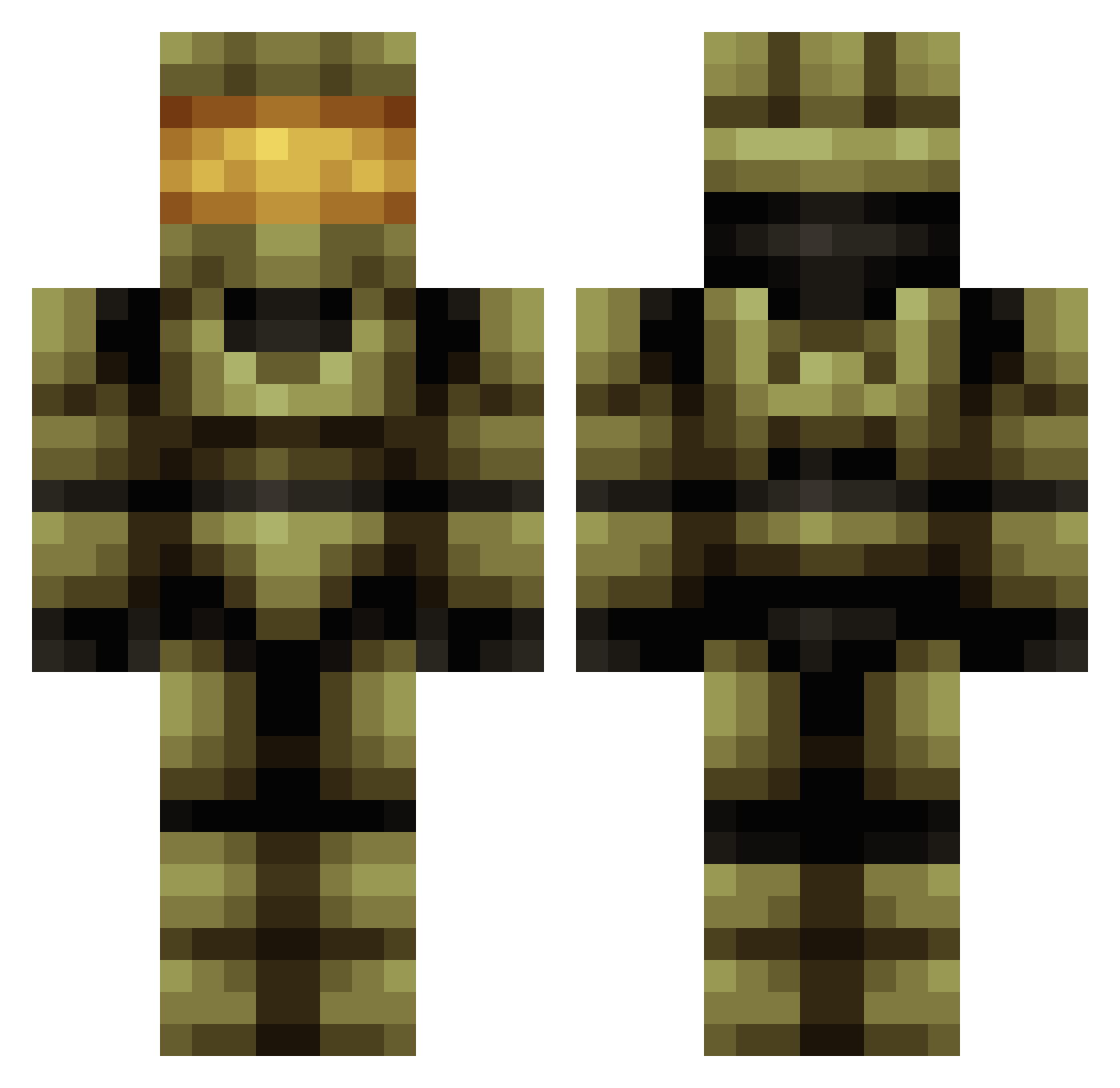
Current Minecraft skin of the player slidesk, loaded from the official Mojang API. Rotate the 3D model with your mouse or finger, then download the skin as a PNG file and use it in Minecraft: Bedrock Edition or Java Edition for free. When slidesk changes their skin, this page updates automatically and the old skin stays in the history below.
Other players with this skin (419)
slidesk was the 98th player we have seen with this skin, first spotted on 21.08.2026. The same skin was seen on these players. Open a nickname to see their current skin and skin history.
 Mr_Mark777 Guanzihao Joe_star1129 Deadpoolfan120 Meety1982 CBmad TobiasUnicorn MisakaXGP_aNZ973 JoshyBM KBob1323 Alexsum bill_6969 R0ndras HIimMaru Passes1215 Master09141 AndrewAton x3nicole jsample1010 CabbageofDoom GrantDotExe tidynzq s00bi Barbarotom YvngSoljah ChaosBlackAce JawbreakerX fuxiai999 Jacob_898 BamaDaveG TOM14044 T89T xuguangxi SUPERSONICJ EikeEm TheTurtleMAN47 Whit3Fire berni2022 SmokeeInVR DAT_BUCK MRHERDODO
 rxchristo tommw112 masterchief3655 MagoWago Brusk490 Littleman2254 Mr_Claus1 ThatGuyNick29 Yichen026 MrAndo96 Sithdoom tahalomaster Halo_43 0Frozen ElSepul Mofitas Maverick_8977 Eskelember Metallica_1one1
More Master Chief Minecraft skins
See all 526 Master Chief skins
How to install the slidesk skin
- Press the Download button above to save the skin as a PNG file.
- Minecraft: Bedrock Edition (PE): open the Dressing Room from the main menu (or tap your character → Edit Character), go to Classic Skins → Owned, press the + (new skin) button, choose the downloaded PNG and pick the Classic (Steve) model. Works on PC and mobile; consoles cannot import custom skins.
- Minecraft: Java Edition: open the Minecraft Launcher, go to the Skins tab, click New Skin, load the PNG, pick the Classic (Steve) model and press Save & Use. You can also upload it at minecraft.net → Profile → Change Skin.
The skin does not show up after import - what should I do?
Restart Minecraft and open the Dressing Room again - imported skins sometimes appear only after a restart. Also make sure you selected the imported skin and picked the Classic (Steve) model.
Which model should I choose, Classic or Slim?
This skin is designed for the Classic (Steve) model. If you pick the wrong model, the arms of the skin will look stretched or squeezed.
Is the skin of slidesk free to download?
Yes. Press Download, save the PNG file and use it in Minecraft: Bedrock Edition or Java Edition - no payment or registration needed. The skin also works on multiplayer servers and Realms.
More skins
Looking for more? Go back to all Minecraft skins and check the top skins of the week, month and all time, or find any player's skin by nickname.