
sirdragao - Minecraft Skins & Skin History
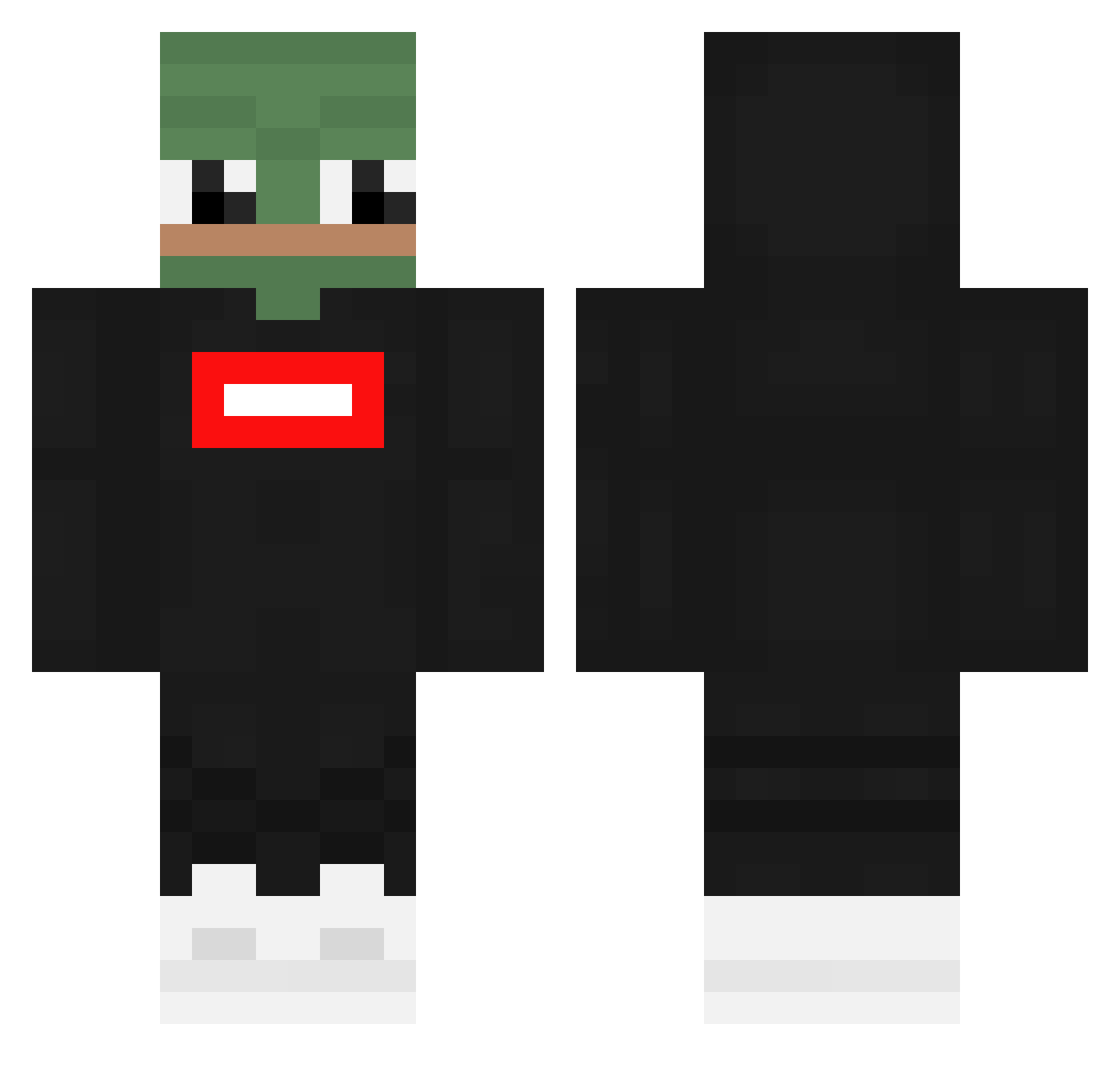
Current Minecraft skin of the player sirdragao, loaded from the official Mojang API. Rotate the 3D model with your mouse or finger, then download the skin as a PNG file and use it in Minecraft: Bedrock Edition or Java Edition for free. When sirdragao changes their skin, this page updates automatically and the old skin stays in the history below.
Other players with this skin (362)
sirdragao was the 109th player we have seen with this skin, first spotted on 28.08.2026. The same skin was seen on these players. Open a nickname to see their current skin and skin history.
 Baga4 Elchapoiss MtRx_Dorito xavierblu234 SentientSpace72 NecronIsBald Tymsonix SuDoki2180 ted0422 Ac7s ekhozzz goodboykwon xKind4rek Gavout69 gibacapuda hobbang777 HimbeerBrause quivexwastaken Jese2001 Thaliaxv TheFreak218 LULURARA0 Tadis420 Lucco2005 DerEchteFerhad MickeyT42 rogIrepuS VALIGHG72 fr0gp Synveir Alphateus jty0107 TrufeL123 ZoxciD Jonrpk iDarkJR CrayAlt07 Alpha_Chinoe 2KILATES mcfreak1363 11jcampbell M_x_ SUYEON98 Karolek206 OutdoorSlave Joko079 RipzouZ IronWolfKP ECN1RP Magan0_ Smitty7099 dobjke JJAngster
 H0RH0 ameer48 Kaigua1 xtra848 Schredderick187 IRichiexI matus2007
More Pepe Minecraft skins
How to install the sirdragao skin
- Press the Download button above to save the skin as a PNG file.
- Minecraft: Bedrock Edition (PE): open the Dressing Room from the main menu (or tap your character → Edit Character), go to Classic Skins → Owned, press the + (new skin) button, choose the downloaded PNG and pick the Classic (Steve) model. Works on PC and mobile; consoles cannot import custom skins.
- Minecraft: Java Edition: open the Minecraft Launcher, go to the Skins tab, click New Skin, load the PNG, pick the Classic (Steve) model and press Save & Use. You can also upload it at minecraft.net → Profile → Change Skin.
The skin does not show up after import - what should I do?
Restart Minecraft and open the Dressing Room again - imported skins sometimes appear only after a restart. Also make sure you selected the imported skin and picked the Classic (Steve) model.
Which model should I choose, Classic or Slim?
This skin is designed for the Classic (Steve) model. If you pick the wrong model, the arms of the skin will look stretched or squeezed.
Is the skin of sirdragao free to download?
Yes. Press Download, save the PNG file and use it in Minecraft: Bedrock Edition or Java Edition - no payment or registration needed. The skin also works on multiplayer servers and Realms.
More skins
Looking for more? Go back to all Minecraft skins and check the top skins of the week, month and all time, or find any player's skin by nickname.