
 mustardpickle charja1cz DayDreamer2134 Vessel41 _Jonas2702_ _Delmont CrayAlt02 ShiBaLoMa Macik123456 its_kieran07 forget0518 Patronchik Fullham yon147 Dontje Marbie2007 Kim_Bongsu TreVerino STIPori Hypeax deezRW Kooper10 Replax431 EtexEnergy8 TheRaaatz Xhipote Hotcuparage GauchoMC toteem HoodieJman Calxvin ChoEunHyuk CXLTURESSS zHarryPotter_ shadowgamer6769 Real_B00ST Sgun325 signlist F1Gen EvilHun BAQIRYT Varimanthas Nepidoras Sap_Socer Djdikkat_1 blojler Cryptonz CrayAlt08 NotCopyrighted Mervadeau CostasLvgs DaddySageZ 6Dragon14 chico_czento R74N84 wutcz infoy06 Nihume diego016 mother01
Minecraft skin of DaichiSxd. Rotate the 3D model with your mouse or finger to view the skin from every angle, then download it as a PNG file and use it in Minecraft: Bedrock Edition or Java Edition for free. Rate the skin with stars to help other players find the best skins in our collection.
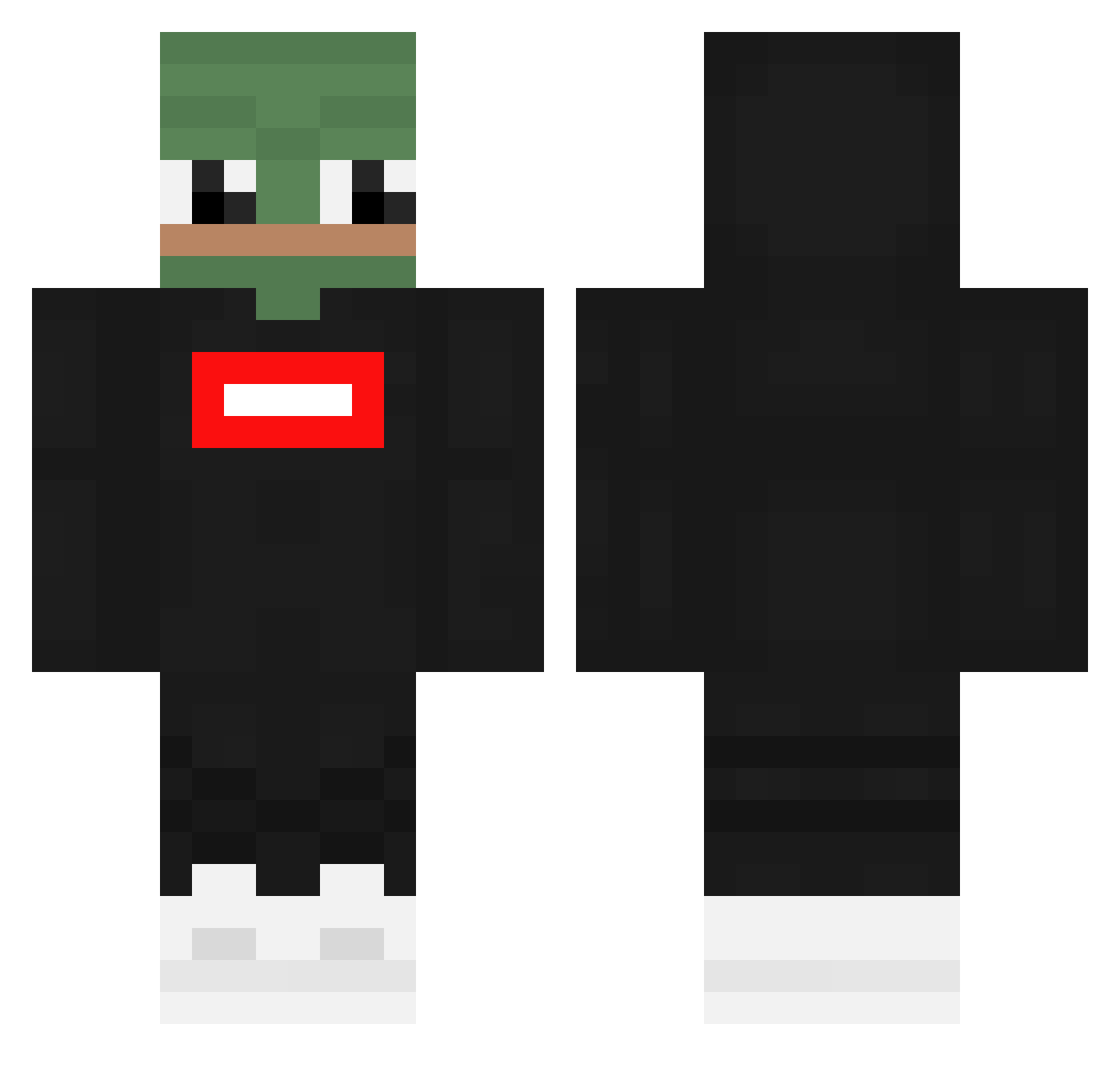
How to install the DaichiSxd skin
- Press the Download button above to save the skin as a PNG file.
- Minecraft: Bedrock Edition (PE): open the Dressing Room from the main menu (or tap your character → Edit Character), go to Classic Skins → Owned, press the + (new skin) button, choose the downloaded PNG and pick the Classic (Steve) model. Works on PC and mobile; consoles cannot import custom skins.
- Minecraft: Java Edition: open the Minecraft Launcher, go to the Skins tab, click New Skin, load the PNG, pick the Classic (Steve) model and press Save & Use. You can also upload it at minecraft.net → Profile → Change Skin.
The skin does not show up after import - what should I do?
Restart Minecraft and open the Dressing Room again - imported skins sometimes appear only after a restart. Also make sure you selected the imported skin and picked the Classic (Steve) model.
Which model should I choose, Classic or Slim?
This skin is designed for the Classic (Steve) model. If you pick the wrong model, the arms of the skin will look stretched or squeezed.
Is this skin free to use?
Yes. Press Download, save the PNG file and use it in Minecraft: Bedrock Edition or Java Edition - no payment or registration needed. The skin also works on multiplayer servers and Realms.
More Pepe Minecraft skins
More skins
Looking for more? Go back to all Minecraft skins and check the top skins of the week, month and all time, or find any player's skin by nickname.