
sirbiotic - Minecraft Skins & Skin History
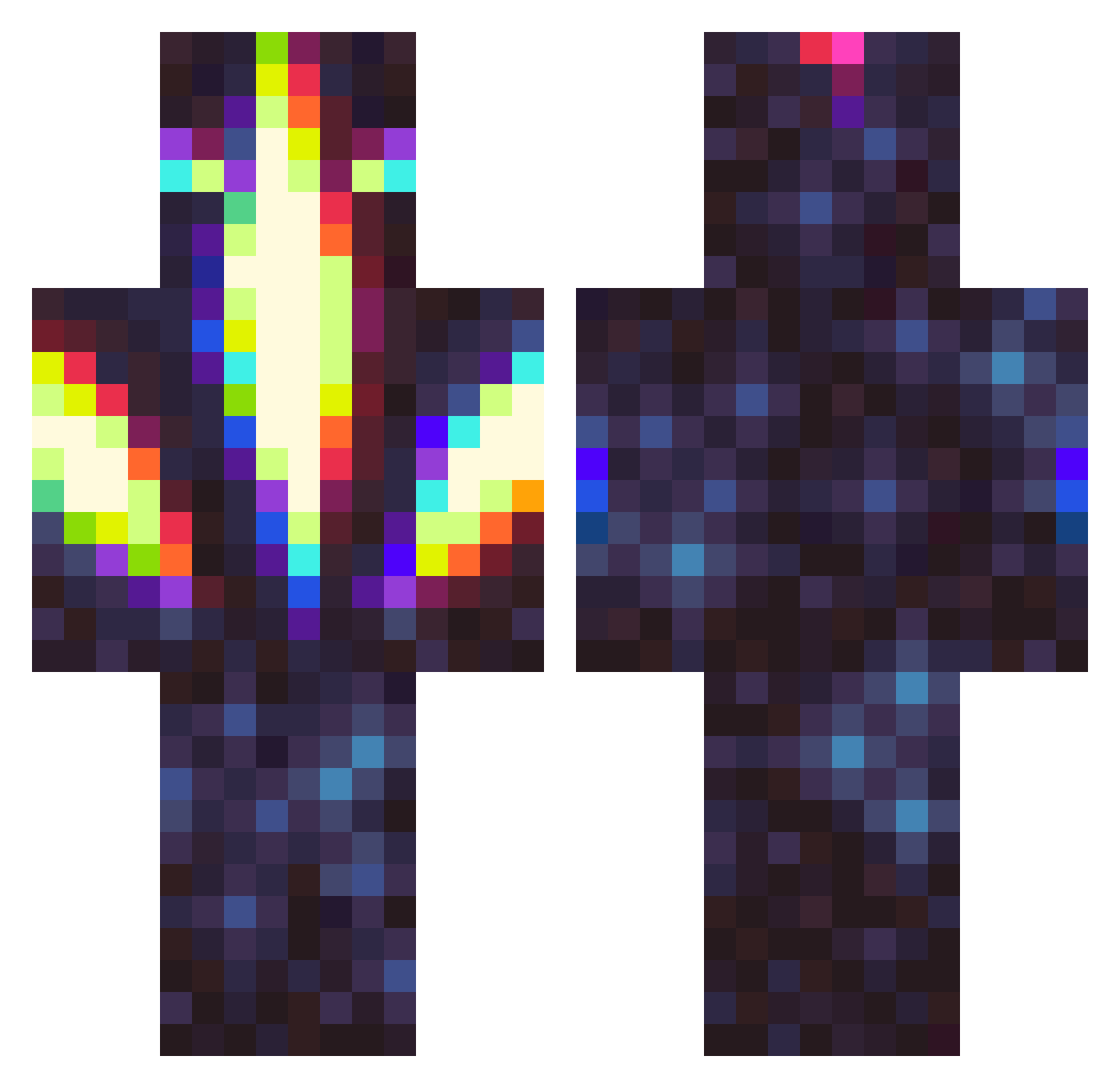
Current Minecraft skin of the player sirbiotic, loaded from the official Mojang API. Rotate the 3D model with your mouse or finger, then download the skin as a PNG file and use it in Minecraft: Bedrock Edition or Java Edition for free. When sirbiotic changes their skin, this page updates automatically and the old skin stays in the history below.
Other players with this skin (326)
sirbiotic was the 288th player we have seen with this skin, first spotted on 22.10.2026. The same skin was seen on these players. Open a nickname to see their current skin and skin history.
 Mrjmoople sunshinse Lundette Drtracksuit SnipingLemon buger21 CyberG0dz VirtuallyPsycho QuestionKing x_Zxus Bigoof96 Youi101 bytegod CozyInk18249864 syst3mfailu5 harrisans 15bitGod Miss_Murph VoidWardeN18 Project_0mega BepisMcPepis GetawayArtist Ethereal_Deity Dedzsinator21 CreamOfMeatball trashcan_cactus jagwire1995 schmilke Drewify8 APoisonPotato93 XIXwinter FrenchWater Maizeeee FlexPexico nelbus AphoticAurora CoolRefrigerator Guerremi kyesuss leehnai muthecoww Happel92 Galaxtech Appointedsin56 caydencrypted MugL_xD Kidpak9 Str1ien _Bobbelz_ Wesa xPLAT1NUMx Atomyxin LuciferReborn Praethor notEntabot MinzkaMinz CorCody TylerTheTaboo Ethan_1021 DirpTroll
More Glowing Minecraft skins
How to install the sirbiotic skin
- Press the Download button above to save the skin as a PNG file.
- Minecraft: Bedrock Edition (PE): open the Dressing Room from the main menu (or tap your character → Edit Character), go to Classic Skins → Owned, press the + (new skin) button, choose the downloaded PNG and pick the Classic (Steve) model. Works on PC and mobile; consoles cannot import custom skins.
- Minecraft: Java Edition: open the Minecraft Launcher, go to the Skins tab, click New Skin, load the PNG, pick the Classic (Steve) model and press Save & Use. You can also upload it at minecraft.net → Profile → Change Skin.
The skin does not show up after import - what should I do?
Restart Minecraft and open the Dressing Room again - imported skins sometimes appear only after a restart. Also make sure you selected the imported skin and picked the Classic (Steve) model.
Which model should I choose, Classic or Slim?
This skin is designed for the Classic (Steve) model. If you pick the wrong model, the arms of the skin will look stretched or squeezed.
Is the skin of sirbiotic free to download?
Yes. Press Download, save the PNG file and use it in Minecraft: Bedrock Edition or Java Edition - no payment or registration needed. The skin also works on multiplayer servers and Realms.
More skins
Looking for more? Go back to all Minecraft skins and check the top skins of the week, month and all time, or find any player's skin by nickname.