
simbadekat2020 - Minecraft Skins & Skin History
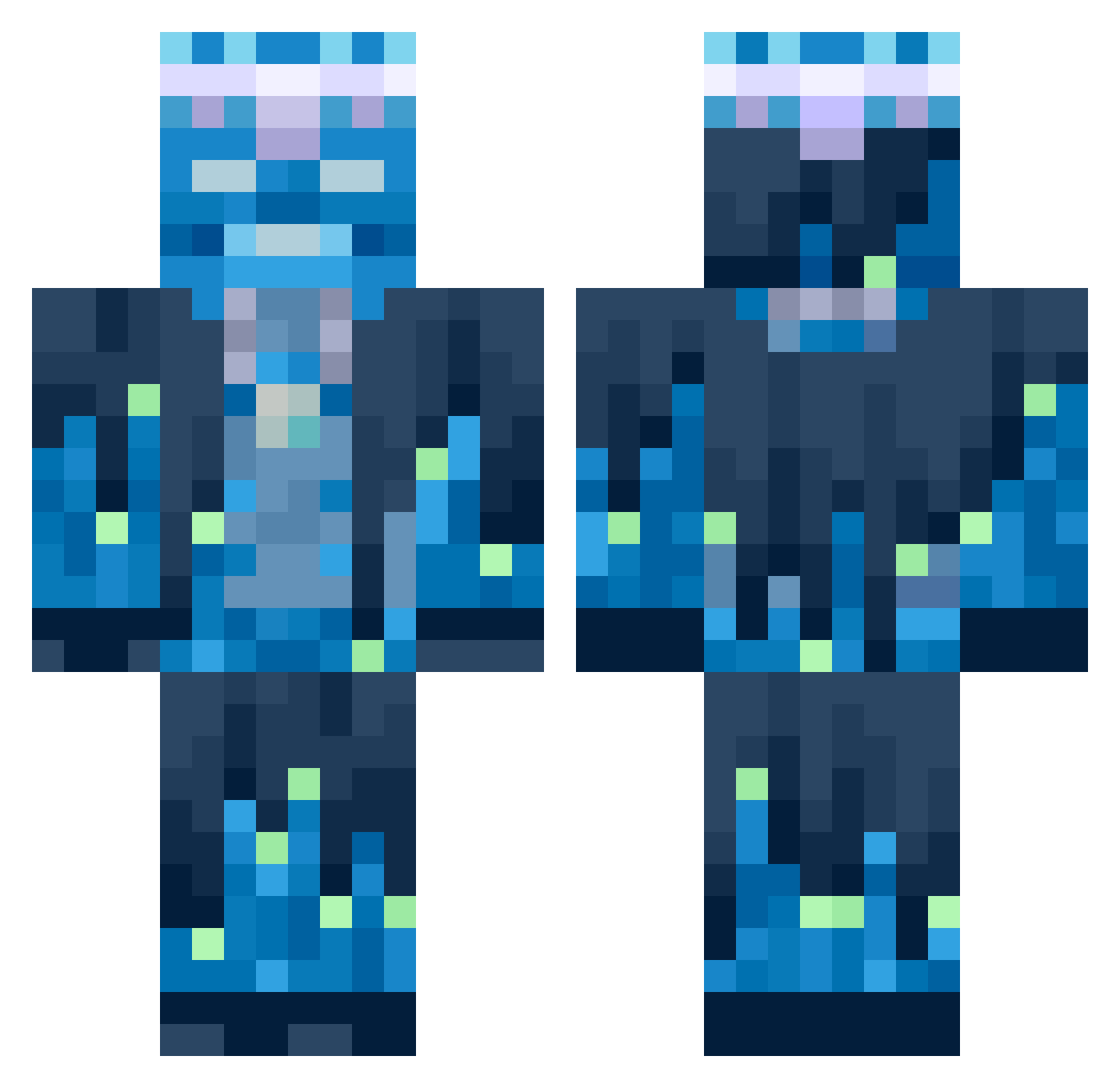
Current Minecraft skin of the player simbadekat2020, loaded from the official Mojang API. Rotate the 3D model with your mouse or finger, then download the skin as a PNG file and use it in Minecraft: Bedrock Edition or Java Edition for free. When simbadekat2020 changes their skin, this page updates automatically and the old skin stays in the history below.
Other players with this skin (623)
simbadekat2020 was the 299th player we have seen with this skin, first spotted on 14.09.2026. The same skin was seen on these players. Open a nickname to see their current skin and skin history.
 Mattowy TheRetroGuy1 CandyLordXXL ddangkong0816 Argos0303 Visitthisakdi KoolaidGulper KLash1022 Simonpier wrender58 ThornSlayer2772 Olek1280 JULIO3121 Mikrocypek5 cole5347 hpro815 SwordofHeaven SIUGRD15 EpicSwagMaster72 ILoveDada Qulz1337 UDonkU taehyeon1211 Charlinho12 Trmoter Valerian_net Marsshmallow06 na_tarczy supershashasha kiladex UnsavedChanges Mervz andr3gui Blake8717 Khonz Harpye_2005 ZestyCosmo seenamon doithus Stepan5000 Orangenfleisch ElDuckBoi
 lt1lowkey Mythic_Danka s1cv3l issaprosove Rhinoaura _0nom0_ Honest_KKO_Jack mboficial MORITZMSD Tartoche03 Hell0gamer Haroun_05 AMaccy Mryazo yeseong22 gabcho Holy_Potato_Man Etwas_auf_cool
More Glowing Minecraft skins
How to install the simbadekat2020 skin
- Press the Download button above to save the skin as a PNG file.
- Minecraft: Bedrock Edition (PE): open the Dressing Room from the main menu (or tap your character → Edit Character), go to Classic Skins → Owned, press the + (new skin) button, choose the downloaded PNG and pick the Classic (Steve) model. Works on PC and mobile; consoles cannot import custom skins.
- Minecraft: Java Edition: open the Minecraft Launcher, go to the Skins tab, click New Skin, load the PNG, pick the Classic (Steve) model and press Save & Use. You can also upload it at minecraft.net → Profile → Change Skin.
The skin does not show up after import - what should I do?
Restart Minecraft and open the Dressing Room again - imported skins sometimes appear only after a restart. Also make sure you selected the imported skin and picked the Classic (Steve) model.
Which model should I choose, Classic or Slim?
This skin is designed for the Classic (Steve) model. If you pick the wrong model, the arms of the skin will look stretched or squeezed.
Is the skin of simbadekat2020 free to download?
Yes. Press Download, save the PNG file and use it in Minecraft: Bedrock Edition or Java Edition - no payment or registration needed. The skin also works on multiplayer servers and Realms.
More skins
Looking for more? Go back to all Minecraft skins and check the top skins of the week, month and all time, or find any player's skin by nickname.