
shusu37 - Minecraft Skins & Skin History
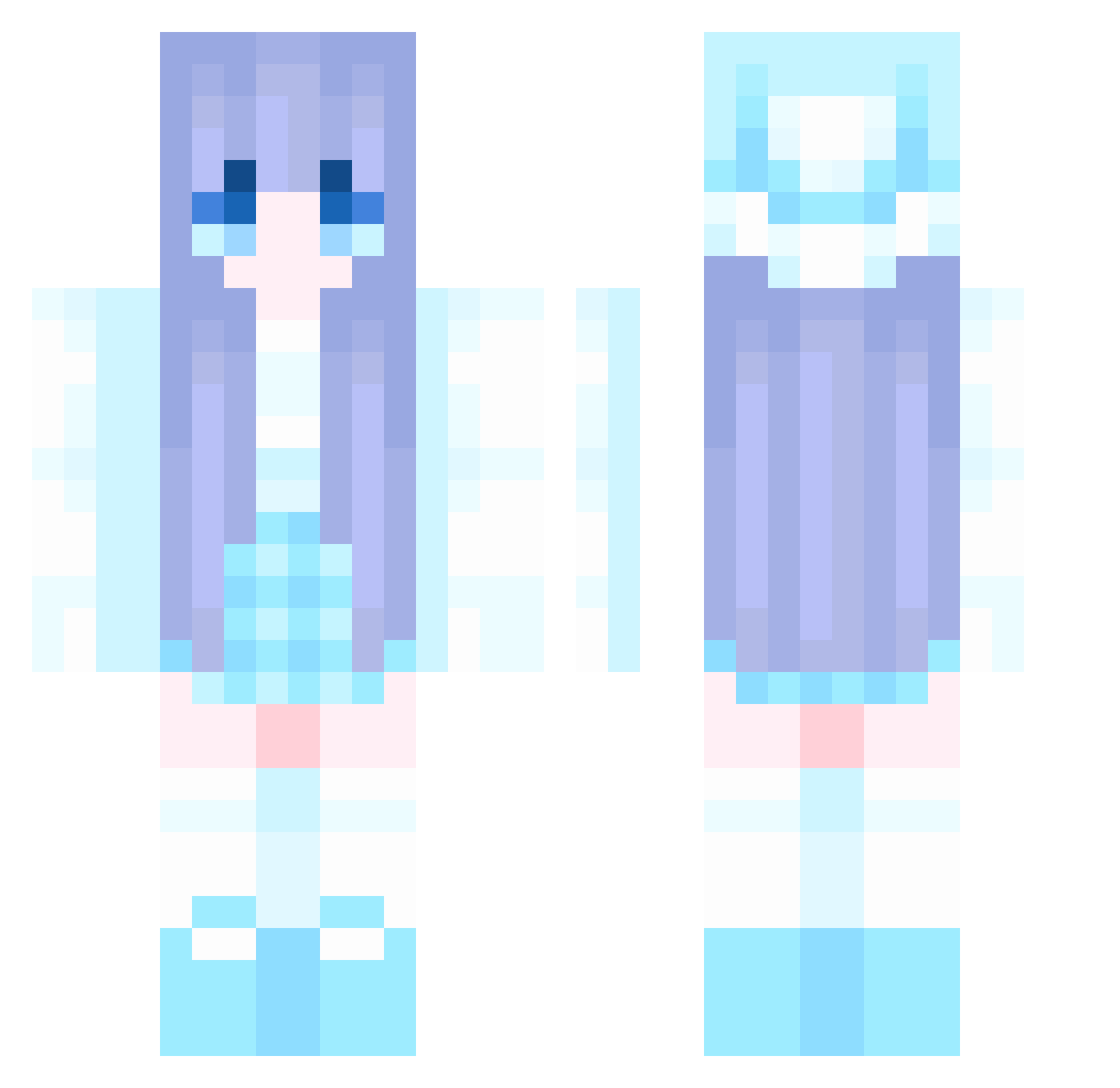
Current Minecraft skin of the player shusu37, loaded from the official Mojang API. Rotate the 3D model with your mouse or finger, then download the skin as a PNG file and use it in Minecraft: Bedrock Edition or Java Edition for free. When shusu37 changes their skin, this page updates automatically and the old skin stays in the history below.
Other players with this skin (1039)
shusu37 was the 497th player we have seen with this skin, first spotted on 18.09.2026. The same skin was seen on these players. Open a nickname to see their current skin and skin history.
 Bryan9205 r8r8r8 Alexfish456 Thetian_ ALCCS Thanoscakes QuanMacTieu DONGdd Eatmypussy 62bluepizzas Coolcola5 _Alice520_ tanmc star_XingWei fkdxjy KOBEE2077 yDvz__ hongzaoa RUNRUN93875 zw0418 Raik3n Hammover 45655 Onko SUPERWOE BKOGK NotedEmu8084 YuZuMatcha __Furioso__ expl0itd Y0629 HJKG66 cookesw Ragi919 Ice_girl0809 MXRain bigdeam Angel121186 MaRiNezozo likun050701 Deura Wuxian004 Hopelogy Pixti zixu123 Anveena1 Alabondeaf Aquaticaaa zhongtianhao rudDyball maiquocanh12345 huxinxiaozhu xxxinte AaronChu_ Yuuki_718 wan0feng0 Kasijax fireheart616 dj9ryan0825 hhhhhyyy
More Winter Minecraft skins
How to install the shusu37 skin
- Press the Download button above to save the skin as a PNG file.
- Minecraft: Bedrock Edition (PE): open the Dressing Room from the main menu (or tap your character → Edit Character), go to Classic Skins → Owned, press the + (new skin) button, choose the downloaded PNG and pick the Classic (Steve) model. Works on PC and mobile; consoles cannot import custom skins.
- Minecraft: Java Edition: open the Minecraft Launcher, go to the Skins tab, click New Skin, load the PNG, pick the Classic (Steve) model and press Save & Use. You can also upload it at minecraft.net → Profile → Change Skin.
The skin does not show up after import - what should I do?
Restart Minecraft and open the Dressing Room again - imported skins sometimes appear only after a restart. Also make sure you selected the imported skin and picked the Classic (Steve) model.
Which model should I choose, Classic or Slim?
This skin is designed for the Classic (Steve) model. If you pick the wrong model, the arms of the skin will look stretched or squeezed.
Is the skin of shusu37 free to download?
Yes. Press Download, save the PNG file and use it in Minecraft: Bedrock Edition or Java Edition - no payment or registration needed. The skin also works on multiplayer servers and Realms.
More skins
Looking for more? Go back to all Minecraft skins and check the top skins of the week, month and all time, or find any player's skin by nickname.