
shinpatarica - Minecraft Skins & Skin History
Current Minecraft skin of the player shinpatarica, loaded from the official Mojang API. Rotate the 3D model with your mouse or finger, then download the skin as a PNG file and use it in Minecraft: Bedrock Edition or Java Edition for free. When shinpatarica changes their skin, this page updates automatically and the old skin stays in the history below.
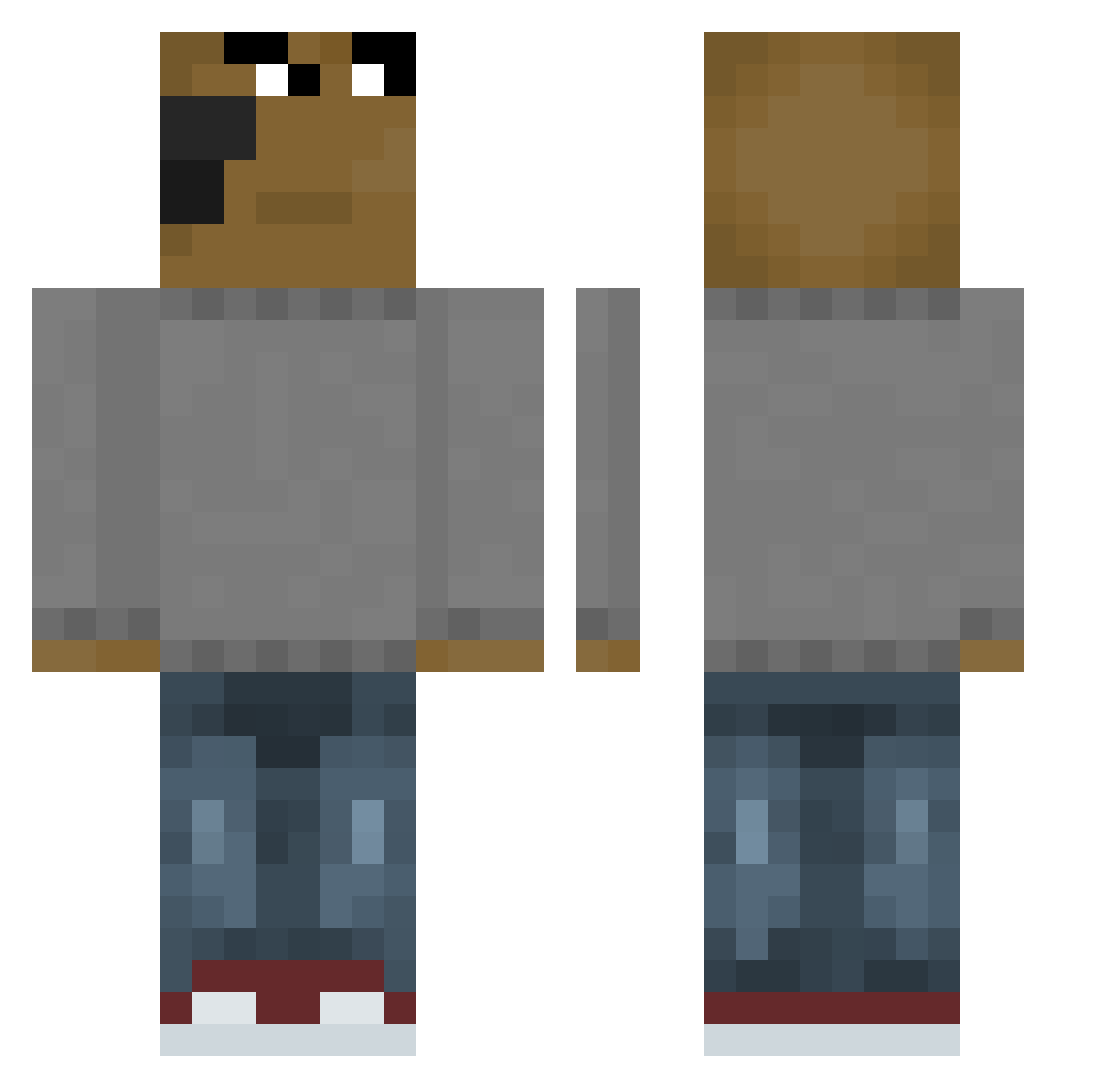
Other players with this skin (657)
shinpatarica was the 489th player we have seen with this skin, first spotted on 13.10.2026. The same skin was seen on these players. Open a nickname to see their current skin and skin history.
 imcs0507 asdasdadsasd PIEHU2813 Paddeee ShinoDesz kinsity superpotato2213 GamerBoyBalljoz Kanekiki Mateq17 TheOgSlink Dayamond555 JesusAlpha26 Tiago_910 Proppeloppen 5intrex yakhu1020 Still_Water0 Facundo117 Marcozu07 juiyw bonam17 xTroIlPLx Simonbombastick xNightKnight MarshmeloMike COMEBACKKK Itz_Tabzify have_mercy_ nextlo Pomponite effuninh8thisdog KOL1BU mulletdadii NikoTheFlash Rolewave Onixjrv BuilderMcBuild TorresHenderson xDesantis Jaesgold EHGIGI rodaaasBDF Plagueghoul MrTasteful mostosis Revenge420 tomekjerozolimek TarpinGechar VektriX_HD jegersej8 Sergioo16 saibotsx uhcpowolny Sxx_xy TheMysticX Sym466 jusip21 Smoky969 yulmin0708
How to install the shinpatarica skin
- Press the Download button above to save the skin as a PNG file.
- Minecraft: Bedrock Edition (PE): open the Dressing Room from the main menu (or tap your character → Edit Character), go to Classic Skins → Owned, press the + (new skin) button, choose the downloaded PNG and pick the Classic (Steve) model. Works on PC and mobile; consoles cannot import custom skins.
- Minecraft: Java Edition: open the Minecraft Launcher, go to the Skins tab, click New Skin, load the PNG, pick the Classic (Steve) model and press Save & Use. You can also upload it at minecraft.net → Profile → Change Skin.
The skin does not show up after import - what should I do?
Restart Minecraft and open the Dressing Room again - imported skins sometimes appear only after a restart. Also make sure you selected the imported skin and picked the Classic (Steve) model.
Which model should I choose, Classic or Slim?
This skin is designed for the Classic (Steve) model. If you pick the wrong model, the arms of the skin will look stretched or squeezed.
Is the skin of shinpatarica free to download?
Yes. Press Download, save the PNG file and use it in Minecraft: Bedrock Edition or Java Edition - no payment or registration needed. The skin also works on multiplayer servers and Realms.
More skins
Looking for more? Go back to all Minecraft skins and check the top skins of the week, month and all time, or find any player's skin by nickname.