
shamlan25 - Minecraft Skins & Skin History
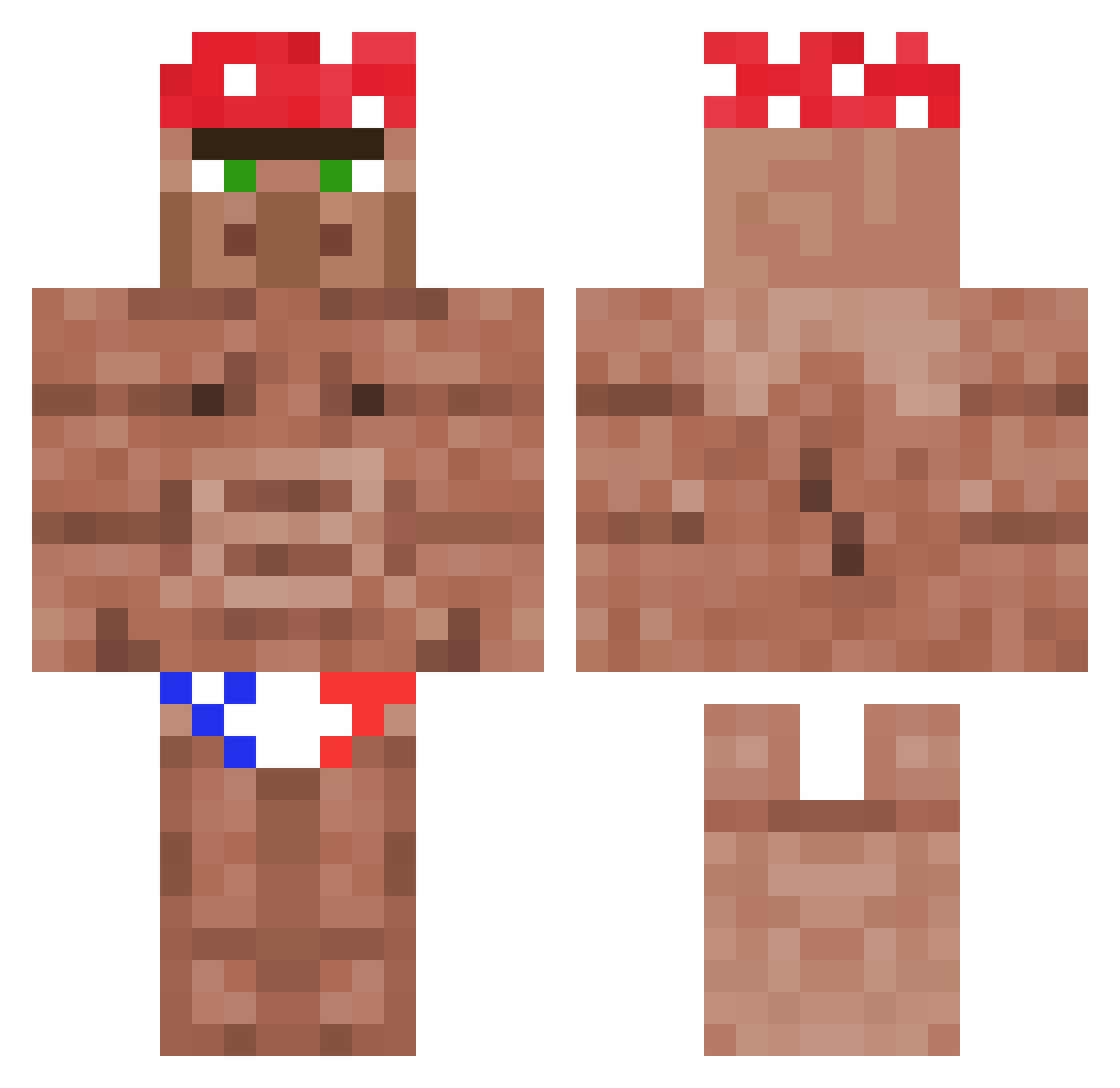
Current Minecraft skin of the player shamlan25, loaded from the official Mojang API. Rotate the 3D model with your mouse or finger, then download the skin as a PNG file and use it in Minecraft: Bedrock Edition or Java Edition for free. When shamlan25 changes their skin, this page updates automatically and the old skin stays in the history below.
Other players with this skin (1178)
shamlan25 was the 48th player we have seen with this skin, first spotted on 27.07.2026. The same skin was seen on these players. Open a nickname to see their current skin and skin history.
 SNEAKYSNAKE999 Plonk8832 Splendidoor CasuallyEbola Chubby_Chaser420 Wawrzu NIzER_mt bnhanneman Wilyone h1zoo Mobziu DracoXace Notch_is_life AutismusPrime664 Kimby85 iconicjackie Slompefisk MeNut20 Eswhald FrancoisBayrou Jakubiak12321 joakIt0oo_ FruitPrince666 VonCoolioJones dupopmaner Kaiderhaiii DaSwif Metalzada Xotinha Fabetos_Tetos oli88lach Rafffael
 kelesa Furry_G_Master Wronski76 HarshChimera458 PoteznyZydoSmiec Reksio2254 PowerfulAsp9 Stryker13799 mypokemon1 Widaxu Its_simo matti_sgt Franck_985 EpicGod_NoobKill Syrax01 KhunLo einIma ItsSlimJesus ztrike_ patataGamerOMG Kwachu2137 DancingWulf 6_Carl_Johnson_9 beeteo mamosonn Mr_jofe C0rrupt3d_24 lihi1235
More Ricardo Milos Minecraft skins
See all 100 Ricardo Milos skins
How to install the shamlan25 skin
- Press the Download button above to save the skin as a PNG file.
- Minecraft: Bedrock Edition (PE): open the Dressing Room from the main menu (or tap your character → Edit Character), go to Classic Skins → Owned, press the + (new skin) button, choose the downloaded PNG and pick the Classic (Steve) model. Works on PC and mobile; consoles cannot import custom skins.
- Minecraft: Java Edition: open the Minecraft Launcher, go to the Skins tab, click New Skin, load the PNG, pick the Classic (Steve) model and press Save & Use. You can also upload it at minecraft.net → Profile → Change Skin.
The skin does not show up after import - what should I do?
Restart Minecraft and open the Dressing Room again - imported skins sometimes appear only after a restart. Also make sure you selected the imported skin and picked the Classic (Steve) model.
Which model should I choose, Classic or Slim?
This skin is designed for the Classic (Steve) model. If you pick the wrong model, the arms of the skin will look stretched or squeezed.
Is the skin of shamlan25 free to download?
Yes. Press Download, save the PNG file and use it in Minecraft: Bedrock Edition or Java Edition - no payment or registration needed. The skin also works on multiplayer servers and Realms.
More skins
Looking for more? Go back to all Minecraft skins and check the top skins of the week, month and all time, or find any player's skin by nickname.