
seniorcrack - Minecraft Skins & Skin History
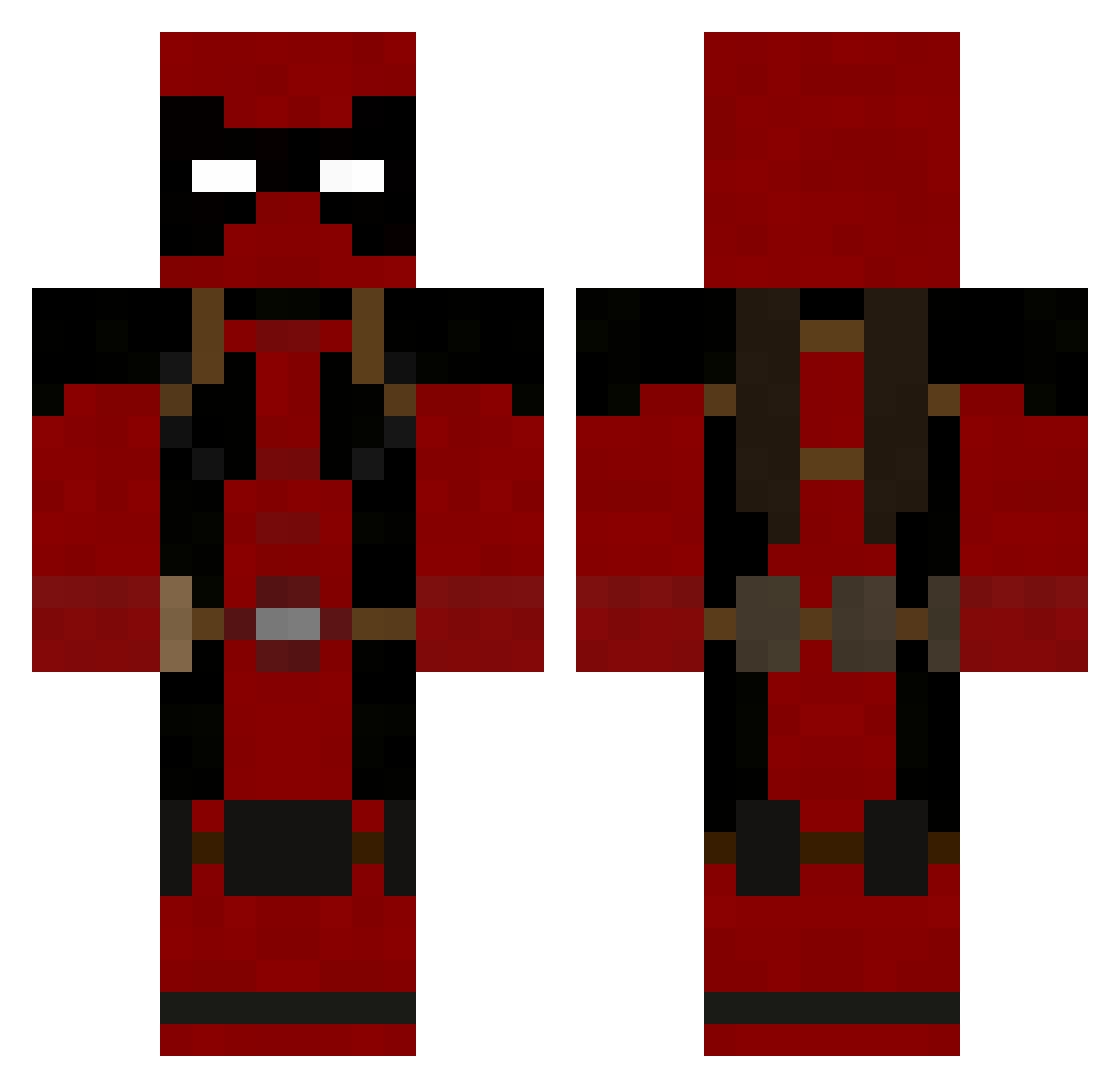
Current Minecraft skin of the player seniorcrack, loaded from the official Mojang API. Rotate the 3D model with your mouse or finger, then download the skin as a PNG file and use it in Minecraft: Bedrock Edition or Java Edition for free. When seniorcrack changes their skin, this page updates automatically and the old skin stays in the history below.
Other players with this skin (753)
seniorcrack was the 448th player we have seen with this skin, first spotted on 21.09.2026. The same skin was seen on these players. Open a nickname to see their current skin and skin history.
 Martizss Xtremekidd2000 hotled1947 Deadpool1030 RAYONE601 N16htmar3 Kaitetsu1017 Across24 Kierss WeedyKing freddlex monkey77133 DyingNexus HulkingOpossum PotencY11 Darkblah BlackKomodo21 SupraPanda epns tagazoo matthewdog571 mogwhomp AWESOMEboi12 Swagorb BeardedW0nder wesley1132311 squamster VinnieCraft_ Neverrmore batdad98 Crafter5252 ARS_RAMMER killem4965 septicsnail Joshscott213 legomanmonkey SuperChouxFleur gbholman96 krieger_san MostMoist OJiPanGo yrndre St1ckb0y Zoejd_002 SpermAttack Kataklysm_A PtolemysGate XteYago MrTiddles80 Darkwing_Ducker Dinosaur2006 miguel_hh17 n1nJaNiK hio590 jayrocks18 MrArcksiix babaorileyniggz MiggythePooh mrxebon snowflake21
More Deadpool Minecraft skins
How to install the seniorcrack skin
- Press the Download button above to save the skin as a PNG file.
- Minecraft: Bedrock Edition (PE): open the Dressing Room from the main menu (or tap your character → Edit Character), go to Classic Skins → Owned, press the + (new skin) button, choose the downloaded PNG and pick the Classic (Steve) model. Works on PC and mobile; consoles cannot import custom skins.
- Minecraft: Java Edition: open the Minecraft Launcher, go to the Skins tab, click New Skin, load the PNG, pick the Classic (Steve) model and press Save & Use. You can also upload it at minecraft.net → Profile → Change Skin.
The skin does not show up after import - what should I do?
Restart Minecraft and open the Dressing Room again - imported skins sometimes appear only after a restart. Also make sure you selected the imported skin and picked the Classic (Steve) model.
Which model should I choose, Classic or Slim?
This skin is designed for the Classic (Steve) model. If you pick the wrong model, the arms of the skin will look stretched or squeezed.
Is the skin of seniorcrack free to download?
Yes. Press Download, save the PNG file and use it in Minecraft: Bedrock Edition or Java Edition - no payment or registration needed. The skin also works on multiplayer servers and Realms.
More skins
Looking for more? Go back to all Minecraft skins and check the top skins of the week, month and all time, or find any player's skin by nickname.